

Here I will explain how to use progress Bar in window application.
Step 1: Form
Drag and down a progress Bar and a button and a timer from tool box.

Step 2: Code
Double click on progress bar and timer and write this code.
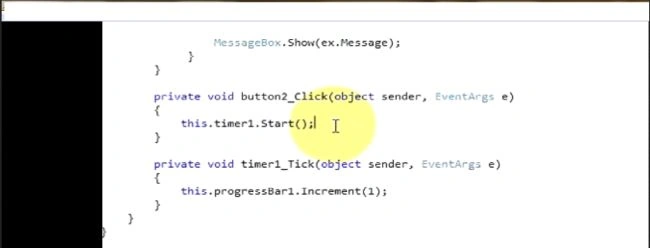
private void btnprogress_Click(object sender, EventArgs e)
{
this.timer1.start();
}
Now double click on timer
private void timer1_Click(object sender, EventArgs e)
{
this.btnprogress.increment(1);
}
We can also control the speed of the interval by a timer property.
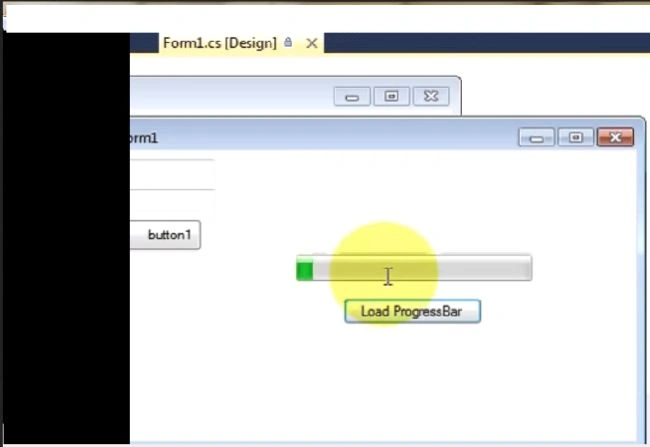
Step 3: Output
Rahul AnandPosted May 31, 2017, 2:30 PM
On button click, I am executing the process using backgroundworker. Here my SP is taking a longer time to execute as it has millions of records. And then using the resultset of SP I am performing my logic implementation where I have multiple loops. So, in this case, how can I show the progress percentage in ProgressBar. As there will not be any specific steps that I can use. Here the processing time depends on how much time the SP will take and then my code will take.
Ajay MalikPosted Jun 8, 2016, 6:38 AM
nice
GokulPosted May 30, 2016, 3:34 AM
Thank you for sharing