

Introduction
Let’s discuss what an Eclipse is. An Eclipse is an open IDE environment for Java developers and it comes under the open-source packages. With an Eclipse, one can develop efficient programs and It is more user-friendly than CMD.
Prerequisites
- JDK development Kit JDK v8 can be downloaded from the following link:
http://www.oracle.com/technetwork/java/javase/downloads/index-jsp-138363.html
- Eclipse IDE SE edition or EE edition can be downloaded from the following link:
http://www.eclipse.org/downloads/eclipse-packages/
Steps to be followed,
Step 1
Step 2
Click->New->Project.

Step 3
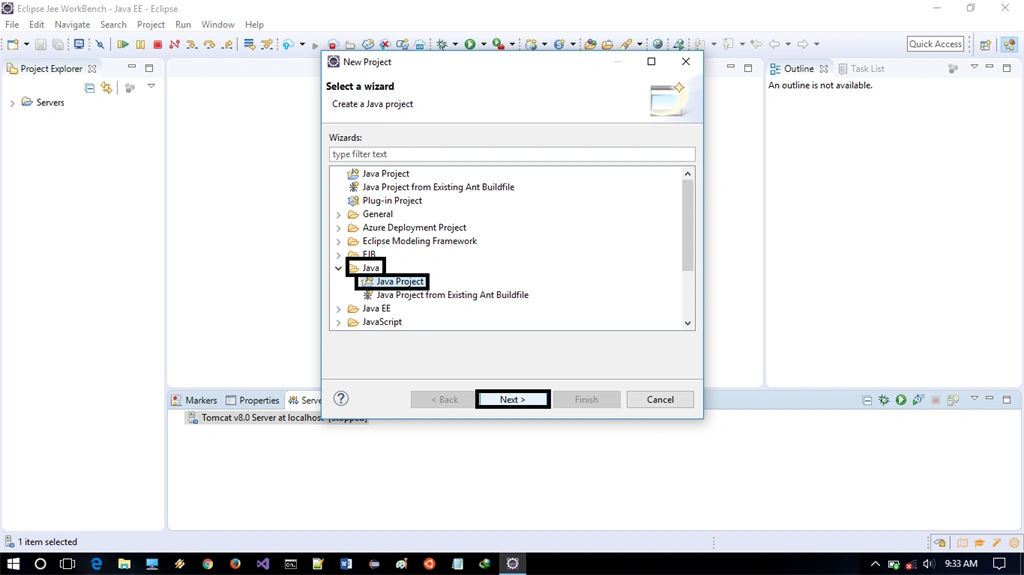
Step 4
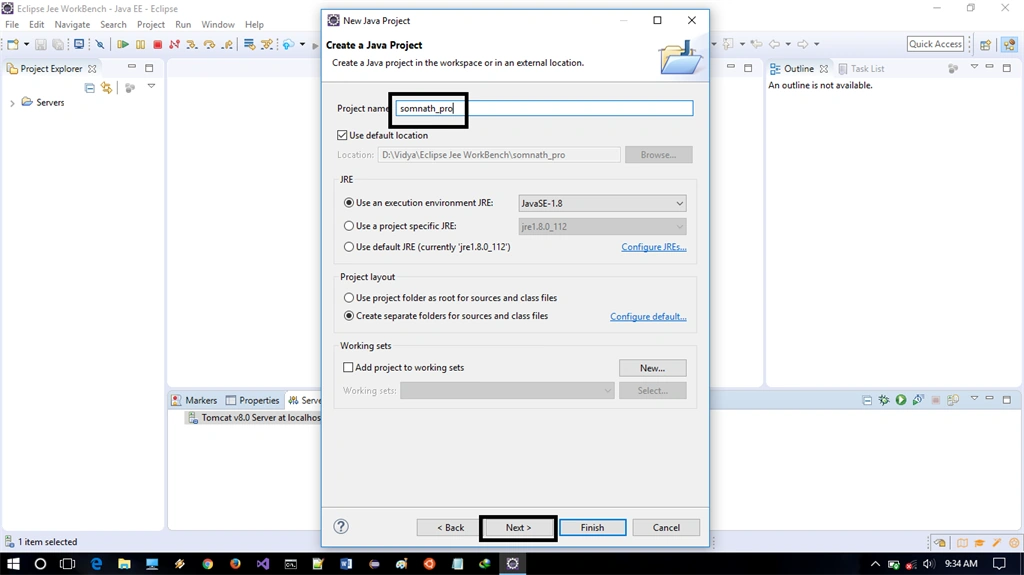
From the new Java project Window, we need to provide a project name for the project, name your project and click Next.
Step 5
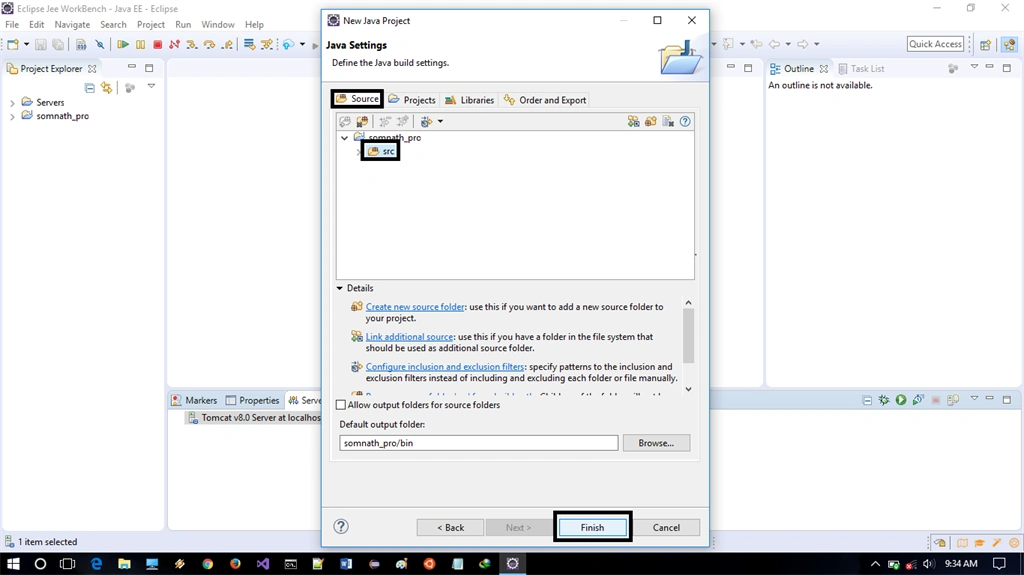
Step 6
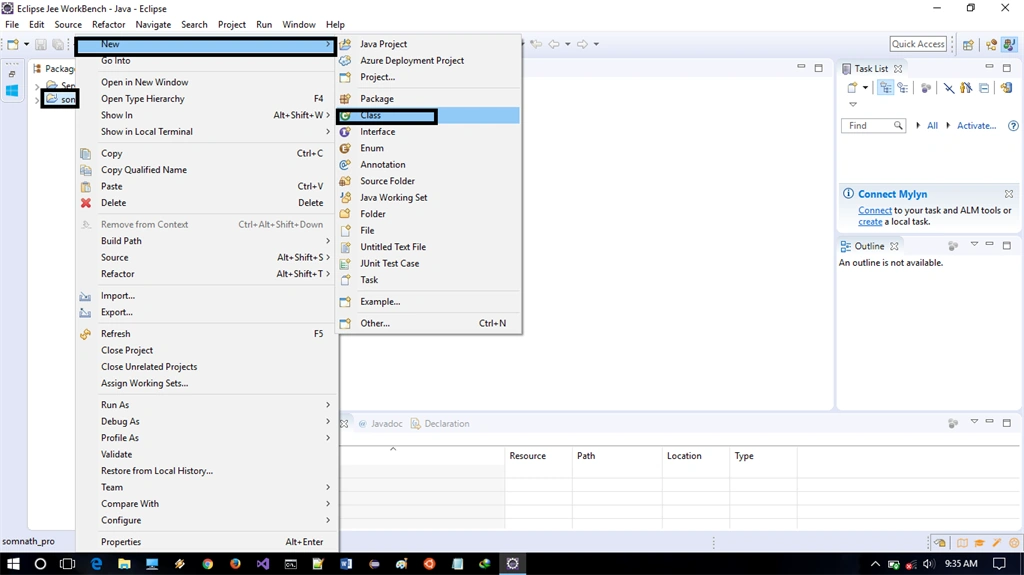
Step 7
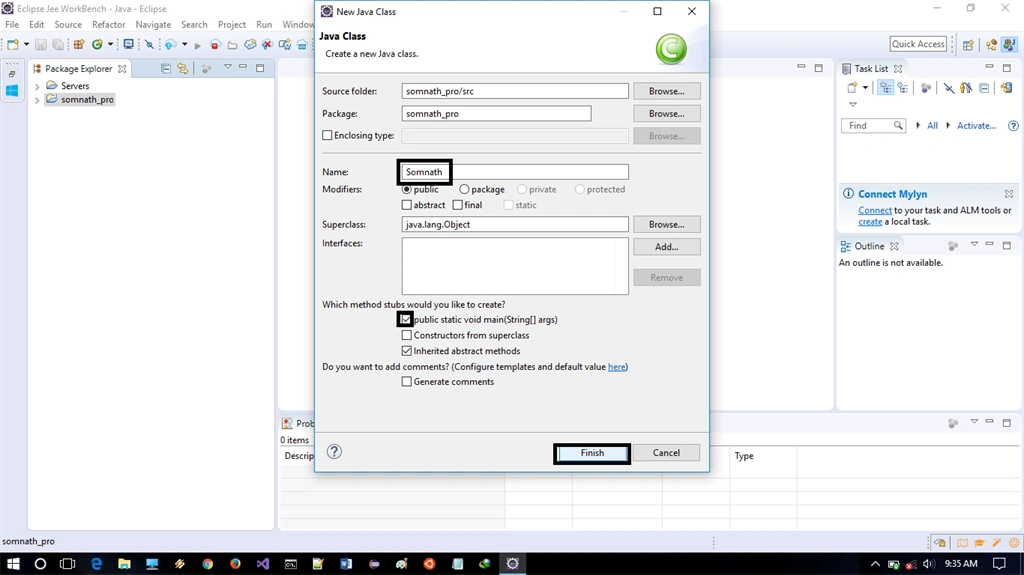
Step 8
With an Eclipse, I have just built a program to display the message, as shown below.
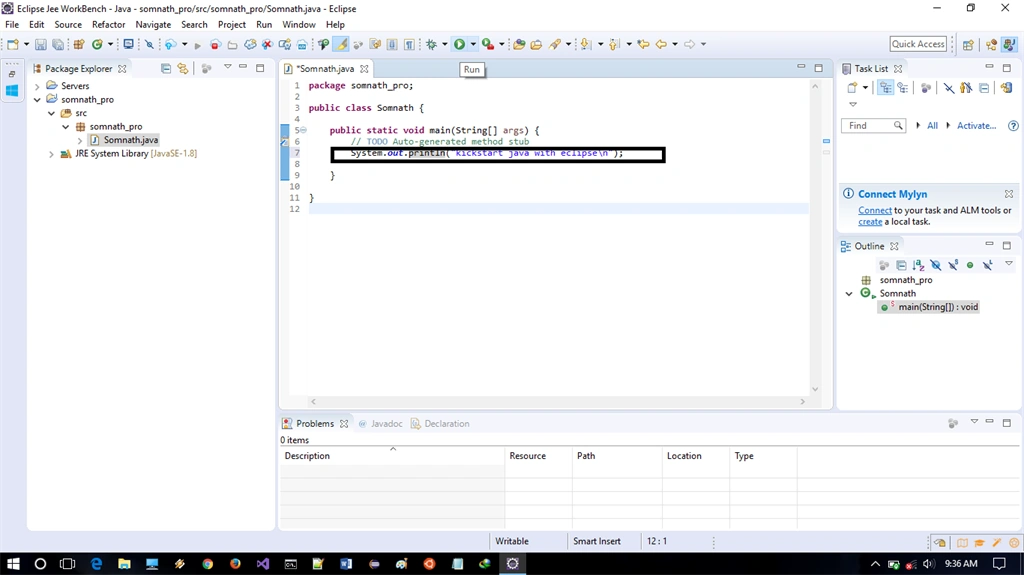
Step 9

Vidyadharran GPosted Apr 19, 2017, 11:27 AM
It's nice &keep writing articles somnath