
Introduction
Still, I always thought that it would have been useful for me to have something closer to real life - and involving a .NET datagridview. This is what I want to provide in this blog, even if it shows work in progress.
Technical Framework
System: WinXP SP3
.NET version: 4.0
IDE: Visual Studio C# 2010 Express
DB: SQL Server Express 2008 Express
The UI
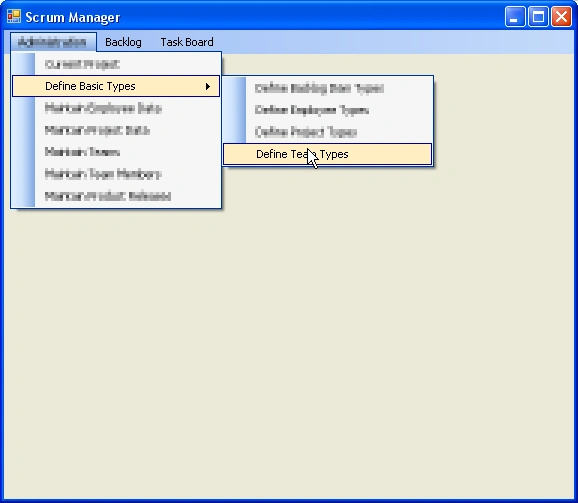
Here is what I wanted: a simple UI which enables the user to edit data stored in a database table. The user should be able to view the current data available in the DB, edit values of existing DB table entries, add lines to the data, delete lines and save the data. In the end I want to have an user interface to maintain a couple of database tables. The individual tables are accessible via a dropdown menu in a main window. Each user request from the main window invokes a form for editing data stored in one DB table:
The window called by the user command looks like this:
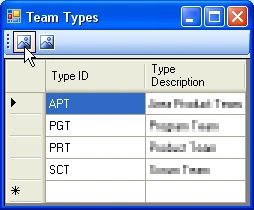
...the mouse point to what will become the save button.
So far I implemented only data retreval from the DB, change data in the UI and save this data to DB again. The "delete line" and "add line" features are still missing, but I think the existing functionality is enough to show the principles.
The Model
The model is responsible for any DB interaction and data manipluation. Following Matthew's article I created an interface for the model:
|
Note: Don't get irritated by the order of the methods - I just like sorting them alphabetically...
As one might guess by the interface name, I want to use this model in the future to handle DB table data independent of the concrete DB table. This is similar to Matthew's IVehicleModel together with the implementation in class Automobile.
The interface is then implemented in an abstract class which serves as blueprint for the table dependent implementation and which implements the MVC-relevant logic:
#region Attributes IDBTableEditorView theTeamTypeView; string viewType; #endregion public classDBTableEditorModel(string inViewType) {this.viewType = inViewType; } public void addObserverView(IDBTableEditorView inTeamTypeView) {theTeamTypeView = inTeamTypeView; } public void notifyObserverView() {theTeamTypeView.updateUserInterface(this); } public void deleteLineFromTable() {} public virtual void writeDataToDB(DataTable inDataTable) {} public virtual DataTable readDataFromDB() {DataTable lt_DataTable = new DataTable(); //Add code for concrete data retreval here in concrete class return lt_DataTable; } } |
Note: those methods which require table specific logic have the attribute "virtual".
In this specific example I'm dealing with a DB table called "TeamTypes" and which has 3 columns (TeamTypeID (char(3)), TeamTypeDesc (varchar(100)), TeamTypeNumber (bigint)). Thus I have to create a specific table-dependent implementation of my virtual base class called "classTeamTypesModel", in this class I have to override the two "virtual" methods:
|
Join the conversation! Your thoughts help the community grow.