

Introduction
In this blog, I am going to show how to post data into a demo form in Python. It will post the user data into a demo form in the web browser.
Software requirement
Python 3.5 and IDLE (Python 3.5) or above
Programming code
First, I am importing the request modules.
- #Posting data in Python
- #import packages
- import requests
- #post data
- mydata={"name":"raj", "email": "[email protected]"}
- #request
- r=requests.post("https://www.w3schools.com/php/welcome.php", data=mydata)
- #output statement
- f=open("myfile.html","w+")
- f.write(r.text)
About the code
Next, set posting data and request to a demo form page.
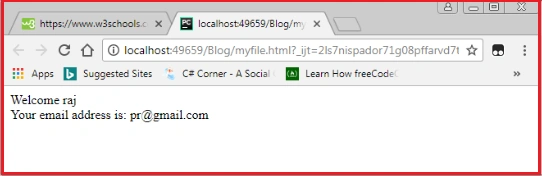
Finally, I have written the output statement to show the result in a web browser.
Then, let’s execute the code.
Form
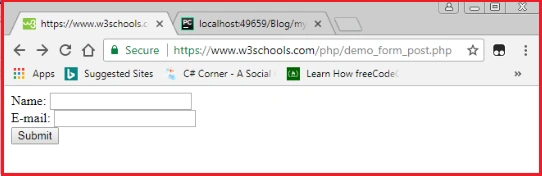
Before executing the code.
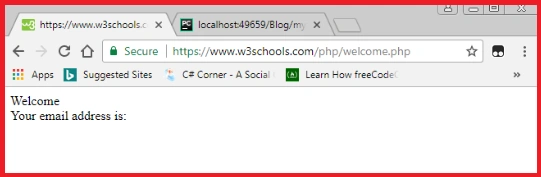
After executing the code.
Join the conversation! Your thoughts help the community grow.