

- private void btnPrint_Click(object sender, EventArgs e)
- {
- System.Drawing.Printing.PrintDocument printDoc = new System.Drawing.Printing.PrintDocument();
- strText = "Title : " + txtTitle.Text + "\nAuthor First Name : " + txtFName.Text + "\nAuthor Last Name : " + txtLName.Text + "\nPrice : " + txtPrice.Text;
- printDoc.PrintPage += new System.Drawing.Printing.PrintPageEventHandler(printDoc_PrintPage);
- printDoc.Print();
- }
- private void printDoc_PrintPage(System.Object sender, System.Drawing.Printing.PrintPageEventArgs e)
- {
- e.Graphics.DrawString(strText, this.txtCount.Font, new System.Drawing.SolidBrush(System.Drawing.Color.Black), e.MarginBounds.Left, 0, new System.Drawing.StringFormat());
- e.HasMorePages = false;
- }
Depending
on the user's selected Record, it will print that selected record.
See Below Images For More Clear view :
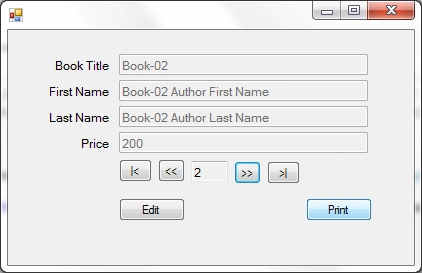
After
Selecting a record by using Next Or Previous Button As Shown in the above Image
then click on the print button to print that record.
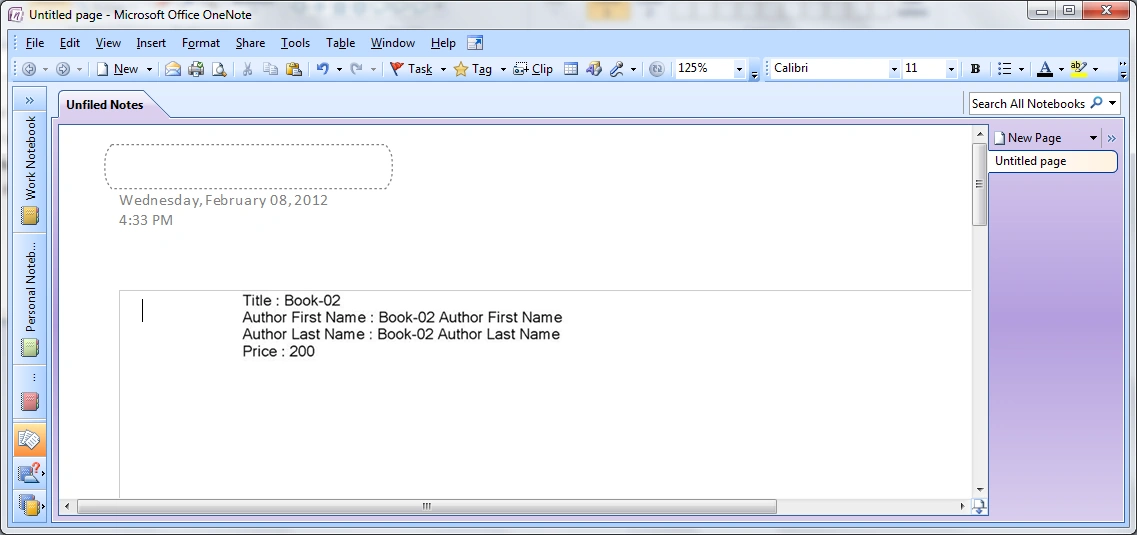
Here
I print into the system printer in One Note Send & It looks like below
image :
Join the conversation! Your thoughts help the community grow.