

Session
When a user connects to an ASP.NET website, a new session object is created. For every new request a new session variable is created. This session state object becomes part of the context and it is available throughout the application for a specific user.
Data can easily be transferred from one page to another.
Create a web application. Add a Web Form “Form1.aspx”. Write the following HTML code in it.
- <table>
- <tr>
- <td>
- Name
- </td>
- <td>
- <asp:TextBox ID="TxtName" runat="server"></asp:TextBox>
- </td>
- <td>
- <asp:Button ID="BtnRedirect" runat="server" Text="Submit" OnClick="BtnRedirect_Click" />
- </td>
- </tr>
- </table>
- <asp:Label ID="LblName" runat="server"></asp:Label>
- protected void BtnRedirect_Click(object sender, EventArgs e)
- {
- Session["UserName"] = TxtName.Text;
- Response.Redirect("Form2.aspx");
- }
- protected void Page_Load(object sender, EventArgs e)
- {
- if (!Page.IsPostBack)
- {
- if (Session["UserName"] != null)
- {
- LblName.Text = Convert.ToString(Session["UserName"]);
- }
- else
- {
- LblName.Text = "Guest User!!";
- }
- }
- }
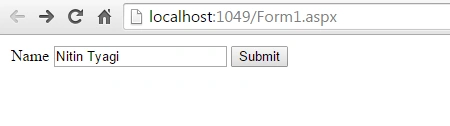
Enter some text. Click on the Submit button.
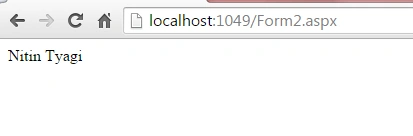
We get the same name on the second page. Session is used to display the name here.
What if we jump to the Form2.aspx directly. In that case there will not be any session variable assigned and thus the else condition should work in that case. Let us run the Form2.aspx directly and see what happens.
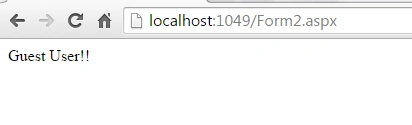
So in this way we can use session in ASP.NET.
SubashPosted Jul 4, 2016, 2:09 PM
Thanks nitin