

Scenario
One of our developers was getting this error, after she wrote the latest code in devops. This application was Angular 11 with ASP.net core 3.1.
Exact Error
AggregateException: One or more errors occurred. (One or more errors occurred. (The NPM script ‘start’ exited without indicating that the Angular CLI was listening for requests. The error output was: An unhandled exception occurred: Cannot find module ‘posix-character-classes’
After a bit of research, we found that we need to update the Angular and npm version.
Command
- npm update
- ng update
- // alternatively
- npm update -g
- np update -g
However, this solution did not work in our case. After further research, I observed that the clientApp’s (angular application) folder was having node_modules folder from Azure DevOps as shown.
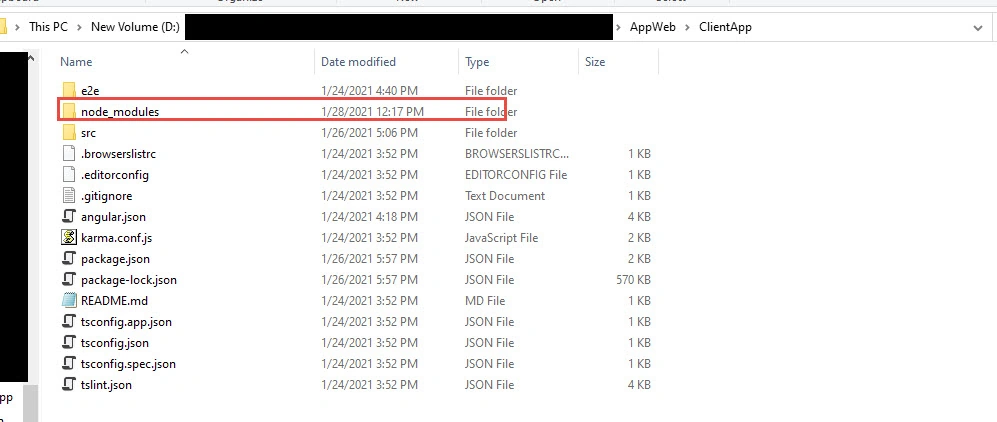
This was supposed to create based on user build and not from source control. Therefore, I deleted the folder from the Angular application and rebuilt the solution. And this time it worked and resolved the issue.
Solution
Remove the node_modules folder from the Angular application.
- ng serve –open
ng serve –open
Alternatively, run the solution from Visual Studio.
Regards
Rijwan
Join the conversation! Your thoughts help the community grow.