

This post will guide you on how to upgrade from F23 to F24 with Gnome.
First let’s start with a machine with Fedora 23 fully updated. IF you are new to fedora then you can simply do it by running $ sudo dnf update.
Once you are done, you will be ready to start off.
**Make sure you are not going to use your production machine as this test might result in data loss.
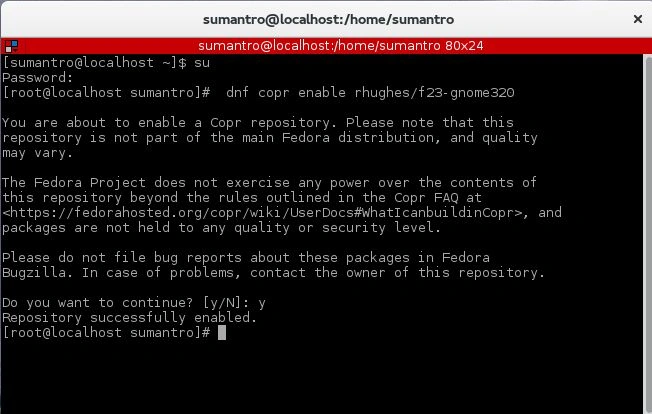
Enabling COPR repo : dnf copr enable rhughes/f23-gnome320
Editing the fedora.json file
You can find the file at ~/.cache/gnome-software/3.20/upgrades/fedora.json .
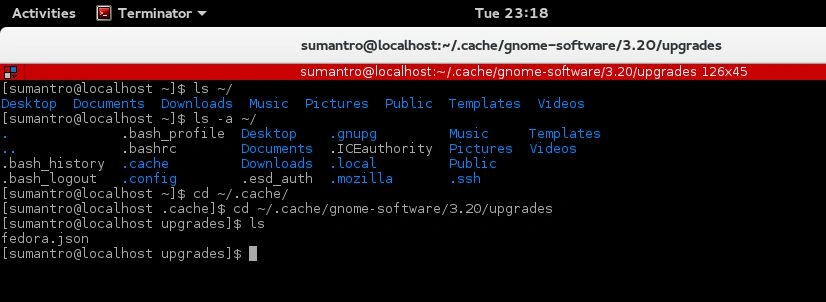
Find f24 and change the status key pair value from "Under Development" to "Active",
- {
- "allow_retire": true,
- "branchname": "f24",
- "date_created": "2016-02-23 22:57:55",
- "date_updated": "2016-02-25 20:39:53",
- "dist_tag": ".fc24",
- "koji_name": "f24",
- "name": "Fedora",
- "status": "Active",
- "version": "24"
- }
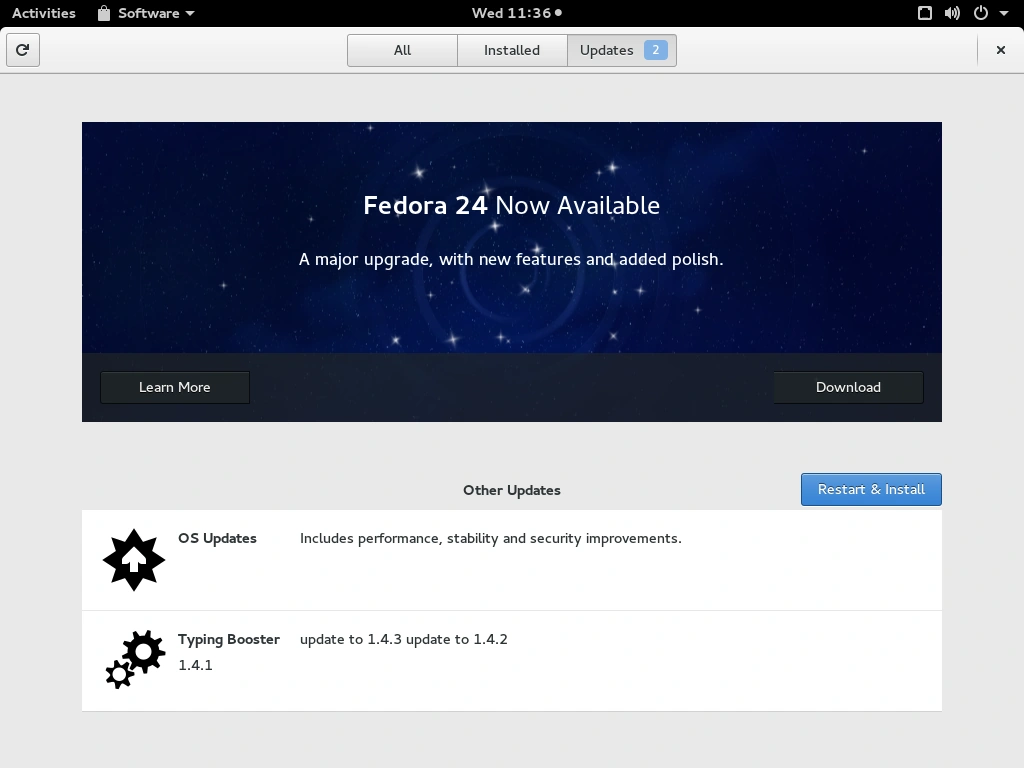
That's how you can upgrade from F23 to F24 easily with Gnome 3.20.
Join the conversation! Your thoughts help the community grow.