

Difference between %d and %i format specifier
- %d and %i are both used to read and print integer values but they still have differences.
- %d - Specifies signed decimal integer.
- %i - Specifies an integer.
%d and %i as output specifiers
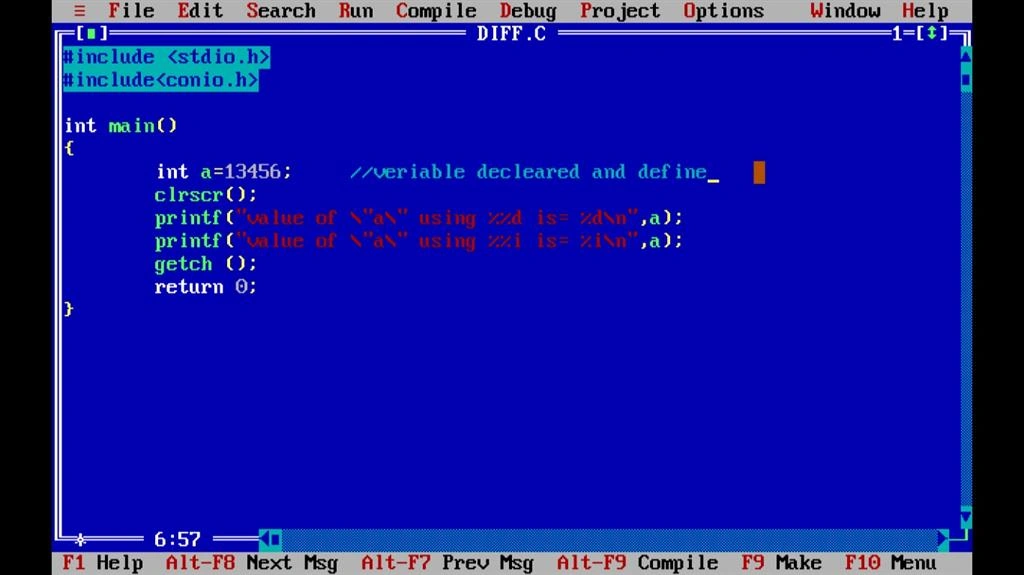
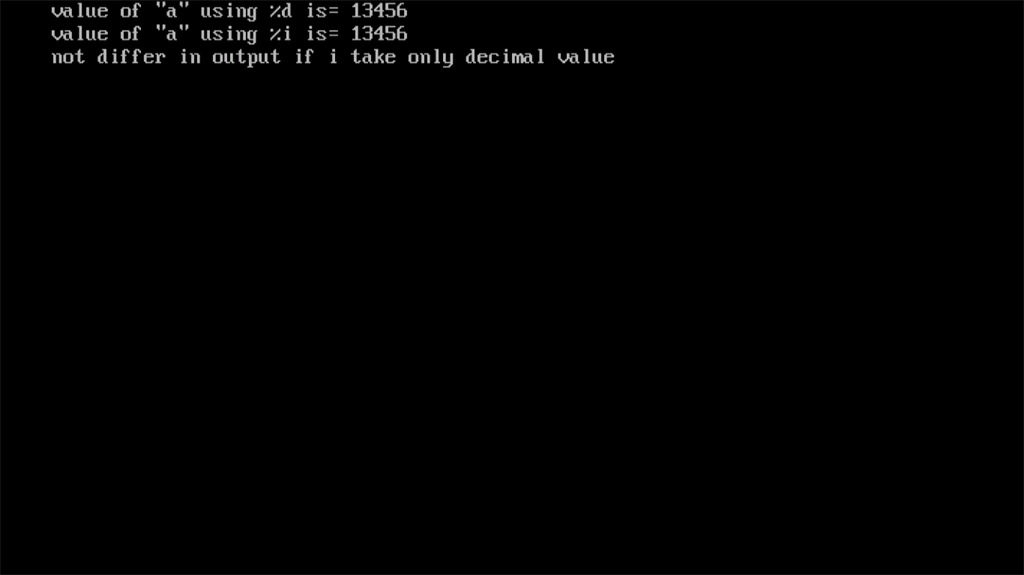
There are no differences between %d and %i format specifier. If both the specifiers are same, they are being used as the output specifiers, printf function will print the same value; either %d or %i is used.
- #include < stdio.h >
- #include < conio.h > int main() {
- int a = 13456;
- clrscr();
- printf("value of \"a\" using %%d is= %d\n", a);
- printf("value of \"a\" using %%i is= %i\n", a);
- getch();
- return 0;
- }
Output
value of a using %d is= 13456
value of a using %d is= 13456
Sample code Screen
Sample output Screen
- %d and %i as Input specifiers
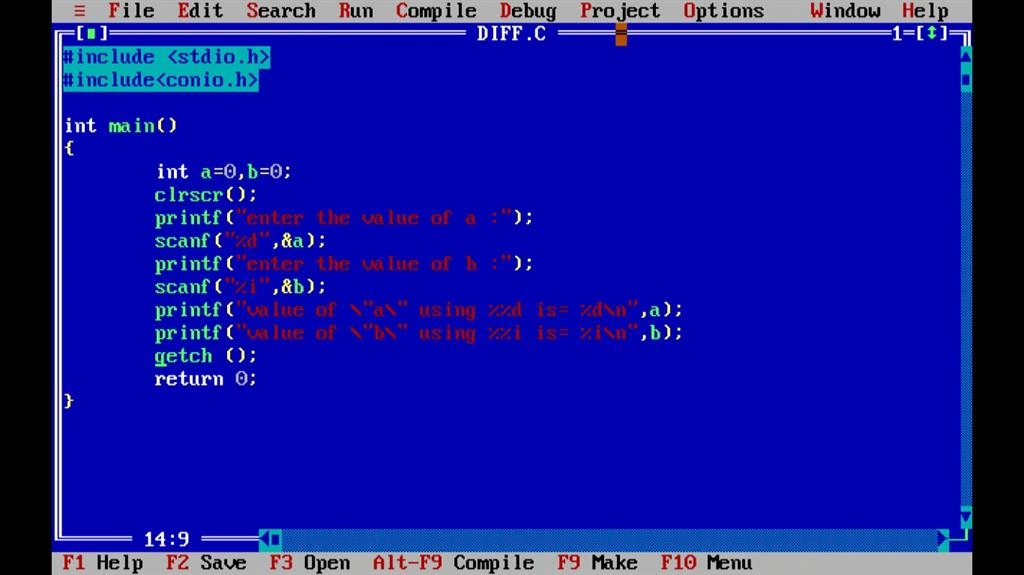
There are differences between %d and %i format specifier. Both specifiers are different, if they are using input specifiers, scanf function will act differently based on %d and %.
- %d as input specifier
%d takes an integer value as signed decimal integer i.e. it takes negative values along with the positive values but the values should be decimal.
- %i as input specifier
%i takes an integer value as an integer value with a decimal, hexadecimal or an octal type.
To give the value in hexadecimal format - the value should be provided by preceding "0x" and the value in an octal format - value should be provided by preceding "0".
- #include < stdio.h >
- #include < conio.h > int main()
- {
- int a = 0, b = 0;
- clrscr();
- printf("enter the value of a :");
- scanf("%d", & a); //reading a value from console
- printf("enter the value of b :");
- scanf("%i", & b); //reading a value from console
- printf("value of \"a\" using %%d is= %d\n", a);
- printf("value of \"b\" using %%i is= %i\n", b);
- getch();
- return 0;
- }
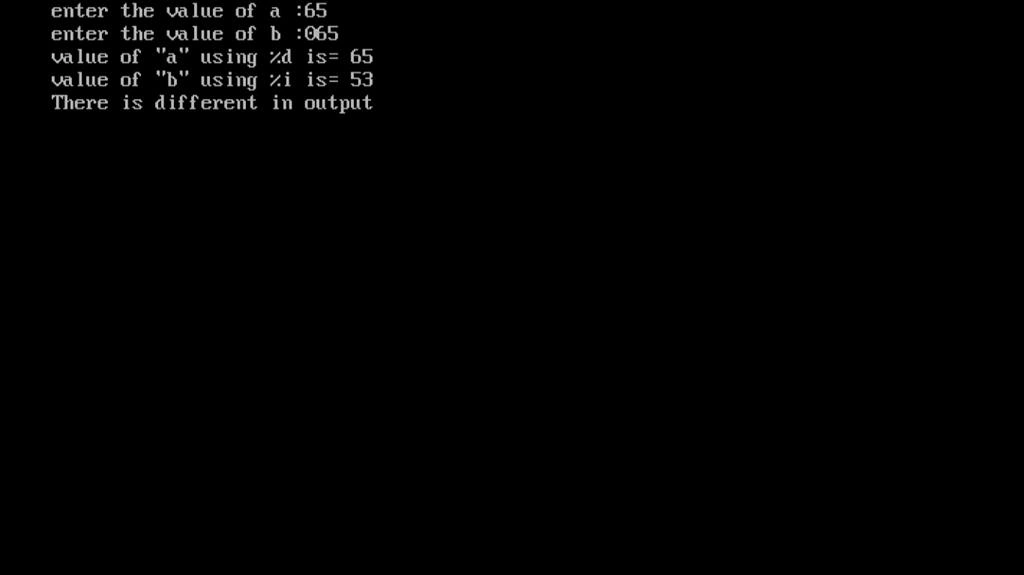
Output
Enter the value of a :65
Enter the value of a :065 //little change in my input I'll take octal number here .
Value of using %d is= 65
Value of using %d is= 53 // Also I got little difference in my output. decimal number of 65 is 53
Sample code screen
Sample output screen
Ratnakar YellapragadaPosted Apr 18, 2017, 3:30 AM
They are the same when used for output, e.g. with printf . However, these are different when used as input specifier e.g. with scanf , where %d scans an integer as a signed decimal number, but %i defaults to decimal but also allows hexadecimal (if preceded by 0x ) and octal if preceded by 0 .