

SQL Server Management Studio (SSMS) 22 comes with several modern features that significantly improve the developer and DBA experience. SSMS continues to be an independent tool, separate from SQL Server licensing, and this release clearly shows Microsoft’s focus on productivity, performance awareness, and usability.
In this blog, let’s walk through the most important updates in SSMS 22, explained in a simple and professional way.
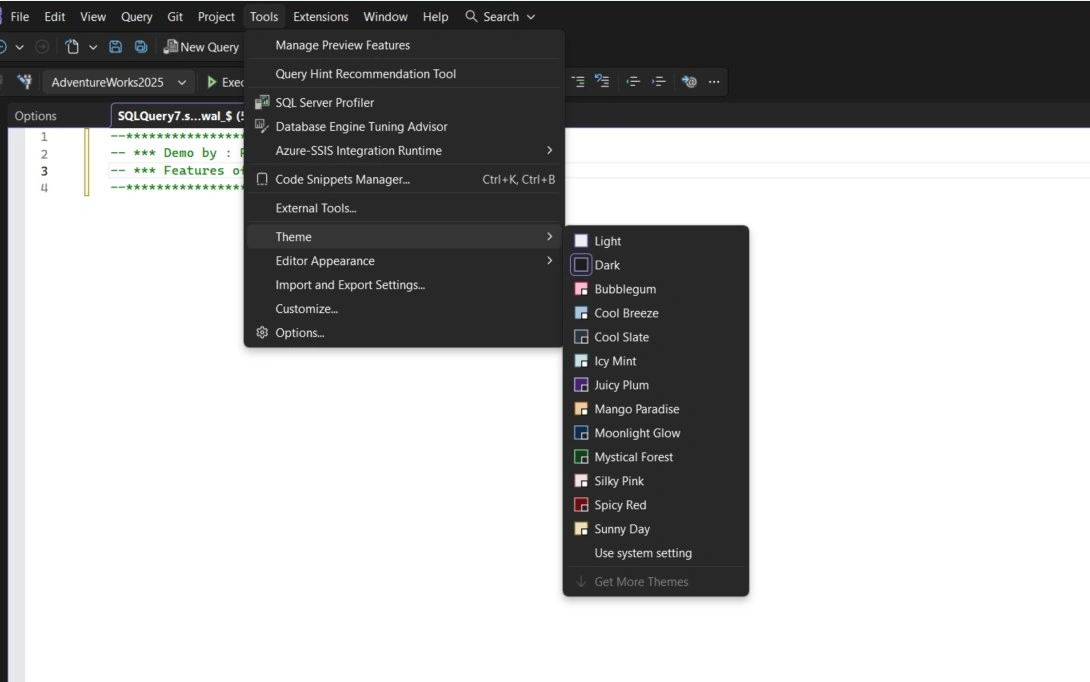
Theme Support
One of the most-awaited features is finally here — Themes.
In SSMS 22, you can now change the IDE's look and feel, similar to Visual Studio and VS Code. This allows you to choose a theme that suits your preference, making long hours of query writing more comfortable and easier on the eyes. For developers and DBAs who spend most of the day in SSMS, this is a very welcome improvement.
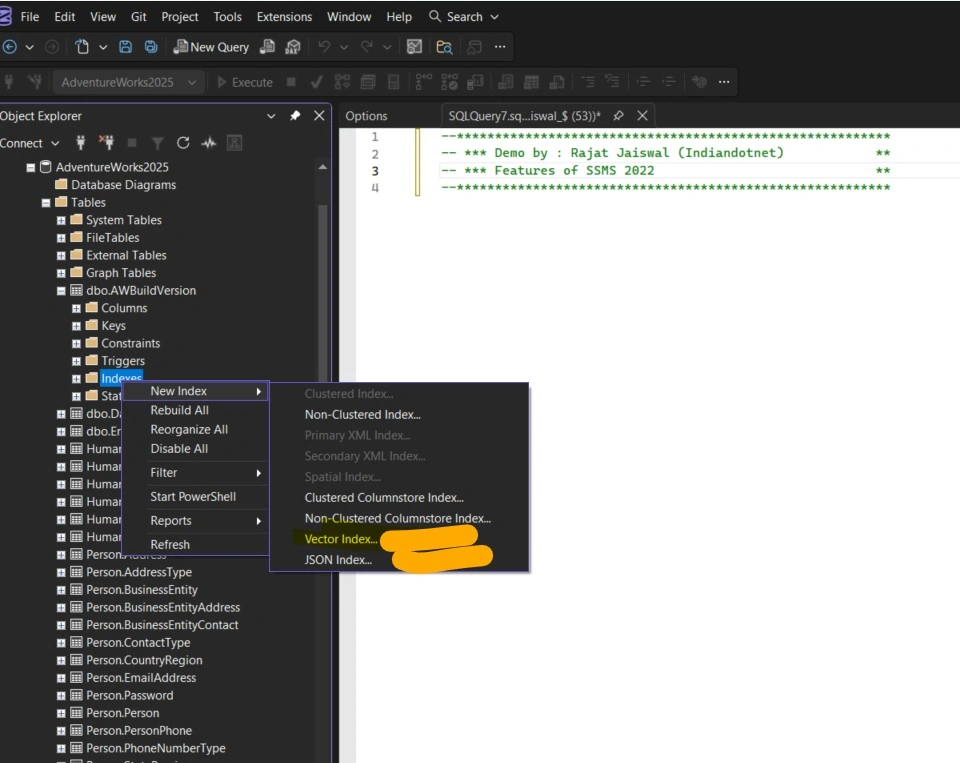
Updated Index Options
With SQL Server 2025, SSMS 22 introduces enhanced index creation options.
You now get support for:
Vector Index
JSON Index
These new options make it easier to work with modern data types and use cases, especially when designing solutions that involve structured and semi‑structured data. Having these options directly available in SSMS improves productivity and reduces manual scripting effort.
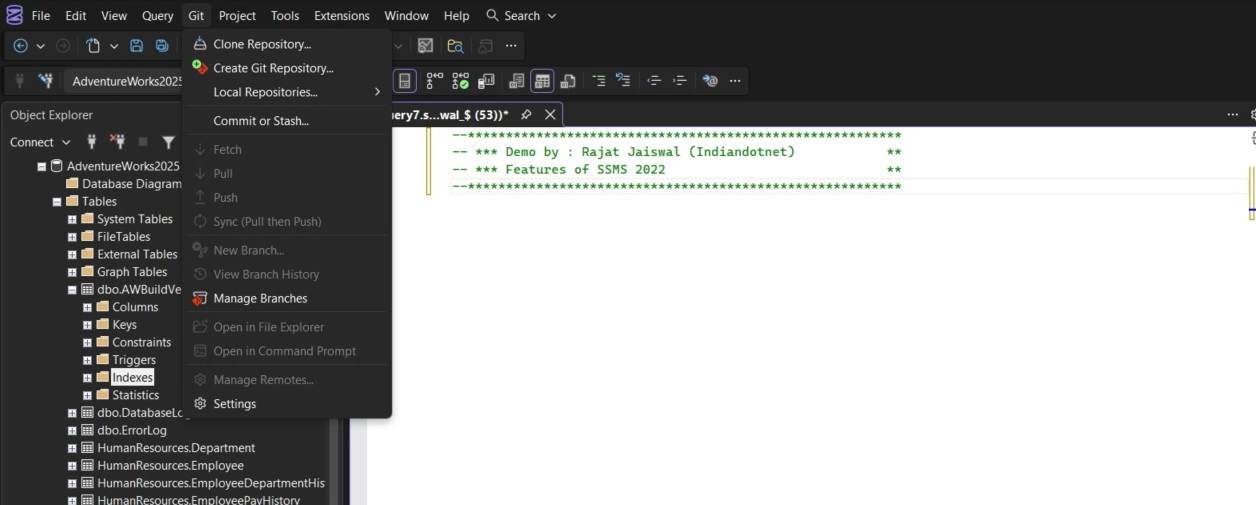
Git Integration
SMS 22 now supports Git integration, bringing source control directly into the tool.
Just like in VS Code, you can connect SSMS to a Git repository and manage your database scripts more effectively. This is especially useful for teams that follow version control and collaboration best practices. It helps maintain a clean history of changes and improves overall development workflow.
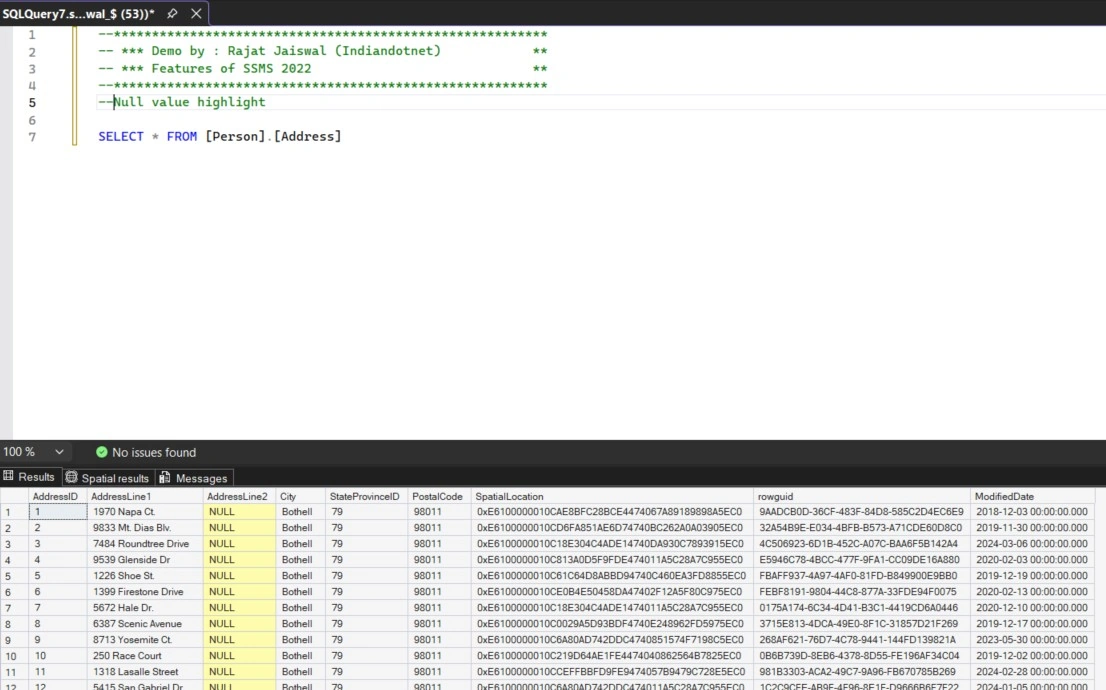
Highlighting NULL Values
Finding NULL values in query results is now easier than ever.
SSMS 22 automatically highlights NULL values in the result grid. This small but powerful feature helps developers quickly identify missing or undefined data, reducing mistakes during data analysis and debugging. It’s a simple enhancement, but it adds real value in daily SQL development work.
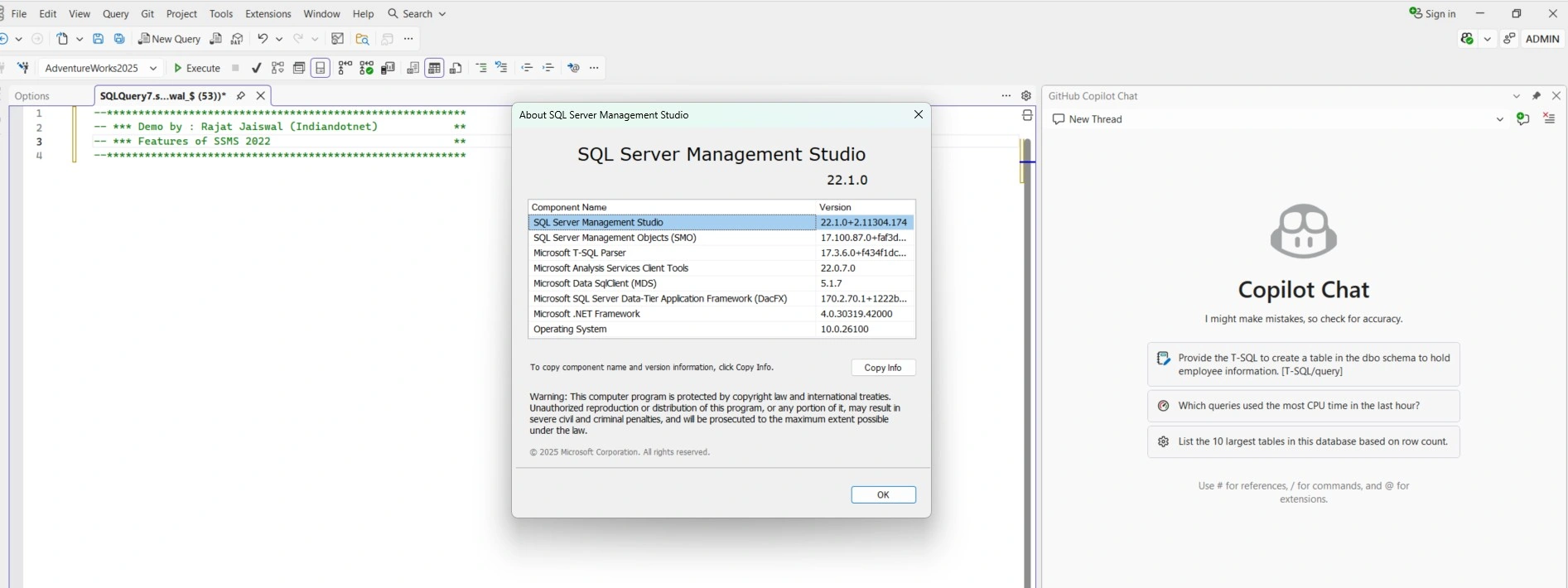
GitHub Copilot Chat Integration
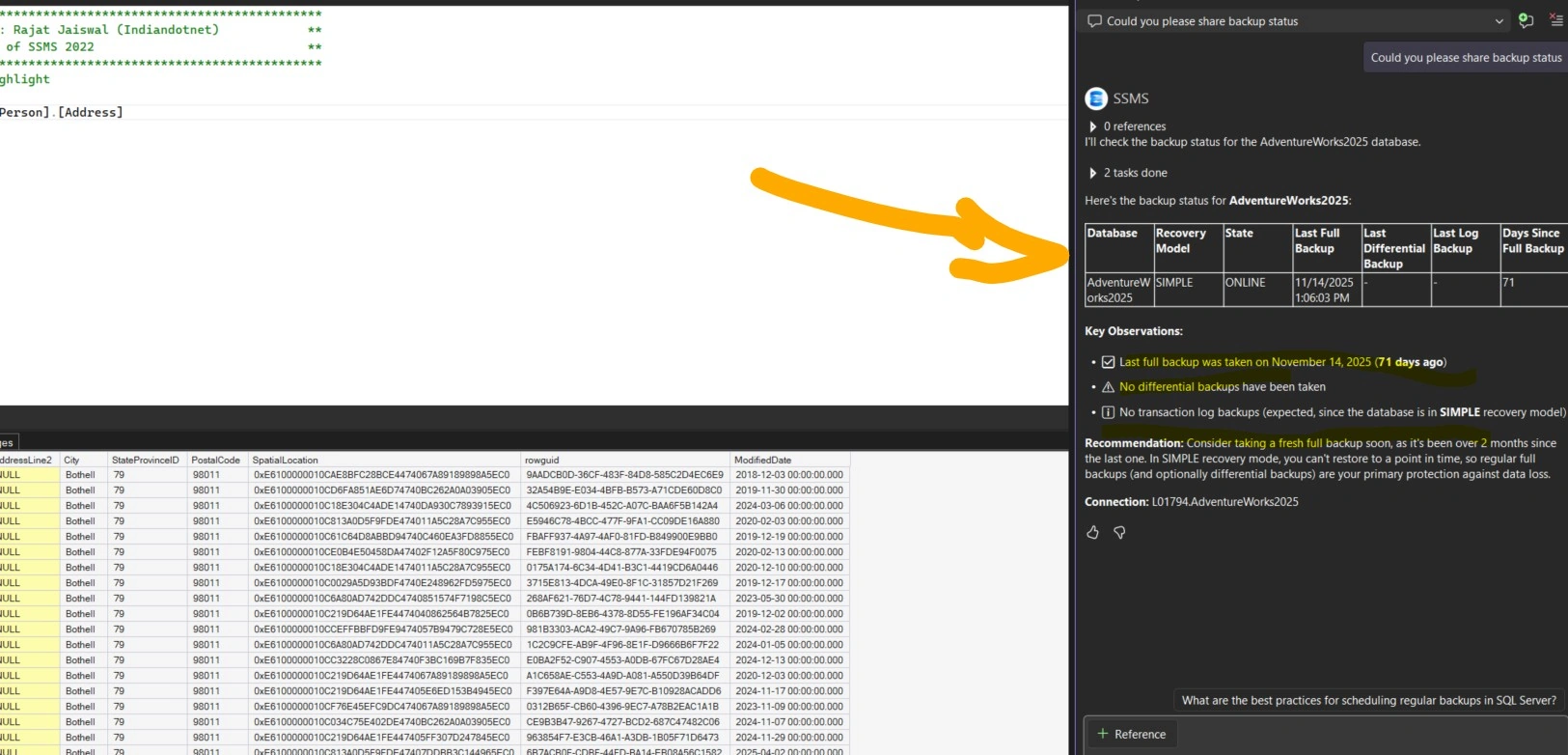
A major productivity boost comes with the inclusion of GitHub Copilot Chat in SSMS 22.
Developers and DBAs can now get AI‑assisted help directly inside SSMS. This can be useful for understanding queries, improving scripts, or exploring suggestions interactively. It’s a powerful addition that brings modern AI assistance into database development workflows.
Query Hint Recommendation Tool (Preview)
Query performance tuning becomes easier with the Query Hint Recommendation Tool, currently available in preview.
If you are dealing with performance issues, this tool analyzes your query and recommends helpful query hints. The results are presented in both graphical and tabular formats, making it easier to understand the recommendations and their impact. This feature can be very useful for performance troubleshooting and learning query optimization techniques.
Presentation Mode
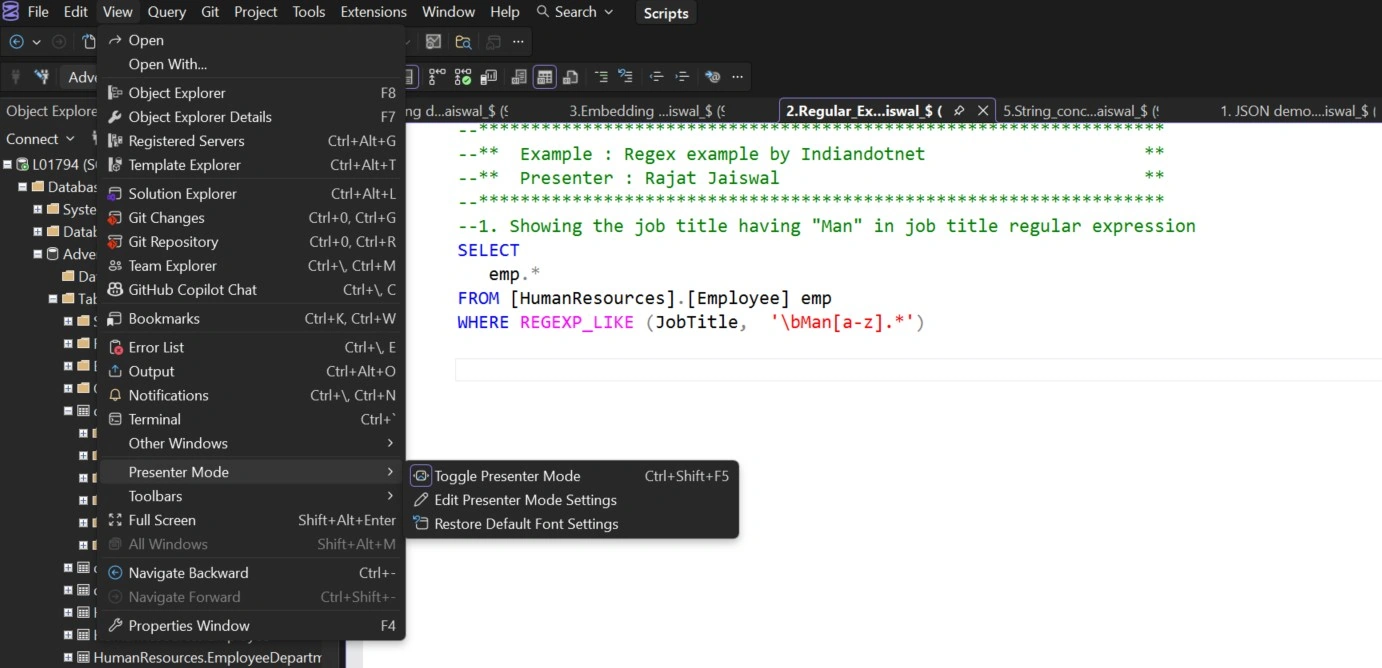
SSMS 22 introduces a Presentation Mode, designed especially for demos and training sessions.
With a single shortcut, you can quickly change your SSMS font size and layout to make code more readable on large screens. This is extremely helpful for trainers, presenters, and anyone who frequently demonstrates SQL scripts to others.
Execution Plan in a New Tab
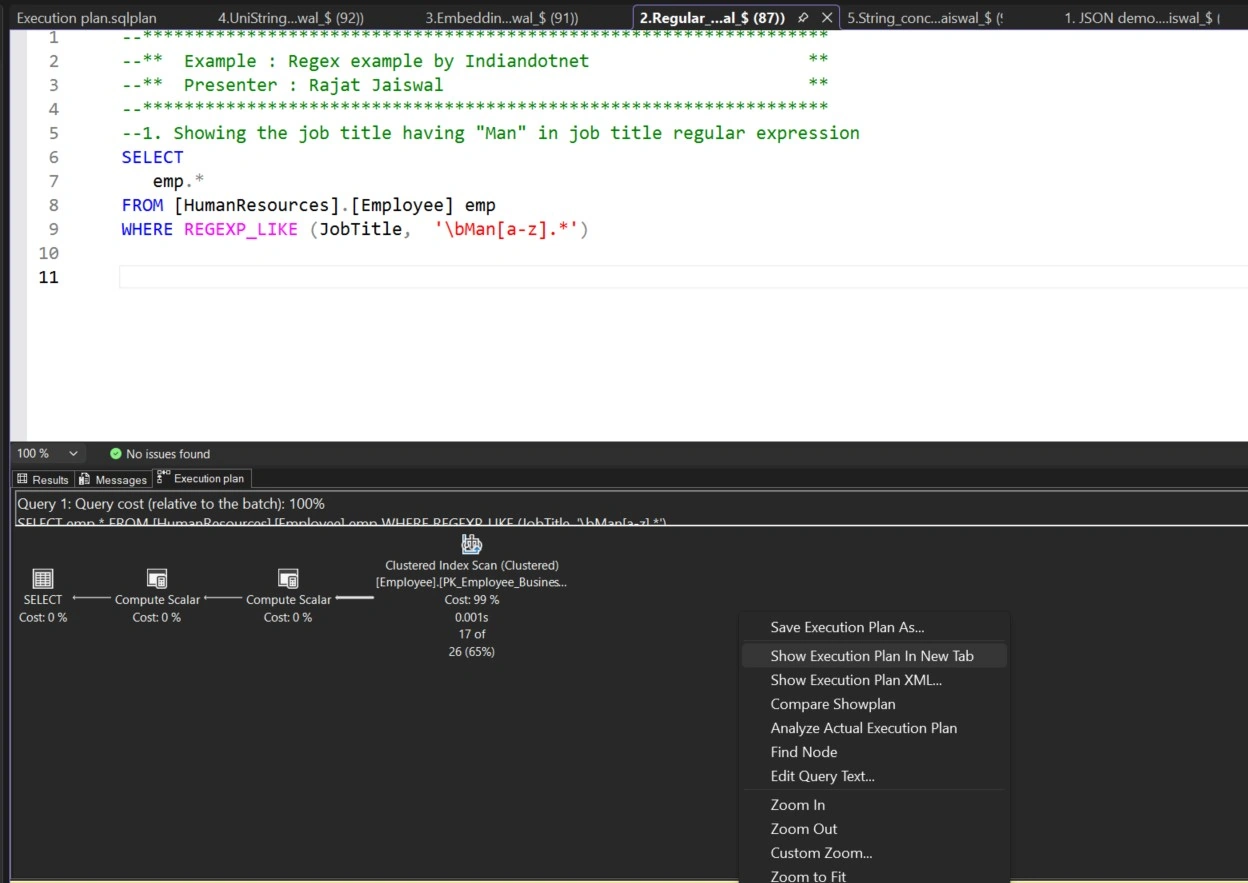
Viewing execution plans is now more streamlined.
With a simple right‑click option, you can open the execution plan in a new tab, making it easier to analyze query performance without cluttering your main query window. This improves focus and usability when tuning queries.
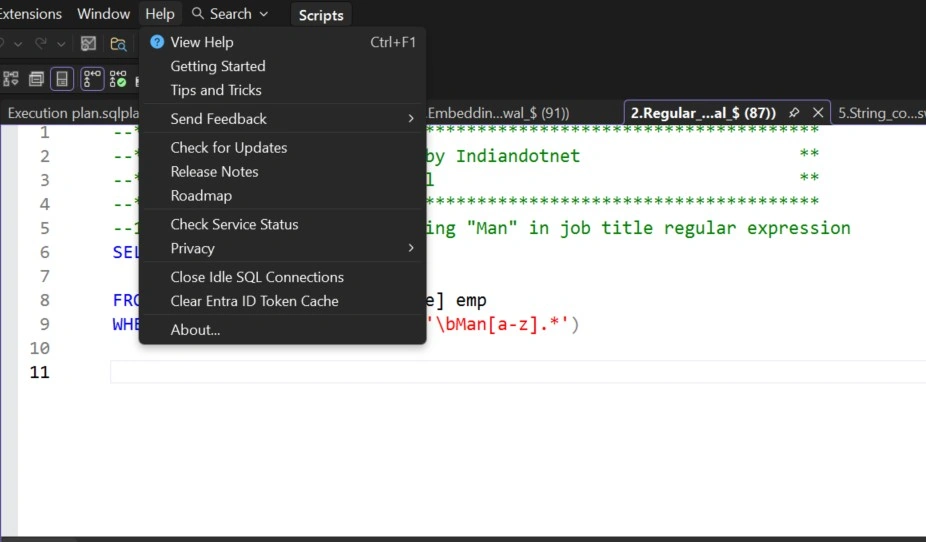
Close Idle Connections
SSMS 22 provides an option to close idle connections automatically.
Often, multiple query windows remain open without being used, holding unnecessary connections. This feature helps clean them up, making SSMS more efficient and reducing resource usage on the SQL Server side. It’s a practical feature that helps maintain better connection management.
Zoom in the Result Grid
Another useful enhancement is the ability to zoom the result grid independently.
This is especially helpful when working with large result sets or when screen visibility is limited. You can now zoom in on results without affecting the rest of the SSMS interface, improving readability on demand.
Final Thoughts
SQL Server Management Studio 22 brings modern development capabilities, better usability, and smarter performance tools into one IDE. From theming and Git integration to AI assistance and performance insights, this release makes SSMS more powerful and user‑friendly for both developers and DBAs.
If you haven’t explored SSMS 22 yet, this is definitely a version worth upgrading to.
Join the conversation! Your thoughts help the community grow.