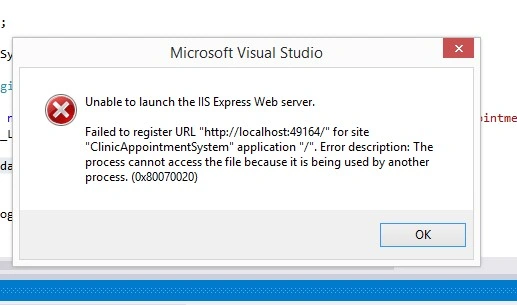
Error: Unable to launch the IIS Express Web Server
How to solve this guys? thankyou
Know the answer? Post it — somebody with the same question will find it here.
Sign in to answer this question
It is the same account you read, post and publish with — and you will come straight back to this page.
Manas MohapatraPosted Oct 30, 2016, 2:59 PM
2 - Go to properties.
3 - Go to Server tab.
4 - On tab section, change the project URL for other port number.
Secondly please check some of files are being used by other process. Try to restart the VS or machine and see what is effect. Open VS in administrator mode..