Hello,
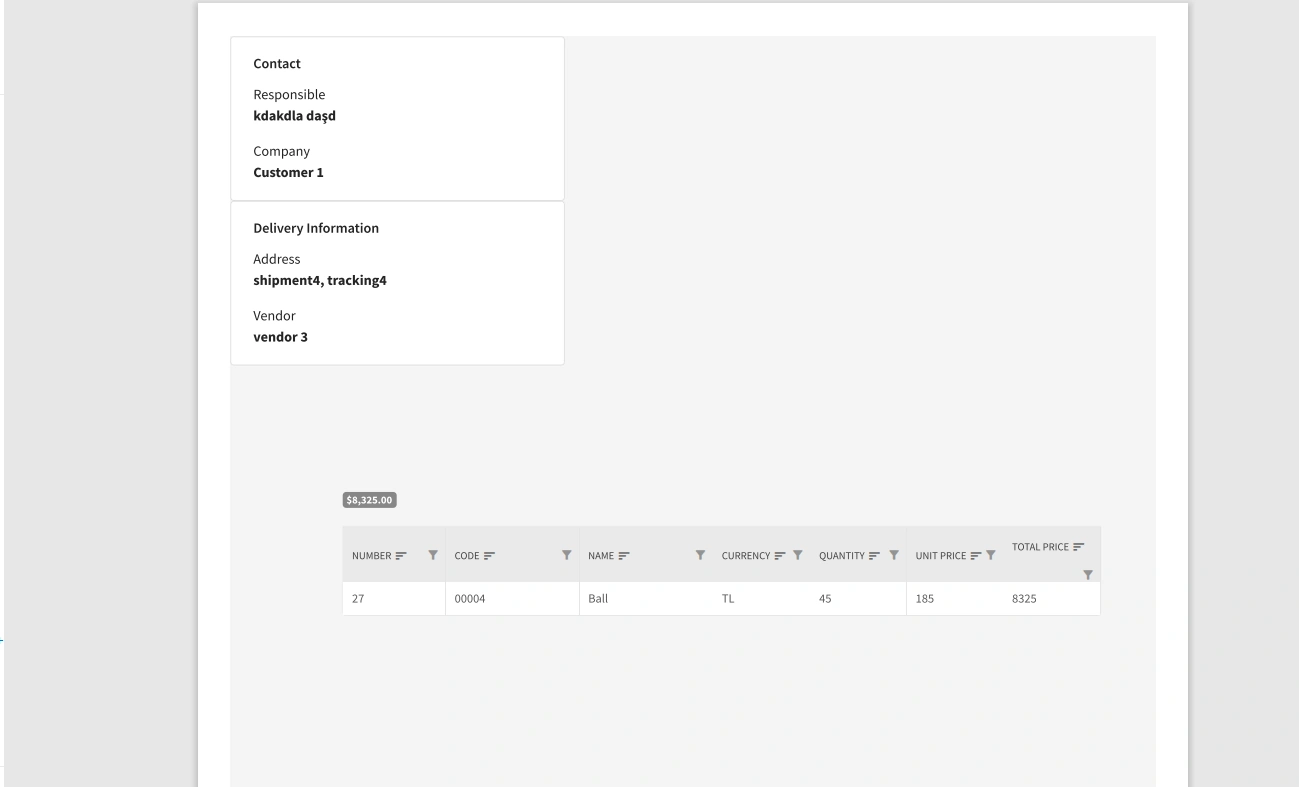
In my application, I am printing a razor page and I want to display 2 divs side by side. (Contact and Delivery Information) I want the grid to start from the left and closer to the others.
Here is my sample razor:
@page "/dialogcard/{Order}"
@using IMS.CoreBusiness
@using IMS.UseCases.Interfaces.OrderDetail
@inject IViewOrderDetailsByOrderIdUseCase ViewOrderDetailsByOrderIdUseCase
@inject DialogService DialogService
@inject IJSRuntime JsRuntime
@if (orderDetails != null)
{
Order @Order.OrderId Details
@{
var detailVendorId = 0;
}
@foreach (var detail in orderDetails)
{
@if (detailVendorId != detail.VendorId)
{
x.VendorId == detail.VendorId).Select(x => x.TotalBuyPrice).Sum())}") style="margin-bottom: 5px"/>
}
detailVendorId = detail.VendorId;
}
}
orderDetails;
protected override async Task OnInitializedAsync()
{
orderDetails = await ViewOrderDetailsByOrderIdUseCase.ExecuteAsync(Order.OrderId);
}
private void PrintDocument()
{
JsRuntime.InvokeVoidAsync("print");
}
}
And here is my related CSS:
@media print {
    body * {
        visibility: hidden;
    }
    #printarea, #printarea1, #printarea *, #printarea1 * {
        visibility: visible;
    }
    #printarea {
        position: absolute;
        left: 0;
        top: 0;

    }
    #printarea1 {
        position: fixed;
        left: 0;
        top: 0;
    }
    @page {
        size: A4 landscape;
    }
    .float-child {
        width: 50%;
        float: left;
        /*padding: 20px;*/

    }
And the result which is not even close what I want:
Abhishek ChadhaPosted Sep 4, 2022, 11:06 AM
Chris LovePosted Sep 28, 2022, 1:11 PM
I did not dive deep into your code, but this should answer the question. I do this all the time.
Have a container/wrapper element, I use DIV. That element should be display:flex;. I also set flex-wrap:wrap. I may also justify-content: start or center depending on my needs. align-items:start should make sure all your child elements align to the top.
As for the child elements, if you have 2 you need within the container you can set them to width: 50%, which may need to be adjusted with margin, so use of a calc() method here is often employed. The child elements can be display:block|flex as needed too.
I just left the CSS flexbox :)
Also the position fixed or absolute can be a problem when it comes to layouts. Be very careful using those properties.