I am creating currently a Blazor Server. In the solution there are a few projects: some of them is the Blazor server and the DataAccess project (where is the ApplicationDbContext class).
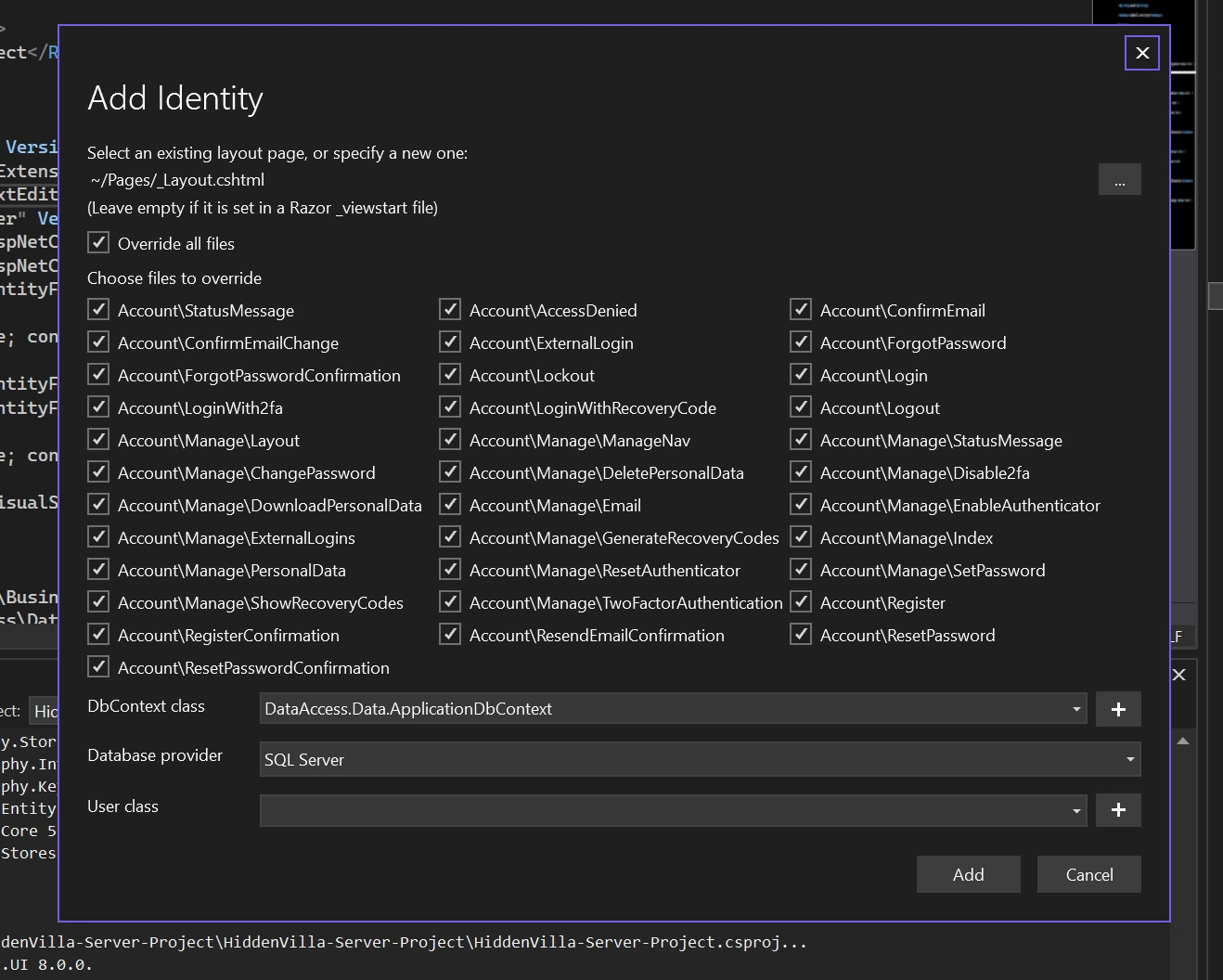
I have to add a Scaffold Identity to the Blazor server but I found it difficult because I can not select the already existing ApplicationDbContext.
I am using .Net6.
Rositsa RusevaPosted Nov 30, 2023, 9:39 PM
Thank you for the answer. However is not working for me.
This is the error that I get in the command prompt:
Could not execute because the specified command or file was not found.
Possible reasons for this include:
* You misspelled a built-in dotnet command.
* You intended to execute a .NET program, but dotnet-aspnet-codegenerator does not exist.
* You intended to run a global tool, but a dotnet-prefixed executable with this name could not be found on the PATH.
I tried both as paths: the path of the server project and the path for the whole solution.

Here is where is the server project:
and here is where is the ApplicationDbContext (DataAccess\Data):

Jayraj ChhayaPosted Nov 28, 2023, 9:58 AM
To add Scaffold Identity to your Blazor Server project with an existing ApplicationDbContext, you can follow these steps:
Open the terminal or command prompt and navigate to the root directory of your Blazor Server project.
Run the following command to scaffold the Identity pages and files:
Replace
Replace
YourDbContextwith the name of your existing ApplicationDbContext class.Now you should be able to use the Identity features in your Blazor Server project with the existing ApplicationDbContext.
Remember to customize the generated Identity files and configure the Identity options according to your project's requirements.