Problem
When generating matrix 2d bar code it take per 10000 files matrix bar code generating it take 1 minute
so that how to generating matrix bar code 2d in less time as seconds .
my code as below under button generating :
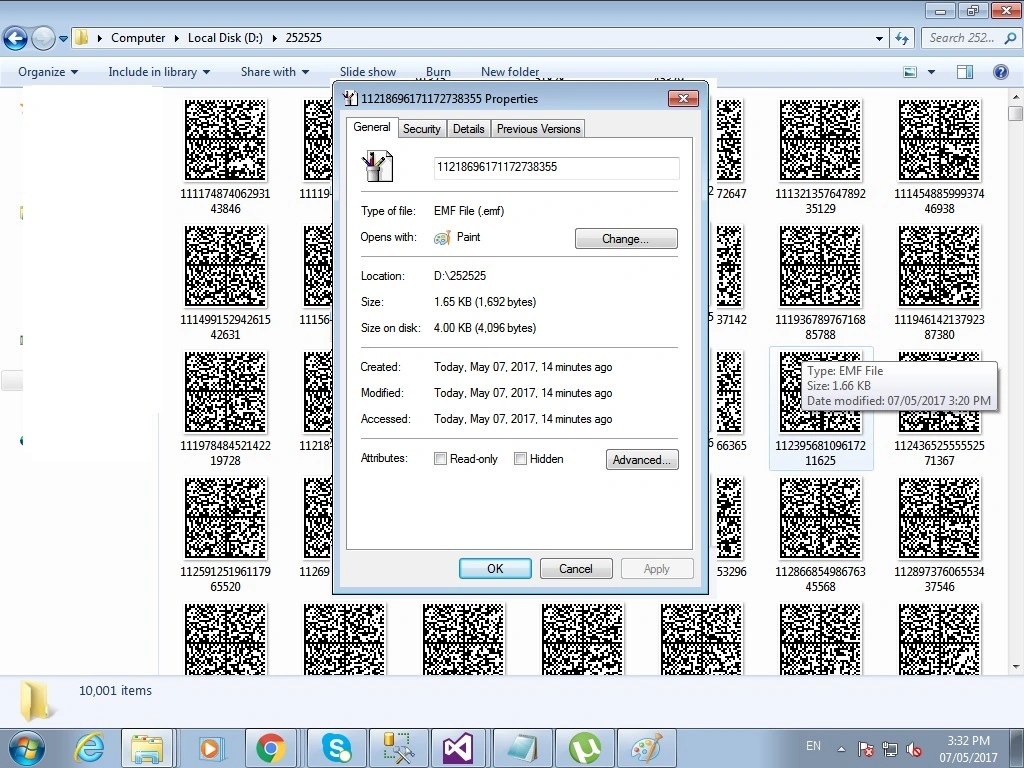
- Class1 CLS = new Class1();
- DataTable dt = CLS.ShowalldataSerial(textBox4.Text);
- for (int i = 0; i <= Convert.ToInt32(textBox1.Text); i++)
- {
- Serial = SRL.Rnd().ToString();
- txt = "UserID" + dt.Rows[0][0] + "FirmName" + dt.Rows[0][1] + "OrderNo" + dt.Rows[0][2] + "BtachNo" + dt.Rows[0][3] + "Quantity" + dt.Rows[0][4] + "ProductName" + dt.Rows[0][5] + "SerialNo" + Serial;
- dm.DM(txt, Color.FromName(comboBox1.SelectedItem.ToString()), Color.White).Save(root + "\\" + Serial + ".emf", System.Drawing.Imaging.ImageFormat.Emf);
- }
- MessageBox.Show("Records generated success ");
Mohamed AbedallahPosted Jun 1, 2017, 10:57 AM
Ahmed,
You asked this question on MSDN forums and my colleague suggested using LEADTOOLS. Here's his reply:
... looking at the code, it seems the bottleneck is in this line:
dm.DM(...).Save()
The line appears to be doing 2 things that might be time-consuming:
1) Generating the barcode.
2) Writing it to disk file as an image file (EMF in this case).
I tested a different approach using my company's own toolkit, which is LEADTOOLS v19. Since I don't have your data to test with, I composed a string and tried to make it close to yours in size. The code I used was this:
Random _random = new Random();
string baseText = "UserID" + "someUser" + "FirmName" + "SomeFirm" + "OrderNo" + "order01" +
"BtachNo" + "batch02" + "Quantity" + "Qnt03" + "ProductName" + "ProdXYZ" + "SerialNo";
RasterCodecs _codecs = new RasterCodecs();
RasterImage bitmapImage = RasterImage.Create(360, 360, 1, 300, RasterColor.White);
Leadtools.Barcode.BarcodeEngine engine = new BarcodeEngine();
DatamatrixBarcodeWriteOptions writeOptions =
engine.Writer.GetDefaultOptions(BarcodeSymbology.Datamatrix) as DatamatrixBarcodeWriteOptions;
DatamatrixBarcodeData barcodeDataDM =
BarcodeData.CreateDefaultBarcodeData(BarcodeSymbology.Datamatrix) as DatamatrixBarcodeData;
barcodeDataDM.SymbolSize = DatamatrixBarcodeSymbolSize.AutoSize;
Parallel.For(0, serialsToGenerate, index =>
{
string Serial = _random.Next().ToString();
string txt = baseText + Serial;
barcodeDataDM.Value = txt;
var bitmapImageTmp = bitmapImage.Clone();
engine.Writer.WriteBarcode(bitmapImageTmp, barcodeDataDM, writeOptions);
_codecs.Save(bitmapImageTmp, @"c:\temp\DMTest\DMfile" + index.ToString() + ".tif", RasterImageFormat.CcittGroup4, 1);
});
The code generates serialsToGenerate=200000 datamatrix barcodes with partially-random data. It saves all 200K images as compressed TIFF files in a folder.
Since LEADTOOLS is optimized for speed for both generating barcodes and also saving image files, the total time on my test PC took about 6.138 minutes for 200000 barcodes.
If your data is larger than mine (I'm not sure), you might need a slightly larger image. This could increase the total time, but not by much.
The test PC had an Intel Core i7-870 Processor, which is well over 5 years old. If you use a faster machine, you could get better performance.
If you don't have LEADTOOLS and would like to try it, you can get a free evaluation edition from www.leadtools.com
Amit GuptaPosted May 18, 2017, 3:10 PM
Nilesh ShahPosted May 18, 2017, 11:38 AM
ahmed salahPosted May 18, 2017, 11:17 AM
Nilesh ShahPosted May 18, 2017, 10:57 AM
ahmed salahPosted May 18, 2017, 5:49 AM
ahmed salahPosted May 17, 2017, 6:19 PM
Nilesh ShahPosted May 17, 2017, 4:36 PM
ahmed salahPosted May 17, 2017, 4:17 PM
ahmed salahPosted May 17, 2017, 4:11 PM
Nilesh ShahPosted May 17, 2017, 11:22 AM