

A Secure store application is used to store credentials for fetching data from an external system.
For example If we want to fetch data from a web service into a SharePoint project and credentials are required to access the web service then instead of hard-coding the credentials in the SharePoint project we can securely store the credentials in a secure store application.
How to store credentials in a secure store application
- Go to the Central Administration site.
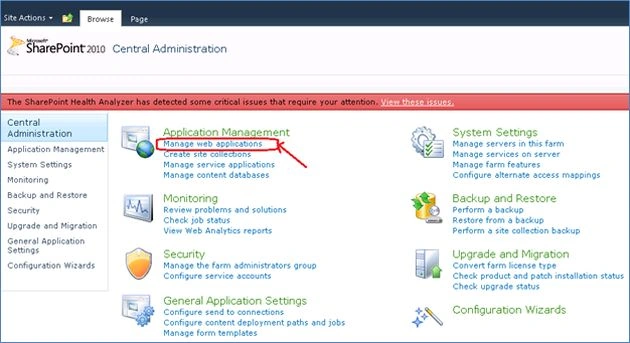
- Click on Manage Service Applications under the Application Management group.
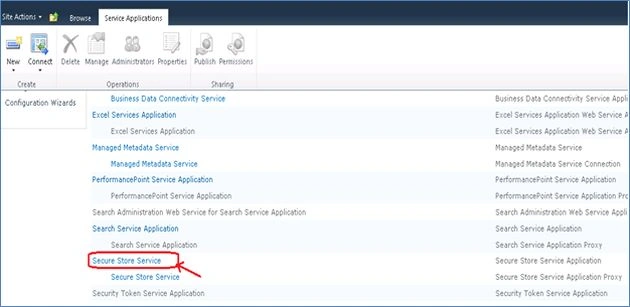
- Click on Secure Store application.
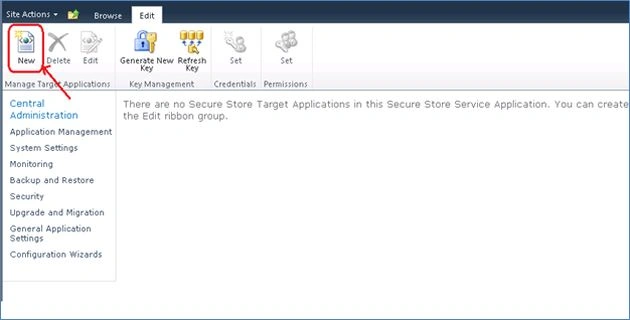
- Create a new Target Application to store the user credentials. Click on the New button in the ribbon.
- It will open a Create New Secure Store Application page. Specify the following details:
Application Id: Secure Store Application ID that will be unique to access to your credentials.
Display Name: Display Name of the application.
Contact Email: Valid Email address
Target Application Type: group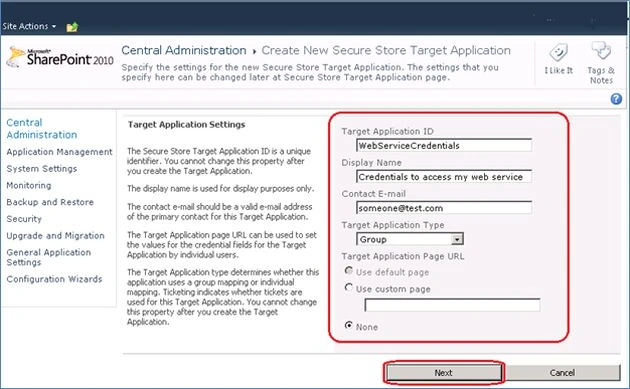
- Click on "Next".
- In the next page specify the credential fields for your secure store application.
For example Field Name Field Type Marked
UserName Windows User Name No
Password Windows Password Yes
- Click on "Next". In next page specify the Target Application’s membership settings:
Configure the Target Application Administrators who will have permissions to manage the Target application settings.
Configure the members that will access this application and retrieve the credentials to connect with the external system.
- Click on Ok. It will save the Target Applications Settings.
- Now select the Target Application Id and in the ribbon click on the Set button in the Credentials group.
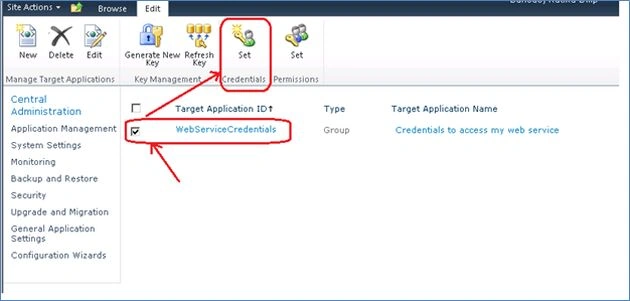
- It will open a Set Credentials for Secure Store Target Application dialog. Specify the Username and Password for the Windows domain user account that you want to use.
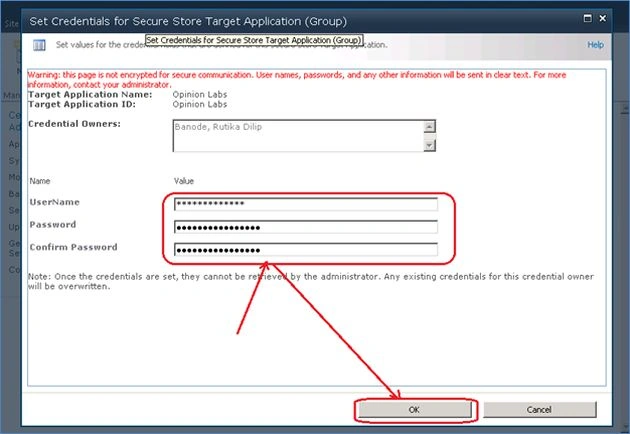
- Click on Ok. It will save the credentials. The Target Secure Store application has been successfully created.
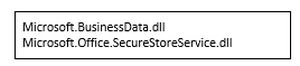
How to access these credentials from Secure Store Application
mostafa abdelhameedPosted Dec 6, 2015, 4:05 PM
how to use this to open asp.net application without login again ?
Rutika BanodePosted Nov 27, 2014, 2:09 AM
yeah.. It will work..
Ben PazPosted Nov 18, 2014, 5:54 PM
Does this implementation work with web applications when a web part is not used?
Gurunatha DogiPosted Sep 16, 2014, 3:15 AM
Nice article @Rutika Banode...Thanks for sharing