

In my previous article on "Hide/Un-Hide Columns Using Context menu In DataGrid In WPF", we saw how we can display ContextMenu on Column Headers. In this article we will try something else; we will edit the Selected Row Details in ContextMenu.
Creating WPF Application Project
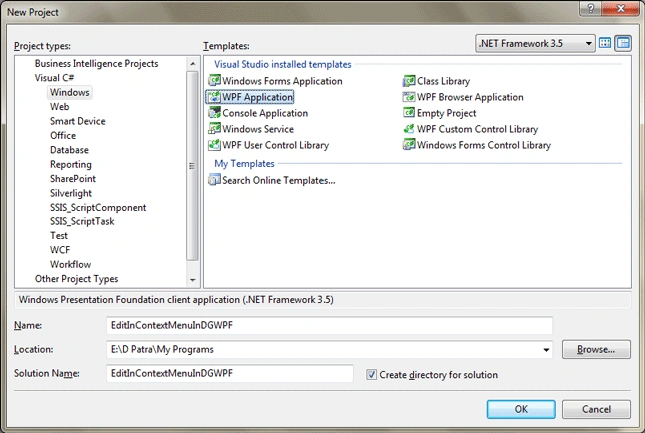
Fire up Visual Studio 2008 and Create a WPF Application and name the project as EditInContextMenuInDGWPF.
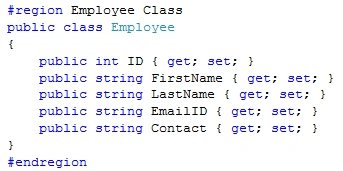
We need to load sample data into the DataGrid.
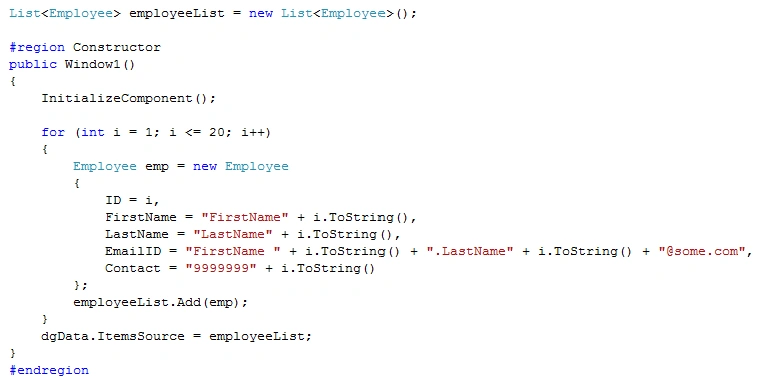
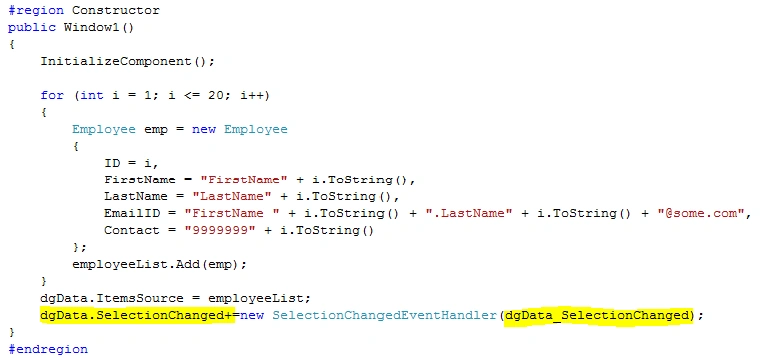
Create a list of data based on above entity and bind it to the DataGrid in the Constructor of the Window.
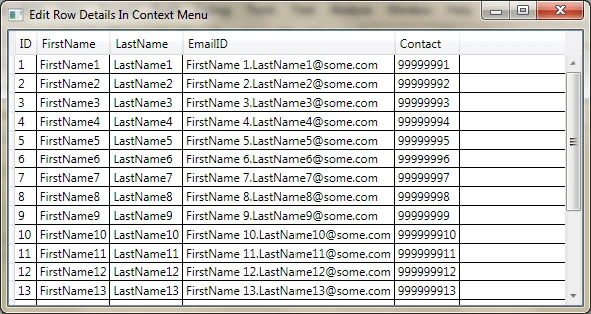
Now run the application to see the DataGrid with full of Data.
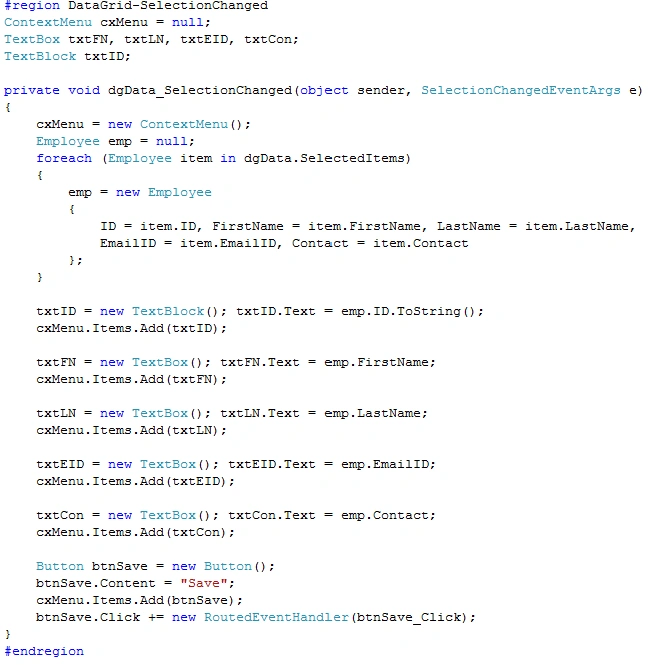
Here's is the steps we will follow. First we need to handle the SelectionChanged event for DataGrid to generate the ContextMenu.
Add the Handler in the Constructor.
Then in the event add the following code to generate the ContextMenu.
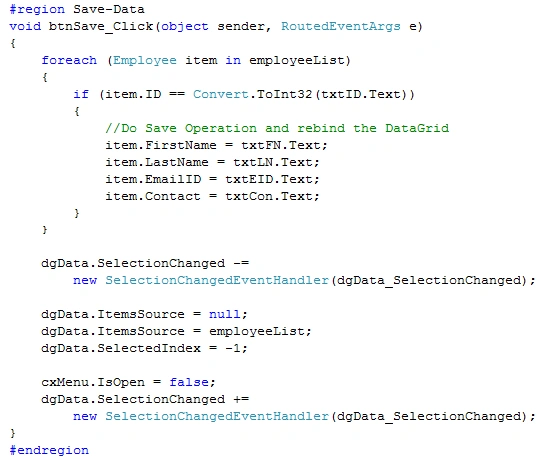
Now in the Button Click event we will save data. Remember in this sample I am saving the List, in real time you can change based on your datasource.
Add the following code into Button Click event that we have just added in the above event.
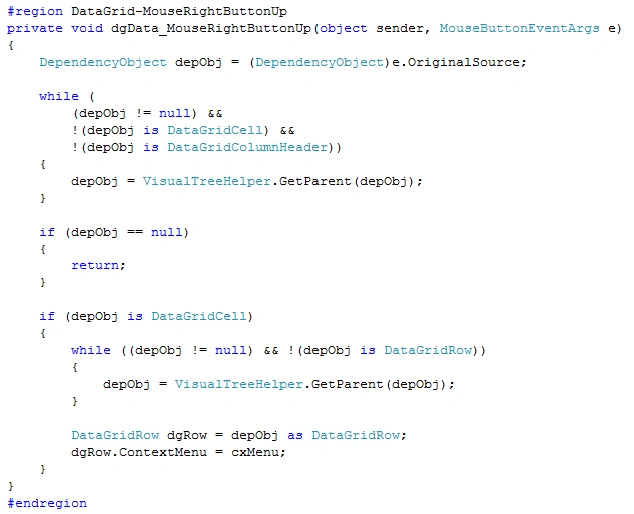
Now we have to handle the MouseRightButtonUp of DataGrid to display the ContextMenu.
That's it we are done. Now run the application.
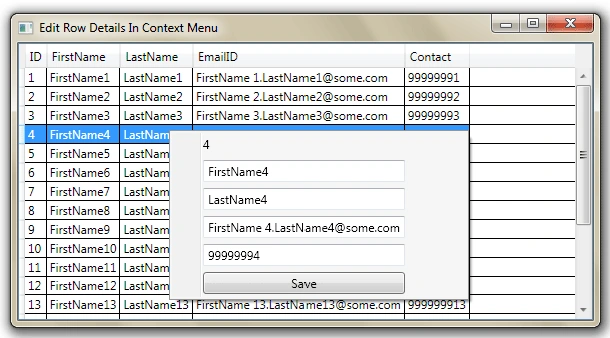
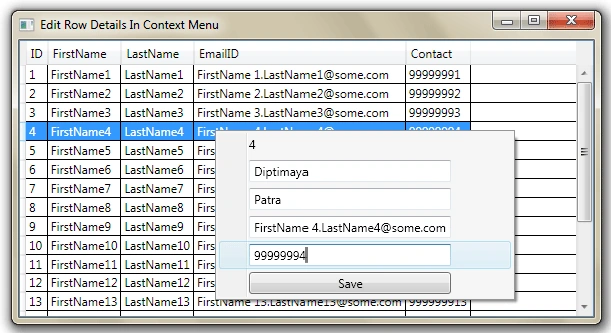
Now Change some detail and click on Save Button.
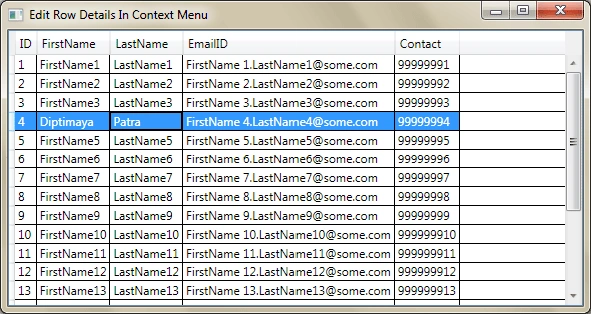
See the saved data.
Hope this article helps.
TanTai VuPosted Jun 26, 2015, 12:36 AM
Appreciate your post. Thanks
Vipul SharmaPosted Oct 15, 2014, 2:10 AM
How to add a little description and an image for each person in RowDetailTemplate, something like this <wpfx:DataGrid Name="dataGrid" SelectionUnit="FullRow" SelectionMode="Extended" Margin="12,114,12,12" AlternationCount="1" AlternatingRowBackground="Lavender" Background="AliceBlue" HorizontalContentAlignment="Center" BorderBrush="Black" BorderThickness="2" RowHeight="30" ColumnWidth="80" HeadersVisibility="All"> <wpfx:DataGrid.RowDetailsTemplate> <DataTemplate> <Grid> <Image Name="EmpImage" Width="50" Height="50" Source="{Binding Photo}" Stretch="Fill"/> </Grid> </DataTemplate> </wpfx:DataGrid.RowDetailsTemplate> </wpfx:DataGrid>
Ronin JkoshiroPosted Jun 25, 2013, 7:21 PM
thank you very much.
Vo ThaoPosted Aug 27, 2010, 11:52 PM
I very Interesting with all post document and i will try learn English very good to talk to you. My nick is daisy88vo Thanks