

Introduction
This article introduces code formatting or code assistance provided by the NetBeans IDE Java editor. This article covers the various categories of code formatting, in other words:
- Overlooking Imports
- Faster Code Completion
- Code Generation
- Navigation
These are discussed below one by one.
Overlooking Imports
The NetBeans IDE continuously checks the code for the correct use of import statements and instantly provides notification when unused or non-imported classes are determined to exist.
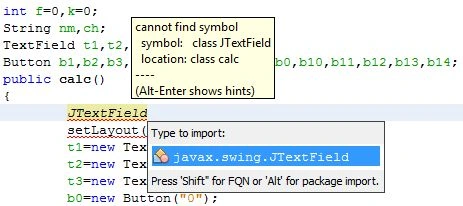
- When a class is not imported: When an unimported class is used, an error appears that is indicated by an error mark on the left side of the editor at the margin, which is also known as the glyph margin.
The error mark looks like this: 
We can click on the error mark either to add the missing import or to create the class on the existing package. While typing one can press "Ctrl+Shift+I" to add the non-imported statements.
The screenshot showing the condition above is as follows:
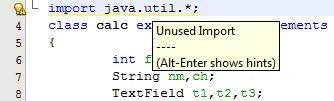
- When an unused import statement is detected: If a warning mark appears on the left margin then there exists an unused import in the code that can be removed by clicking on the warning mark, which appears to be like this:

The screenshot for describing an unused import statement is shown below:
Faster Code Completion
NetBeans lets you complete the code faster than any other editor, this is very useful when a missing code is to be filled. The code is completed quickly in the following ways:
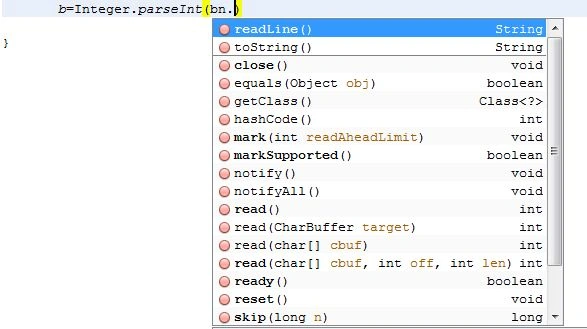
- Suggesting parameters: The NetBeans editor has the capability to guess the parameter for variables, methods or fields and show the suggestions in the tooltip. The screenshot guideline is shown:

- Prefix Completion: the "Tab" key is used to quickly complete the commonly used prefixes and suggestions.
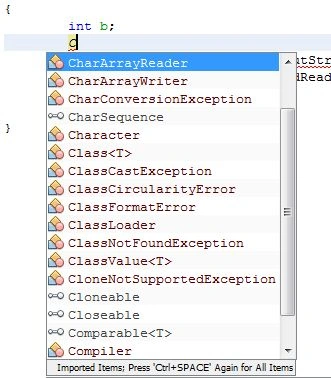
- Variable Name and Field Suggestion: We can press "Ctrl+Space" while adding a new variable or field and choose a name from the drop down list that appears to quickly do the work.
Code Generation
In NetBeans, a piece of code can be generated using Code Completion or using the Code Generating Dialog Box.
- Code Generating Dialog Box: After pressing "Alt+Insert" anywhere in the editor, a dialog box will open to insert a construct. The following screenshot shows the code generating dialog box.
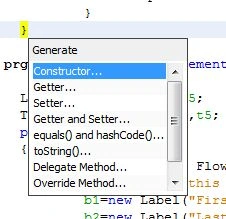
- Code Completion Window: One can also complete the code faster by using the Code Completion Window. The code completion window is shown below.
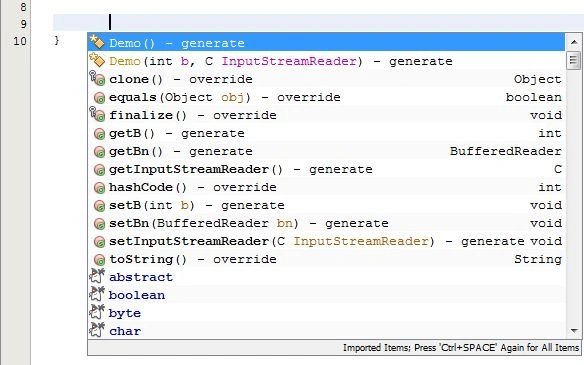
Navigation
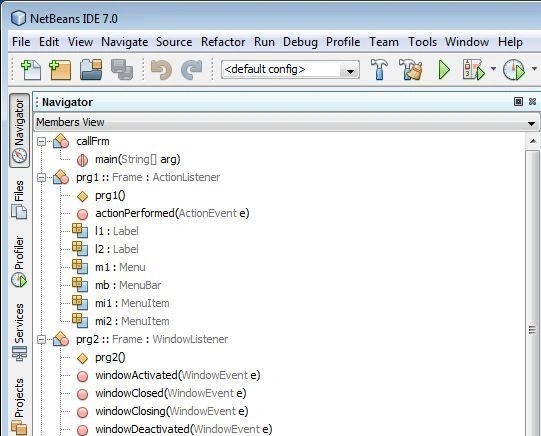
- Using the Navigator: This Navigator window allows you to quickly navigate to any part of the file you are currently working on. To open this navigating window press "Ctrl+7".
Navigator:
- Jump to the Last Edit: To quickly get to the place of your last edit simply click on to the button at the extreme left top corner.
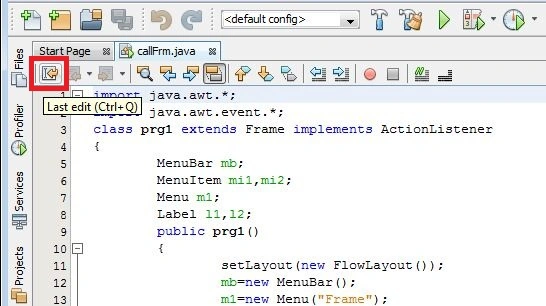
Or press "Ctrl+Q" to return to the last edit document.
Join the conversation! Your thoughts help the community grow.