
We often repeat the same kind of project, adding the same references, classes and more. In this article I'm sharing how to create your own project template so that you save time by selecting the template from "New Project" template gallery. Use the following procedure.
Start Visual Studio and create a new project of any variety of your choice. 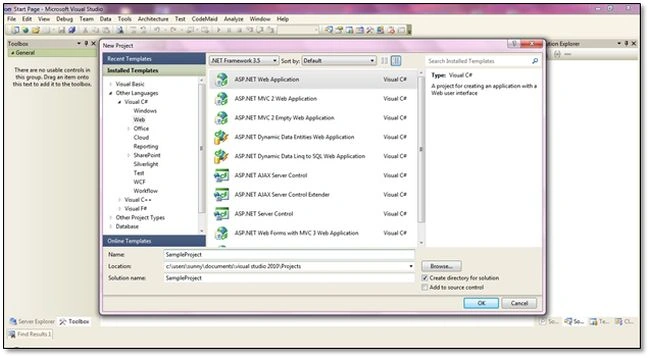
Picture 1 - Create Project of your choice
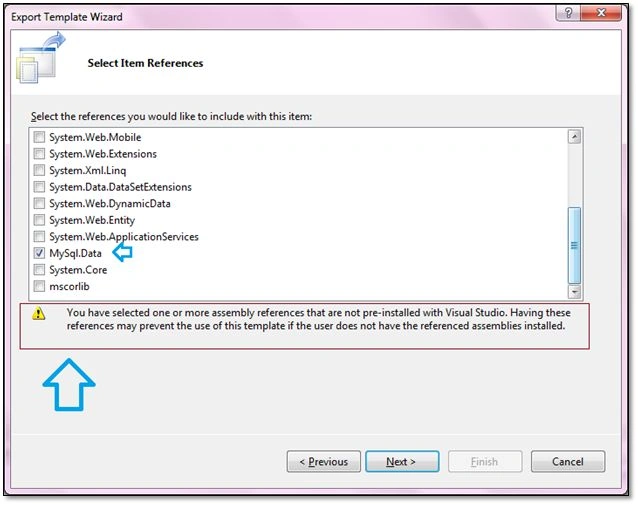
Do whatever you find to be repetitive that you often do in your projects. For example, I work with MySQL often and for that I need MySql.data.dll referenced every time. By default, no preinstalled template gives me this assembly already added to the project. I add it manually every time so I'm going to add this to my project. 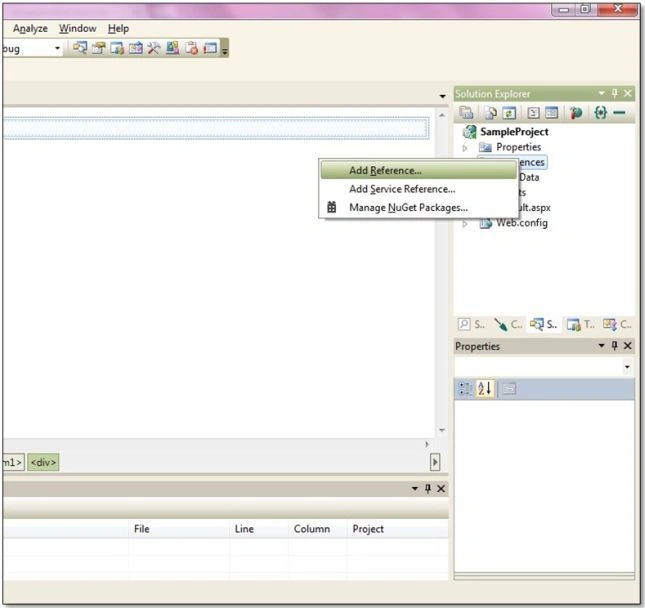
Picture 2 - Adding Reference to MySql.Data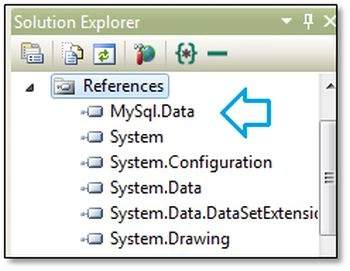
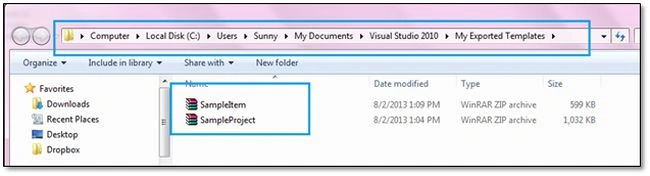
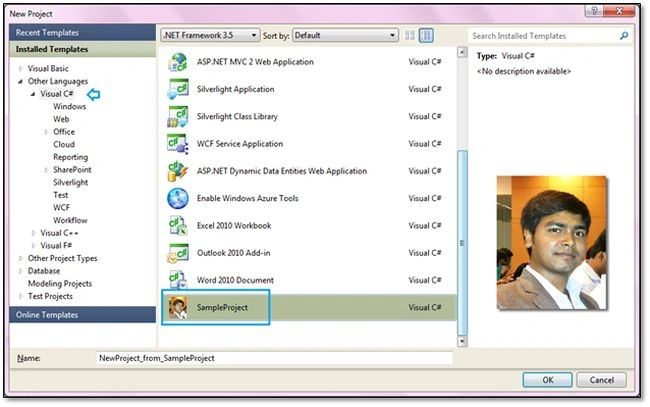
Picture 3
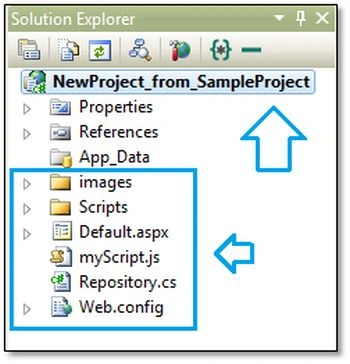
I'll also add a few more items for demonstration purposes.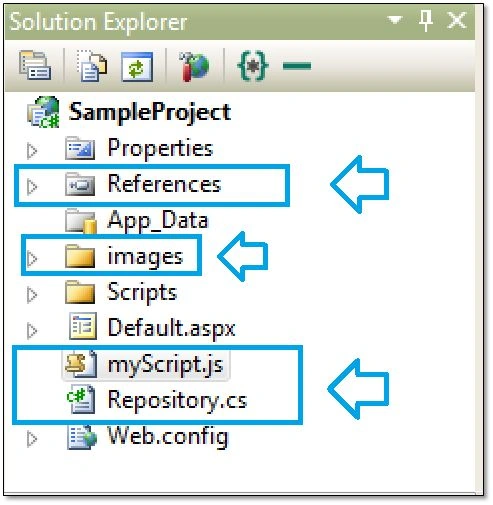
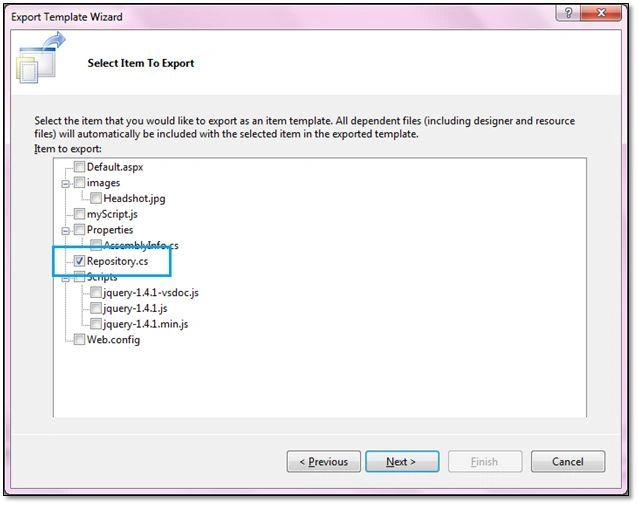
Picture 4 (Added an image folder, a .js file, a Repository class)
After you're done adding the references/classes/items to your project, go to "File" > "Export Template".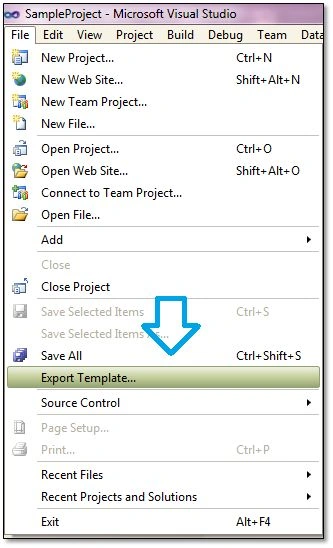
Picture 5- Export Template
Note: At this phase it will ask you to save the changes made in your project if you haven't done that yet.
The Export Template Wizard offers you two flavors. The first is "Project template" and the second is "Item template".
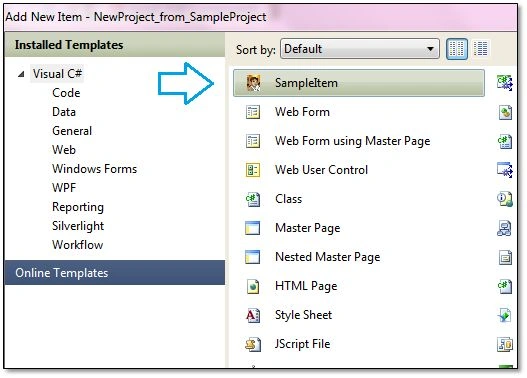
A project template allows you to create a new project based on your exported project with all the files/codes/references already in it whereas an item template allows a user to add your item to one of their existing projects. A project template will appear in the New Project dialog box whereas an item template in the "Add New Item" of any project.
This wizard also gives you an option to select a project to export from the list if you have many projects added to your current solution. Select the project you want to export if you have more than one.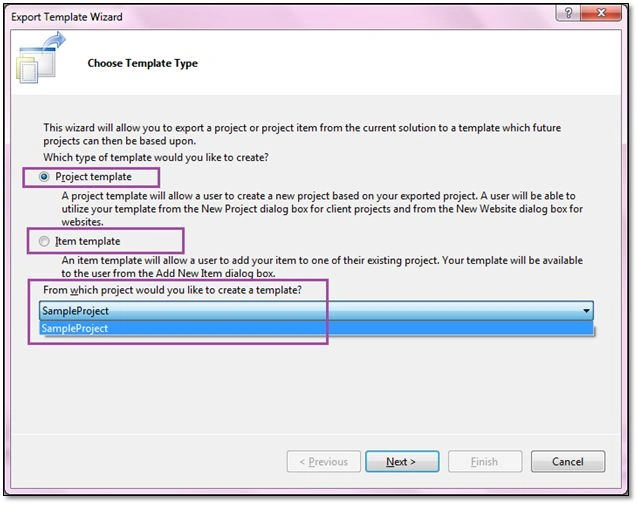
Picture 6- Export Template Wizard
Click "Next", it will navigate to the template options dialog box.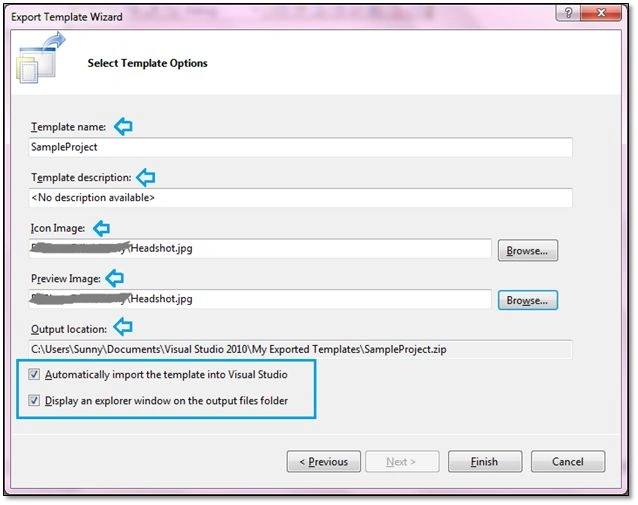
Picture 7- Template Options

Create Your Own Project Template in Visual Studio
Join the conversation! Your thoughts help the community grow.
Sign in to leave a comment
It is the same account you read, post and publish with — and you will come straight back to this page.
Jagan MohanPosted Jul 20, 2017, 3:34 AM
I would like to execute some code while a developer selects that project template in his Visual Studio edition. How can i accomplish this task. Can someone help me on this?
Nimit JoshiPosted Aug 17, 2013, 12:39 AM
Great Article Sunny...
Sunny SharmaPosted Aug 3, 2013, 12:38 AM
thanks Sanjeeb
Sanjeeb LenkaPosted Aug 3, 2013, 12:09 AM
really awesome article......