

Introduction
This article is mainly intended for beginners. In which I will explain what HTML and HTML5 are. I will explain how you can create your own HTML website using HTML.
In this article, Part 1 of the HTML for Beginners series, we will cover the following topics,
- How people interact with the web
- How the web works
- Introduction to HTML
- What HTML attributes, and values are
- Head, Title, and Body tags in HTML
- HTML Headings
- Paragraphs
- Bold, Italic, Underline, Strong, and Mark
- Super-Script and Sub-Script
- Line Breaks and Horizontal Rule
- Quotations
- Abbreviations and Acronyms
- Citations and Definitions
- Address
- Insert, Strike, and Delete
How Does Everyone Accesses The Web?
Before explaining HTML, it is essential to understand how people interact with the web and clarify some terminologies.
- Web Browser- A web browser is just software people use to access websites. To view a webpage, a user might type a web address or an IP address into their browser; they can access it using links or bookmarks. The most popular web browsers are Google Chrome, Firefox, Internet Explorer, Safari, and Opera.
- Web Server- When you type a web address into your web browser, the request is sent across the internet to a particular computer, a web server that hosts the website. Some of the big companies have their web server. But we commonly use the service of a web hosting company that charges a fee to host your site on their server. Some of the most common web hosting companies are GoDaddy, HostGator, DreamHost, Blue Host, NearlyFreeSpeech.NET, 1&1, and A Small Orange.
- Devices- Devices are nothing but a system in which many web browsers and other software exist to access the internet. It includes desktop computers, laptops, tablets, and mobile phones.
How The Web Works
When you visit a website, the website can be hosted anywhere in the world, and every web server has an IP address, so by using that, you can visit a site. Still, we cannot remember the IP addresses of all the websites to find the location of the web server. Your browser will first connect to a Domain Name System (DNS).
Introduction to HTML
HyperText Markup Language (HTML) is a markup language that describes web documents. HTML describes the structure of the web pages.
To understand the structure of the web pages, let's use an example and don't worry about what the code means. I will explain all the codes below.
<html>
  <body>
    <h1>Main Heading
    </h1>
    <p>
      This is First paragraph of heading 1
    </p>
    <h2>Sub-Heading 1
    </h2>
    <p>
      This is First paragraph of sub heading 1
    </p>
    <h2>Sub-Heading 2
    </h2>
    <p>
      This is First paragraph of sub heading 2
    </p>
  </body>
</html>
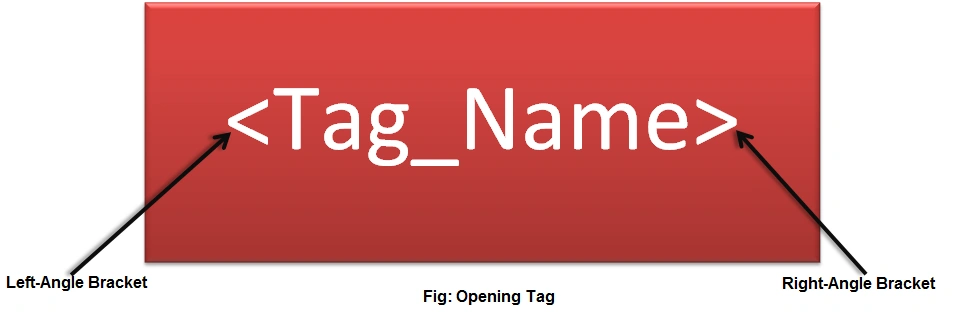
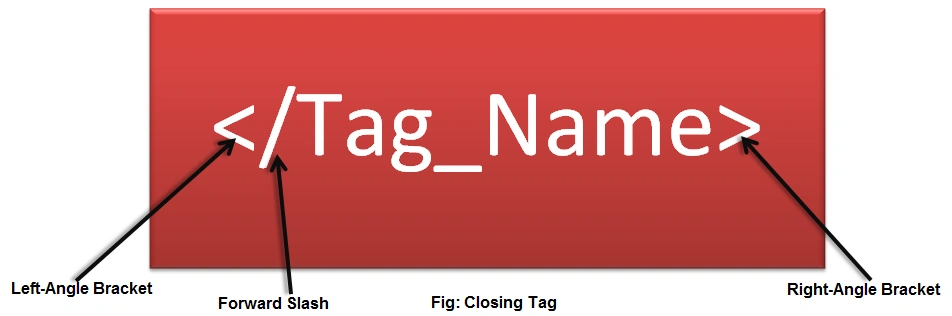
HTML code (the colorful text) in angle brackets is called HTML elements. Elements usually comprise two tags, an opening tag, and a closing tag. In the closing tag, an extra forward slash is available. An element is part of a webpage or document. An element can contain text or images, or links. Each element has a special meaning for the browser. Mainly HTML pages use elements to describe the structure of the page.
Structure of an HTML Page
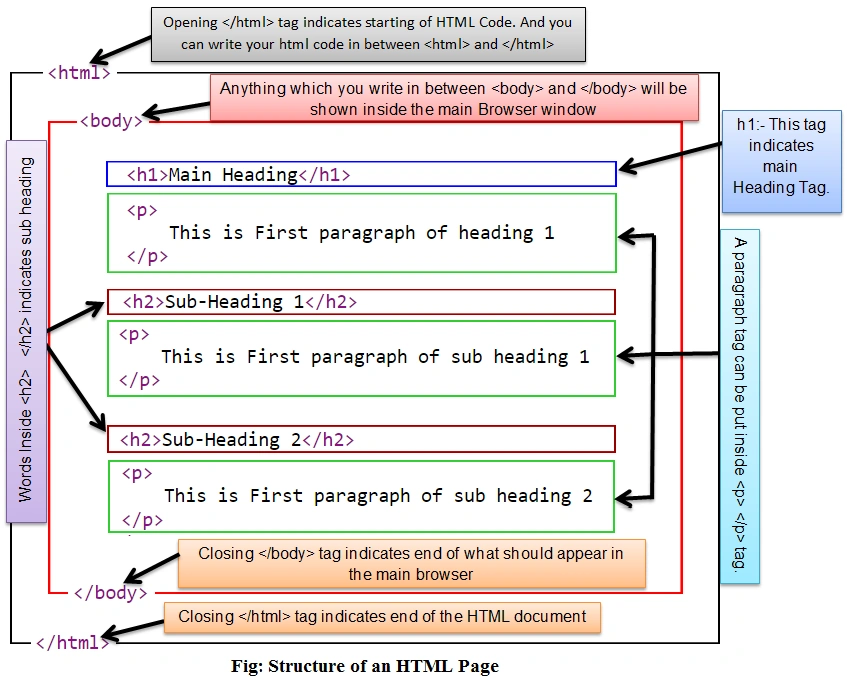
To explain the structure of an HTML document, I am taking the preceding example. And in the preceding code, various elements have opening and closing tags. Look at the following diagram that will explain everything about the structure:
HTML Tags / Elements
HTML tags or elements are keywords or reserved words surrounded by angle brackets. HTML tags usually come in pairs of opening and closing tags.
HTML Attribute
Attributes describe more about an element. They provide something additional about the contents of an element. HTML attributes always appear with an opening tag and consist of a name and value. An equal sign in the attribute separates the name and value.

Every HTML page has only two tags inside the HTML tag, Head and Body.
Head tag in HTML
The HTML Head Element (<head>) provides general information (metadata) about the document, including its title and links to or definitions of scripts and style sheets.
Title tag in HTML
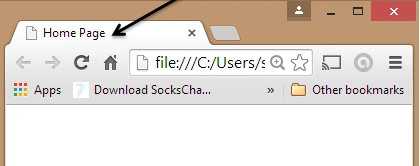
The HTML <title> tag (HTML Title Element) defines the document's title, shown in a browser's title bar or on the page's tab. It can only contain text, and any contained tags are not interpreted. You can see the HTML title at either the top of the browser or on the tab for that page (if your browser uses tabs to view multiple pages simultaneously). One of the important things to remember is that the title always comes in the Head section.
Example
<html>
  <head>
    <title>Home Page
    </title>
  </head>
</html>
Output
Body Tag in HTML
The main browser window will show anything you write inside the <body> tag. In other words, a <body> tag represents the contents of an HTML document. One thing to remember is that there is always only one <body> tag in a document.
Example
<html>
  <head>
    <title>Home Page
    </title>
  </head>
  <body>
    Hello C-Sharp Corner...
  </body>
</html>
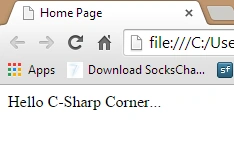
The output of the preceding code is,
How to create your HTML page
If you are new to HTML, you might think, how can I write my HTML code? In other words, what tools exist? You can write HTML code using Notepad or any text editor. There are also many text editors and IDEs that support writing HTML code. Some of the most commonly used tools are the following:
- Adobe Dreamweaver
- Microsoft Expression Web
- CoffeeCup HTML Editor
- Microsoft Web-Matrix
But I suggest that if you are new and want to learn HTML perfectly, use Notepad (Windows) or TextEdit (Mac).
Write your HTML code in a text editor and save that file with a .html or .htm extension. Then go to your browser and type the path of the HTML file as the URL and hit Enter. Your page will be shown.
For example, use the following procedure to create an HTML file.
Open Notepad and type the following code:
<html>
  <head>
    <title>Home Page</title>
  </head>
  <body>
     Hello C-Sharp Corner...
  </body>
</html>
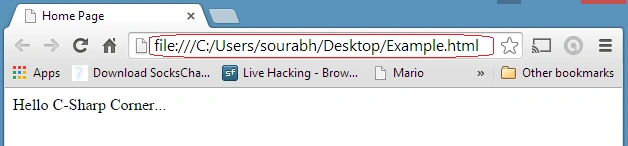
Save this file using a file name and .html or .htm extension, for example, Example.html. Open a web browser and type the file location into the URL and see your output as in the following:
HTML Text Formatting Elements
Now we understand how to add markup and format our HTML text using text formatting markups. In this section, we will learn the following topics,
- Headings
- Paragraph
- Bold, Italic, Underline, Strong, and Mark
- Super-Script and Sub-Script
- Line Breaks and Horizontal Rules
- Quotations
- Abbreviations and Acronyms
- Citations and Definitions
- Address
- Insert, Strike, and Delete
HTML Heading
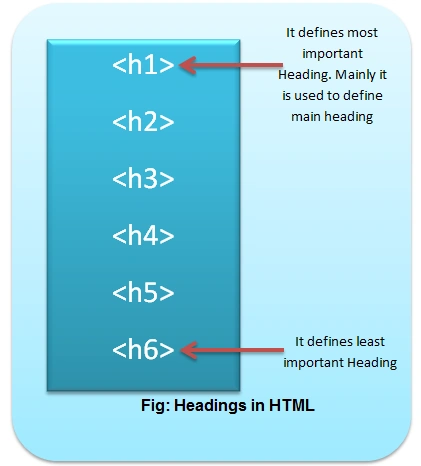
HTML has 6 levels of headings. <h1> to <h6> defines HTML heading.
Example: HTML Code.
<html>
  <head>
    <title>Heading in HTML
    </title>
  </head>
  <body>
    <hl>Heading 1
      </h1>
    <h2>Heading 2
    </h2>
    <h3>Heading 3
    </h3>
    <h4>Heading 4
    </h4>
    <h5>Heading 5
    </h5>
    <h6>Heading 6
    </h6>
  </body>
</html>
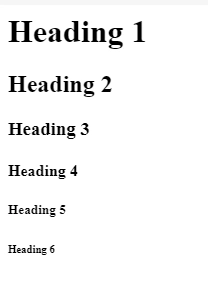
The following is the output of the preceding code,
Note. We can control the color, size, and fonts of a heading using CSS.
Paragraph: A paragraph in HTML can be defined using a <p> tag. Text inside <p> (opening) and </p> (closing) define a paragraph. By default, browsers automatically show some space between subsequent paragraphs.
Example
<html>
  <head>
    <title>Paragraph in HTML</title>
  </head>
  <body>
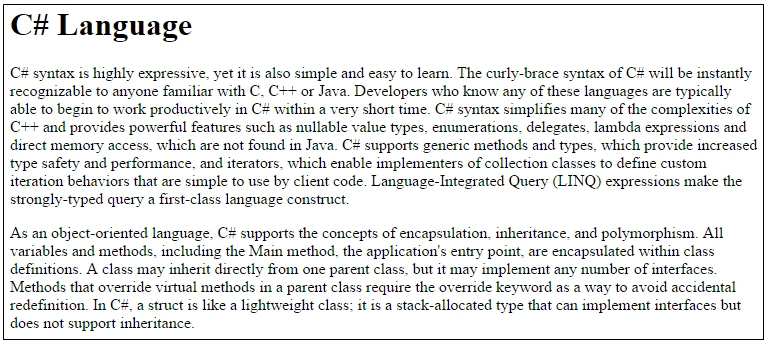
    <h1>C# Language</h1>
    <p>C# syntax is highly expressive, yet it is also simple and easy to learn. The curly-brace syntax of C# will be instantly recognizable to anyone familiar with C, C++ or Java. Developers who know any of these languages are typically able to begin to work productively in C# within a very short time.
      C# syntax simplifies many of the complexities of C++ and provides powerful features such as nullable value types, enumerations, delegates, lambda expressions and direct memory access, which are not found in Java.
      C# supports generic methods and types, which provide increased type safety and performance, and iterators, which enable implementers of collection classes to define custom iteration behaviors that are simple to use by client code. Language-Integrated Query (LINQ) expressions make the strongly-typed query a first-class language construct.
    </p>
    <p>
     As an object-oriented language, C# supports the concepts of encapsulation, inheritance, and polymorphism. All variables and methods, including the Main method, the application's entry point, are encapsulated within class definitions.
      A class may inherit directly from one parent class, but it may implement any number of interfaces.
      Methods that override virtual methods in a parent class require the override keyword as a way to avoid accidental redefinition. In C#, a struct is like a lightweight class; it is a stack-allocated type that can implement interfaces but does not support inheritance.
    </p>
  </body>
</html>
The following is the output of the preceding code,
Bold, Italic, Underline, Strong, Emphasis, and Mark in HTML
Bold in HTML
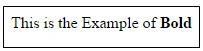
We can make the text bold by enclosing text in the <b> and </b> tags. The <b> element represents a span of text that is stylistically different from the normal text without conveying any special importance or relevance.
Example
<p>This is the Example of <b>Bold</b></p>
Output







 \
\

Priti KochadPosted Jul 3, 2020, 4:30 AM
It's Good and very helpful. Thanks
Gowtham RajamanickamPosted Apr 11, 2015, 1:11 PM
sorry keep it up ur good work
Gowtham RajamanickamPosted Apr 11, 2015, 1:11 PM
eep it up
Gowtham RajamanickamPosted Apr 11, 2015, 1:11 PM
good
chhoturam jatPosted Mar 14, 2015, 1:10 PM
very well effort
Tom MohanPosted Mar 1, 2015, 9:56 PM
Your are welcome Sourabh Somani
Tom MohanPosted Mar 1, 2015, 7:47 PM
Good effort
Saineshwar BageriPosted Feb 28, 2015, 11:53 AM
nice one sir
Sibeesh VenuPosted Feb 28, 2015, 10:12 AM
You welcome... :)
Sibeesh VenuPosted Feb 28, 2015, 5:31 AM
Good one....
Shaili DashoraPosted Feb 28, 2015, 3:14 AM
Nice Article Sourabh Somani .
Rahul Kumar SaxenaPosted Feb 27, 2015, 11:20 PM
Nicely Explain..