

In this article, I will take you through the
basics of the ASP.Net Web API. Restful Service is a buzz word now a days. Since
we want services to be platform-independent and support all types of devices,
HTTP based services were introduced. WebAPI is just a step forward in this
direction. The WebAPI is a framework for building HTTP based services and
clients built on top of ASP.Net. REST based services can easily be built on top
of the WebAPI.
Some of the salient features of the WebAPI are:
- Modern HTTP programming model: It uses the power of HTTP since HTTP is simple, ubiquitous and flexible.
- Routing support: Supports routing capabilities similar to the MVC Framework.
- Content negotiation: This is one of the major features. The client and server can work together to determine the right format for data being returned from an API. The support is mainly extended in the form of Media formatters that typically support JSON, XML and URL Encoded formats.
- Model binding and validation: Model binders provide an easy way to extract data from various parts of an HTTP request (header, querystring and body) and convert those message parts into .NET objects.
- Support for filters and OData using IQueryable<T>
- Support for Self Hosting: Can be hosted using IIS, Exe (Console Application) or as a Windows Service.
Let's get started with a sample for creating a
WebAPI Service.
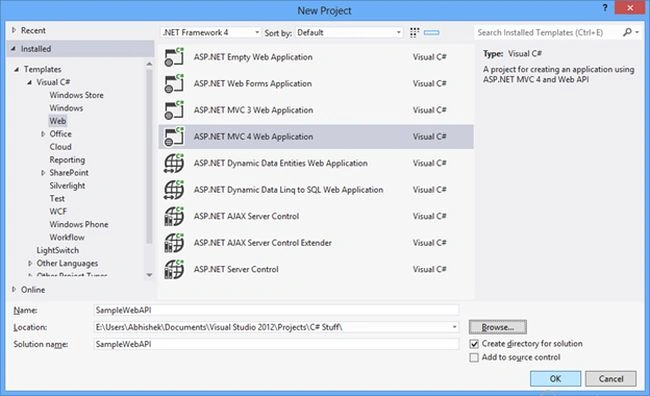
1. Create a new MVC4 Application as seen below.
2. Select the Project Type as WebAPI.
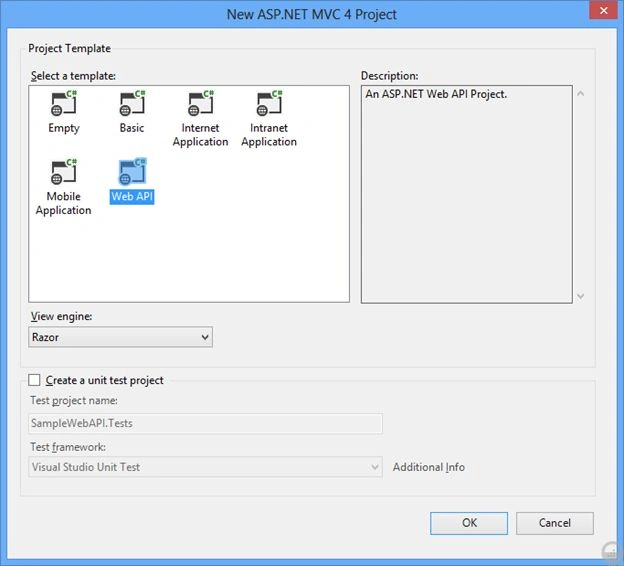
3. This will create a MCV4 Application with WebAPI infrastructure and a sample
service is already provided.
4. Open Global.asax.cs.
- protected void Application_Start()
- {
- AreaRegistration.RegisterAllAreas();
- WebApiConfig.Register(GlobalConfiguration.Configuration);
- FilterConfig.RegisterGlobalFilters(GlobalFilters.Filters);
- RouteConfig.RegisterRoutes(RouteTable.Routes);
- BundleConfig.RegisterBundles(BundleTable.Bundles);
- }
The highlighted line shows the routing
configuration for the WebAPI.
If you go to the WebAPIConfig class then you will find:
- public static class WebApiConfig
- {
- public static void Register(HttpConfiguration config)
- {
- config.Routes.MapHttpRoute(
- name: "DefaultApi",
- routeTemplate: "api/{controller}/{id}",
- defaults: new { id = RouteParameter.Optional }
- );
- }
- }
MVC URLs are generally in the "controller/action/parameters" format where WebAPI
URLs are "api/controller/parameters".
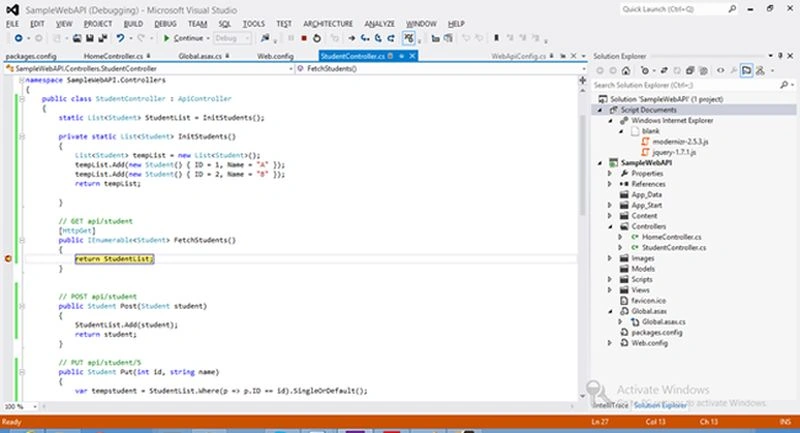
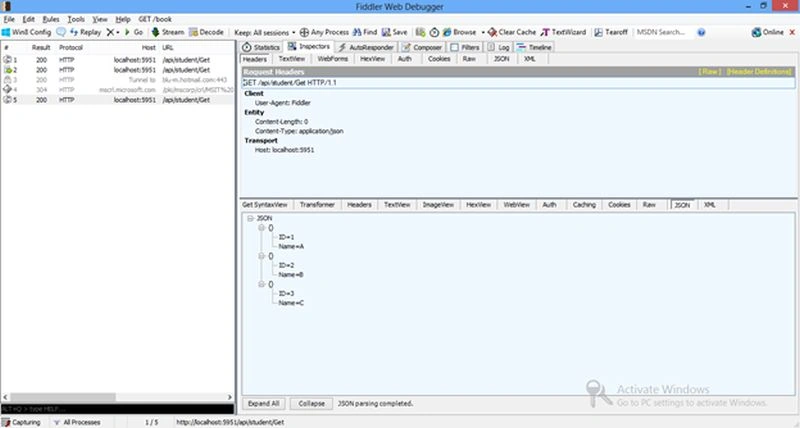
5. The WebAPI supports all 4 HTTP Verbs namely Get, Post, Put and Delete. As per
WebAPI convention, the method names will be mapped to HTTP verbs if the method
name starts with Verb. If the method is different then we can also use
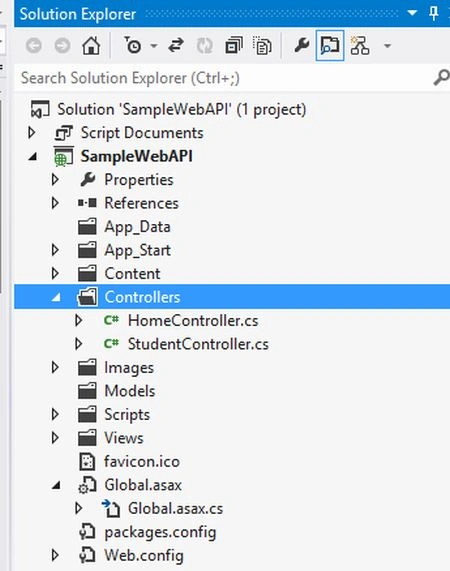
Attributes to indicate Verbs. Copy and paste the following StudentController
class. Please note that the class should be placed under the Controller folder
as seen below:
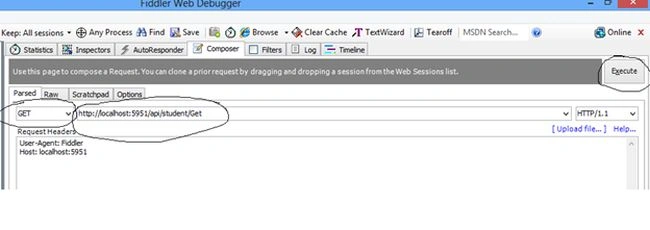
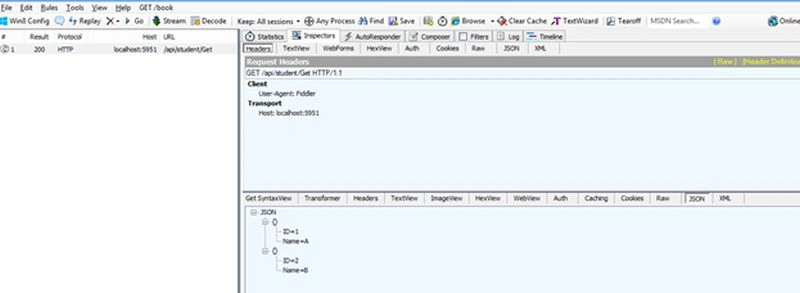
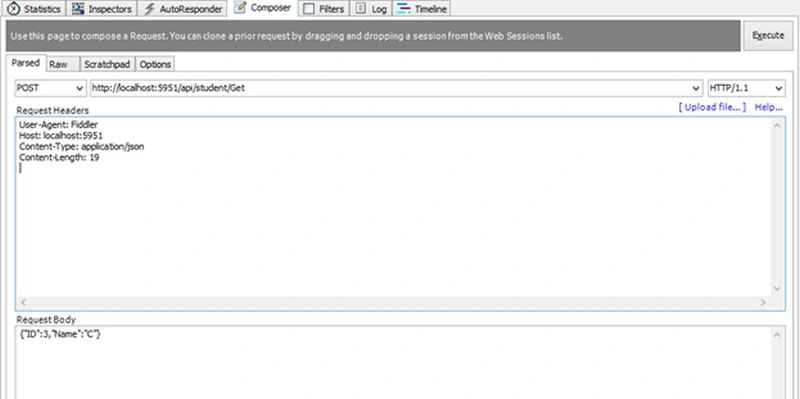
Join the conversation! Your thoughts help the community grow.