

You are in the "Understand WCF" article series. This series is explaining WCF services. We have learned how to host and consume a simple WCF service and many more.
You can read them here.
- Understand WCF: Part 1: What is SOA, Services and Messages
- Understand WCF: Part 2: Understand RESTful Service
- Understand WCF: Part 3: Create simple WCF Service
- Understand WCF: Part 4: What is Address, Binding, and Contract
- Understand WCF: Part 5: Exception handling in WCF
- Understand WCF: Part 6: Function overloading in WCF application
- Understand WCF: Part 7: Self Hosting in WCF application
In this article we will learn to observe a SOAP message in WCF communication. My previous article explained that WCF is one example of a Service Oriented Architecture (SOA).
This means that all the information passes in the form of a message. The message is nothing but the Simple Object Access Protocol (SOAP). This is standard message format to exchange data between a client and server. Again, the SOAP message is nothing but XML. We know that XML is truly platform-independent and is used to pass data from one end to another end without depending on the technology and platform. For this behavior of XML, the industry has chosen it as a standard for communication.
How SOAP messages are passed in WCF
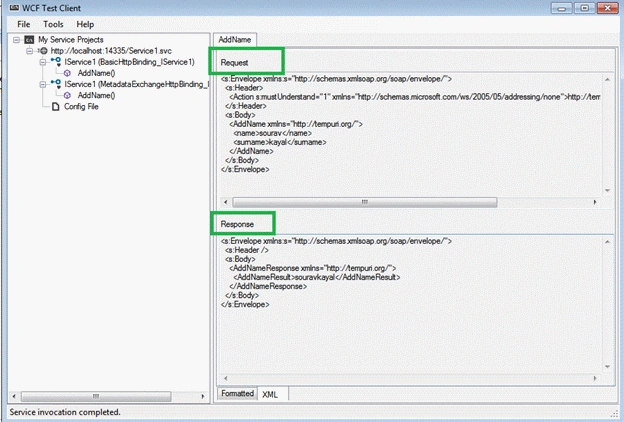
This is the main purpose of this quick article, we will observe a SOAP message in a request and response. To understand this we need to create a simple WCF application and run it in a .NET environment (or you can choose your own hosting environment).
Step 1: Create a WCF application
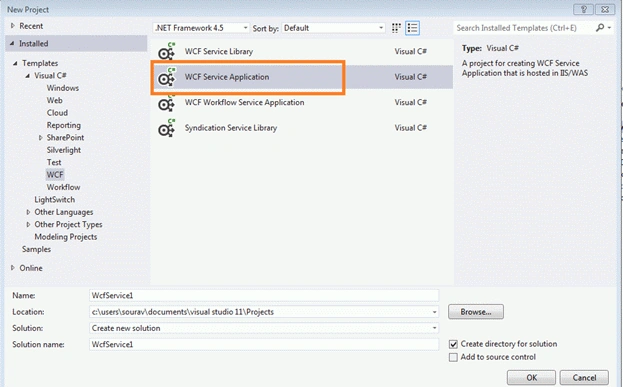
Open Visual Studio and go to the WCF section. Select "WCF Service Application". Please don't select "WCF Class library" or any other template because we will run this application in the VisualStudio environment.
Step 2: Configure the service
Once we open the default template, we will find that one sample configuration already exists and we will modify this configuration as in the following.
Code for ServiceContract (Interface)
- using System;
- using System.Collections.Generic;
- using System.Linq;
- using System.Runtime.Serialization;
- using System.ServiceModel;
- using System.ServiceModel.Web;
- using System.Text;
- namespace TestServive
- {
- [ServiceContract]
- public interface IService1
- {
- [OperationContract]
- string AddName(String name,string surname);
- }
- }
Sourav KayalPosted Dec 27, 2013, 9:57 AM
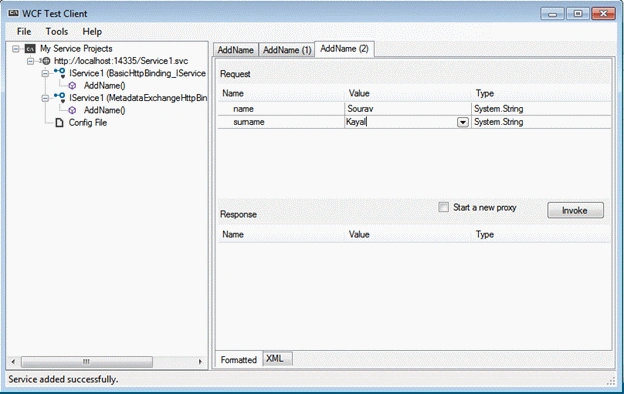
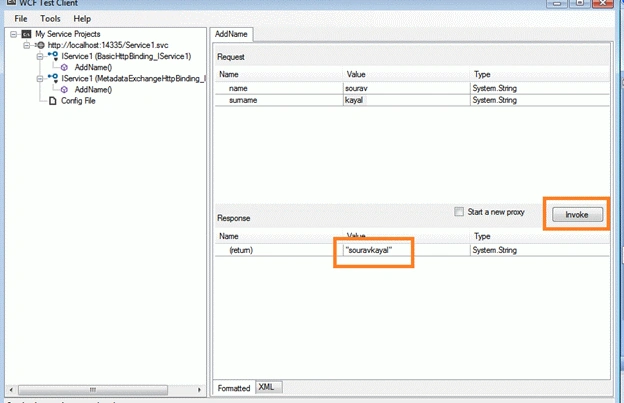
Jasmine, Once you run WCF service application it will prompt you, Which is nothing but client tool.
Jasmine NagrechaPosted Dec 13, 2013, 4:43 AM
how to run the above application. i mean, how did you the screen of wcf test client