Event Handling in C#
.NET is a world
of events. Everything happens on a particular event. Today I will try to explain
you events in simple language so that you can use it effectively in your code.
Events can not exist without delegates. A delegate in C#
is similar to a function pointer in C or C++. Using a delegate allows the
programmer to encapsulate a reference to a method inside a delegate object. The
delegate object can then be passed to code which can call the referenced method,
without having to know at compile time which method will be invoked.
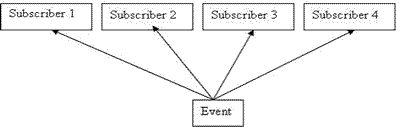
Whenever a declared event occurs it publishes itself and all the subscribers to
that event receives notification. There could be n subscribers for an event.
Things
will get clear as we proceed with the example. Follow these steps
1)
Create a windows application and add two windows forms.
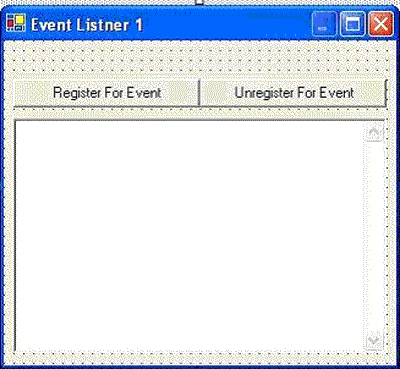
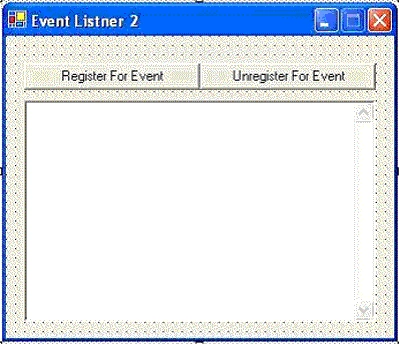
2) Create a following class in same project.
using
System;
using
System.Threading;
namespace
EventHandling
{
///
<summary>
///
Summary description for EventDeclaration.
///
</summary>
public
class EventDeclaration
{
public
delegate void
RespondAfterOneMinute();
public
event RespondAfterOneMinute OnRespondAfterOneMinute;
public
EventDeclaration()
{
Thread trd = new Thread(new
ThreadStart(StartCountingMinutes));
trd.Priority = ThreadPriority.Lowest;
trd.IsBackground= true;
trd.Start();
}
public
void StartCountingMinutes()
{
while(true)
{
Thread.Sleep(6000);
if(OnRespondAfterOneMinute
!= null)
{
OnRespondAfterOneMinute();
}
}
}
}
}
In this class we have declared a delegate and an event.
public
delegate void
RespondAfterOneMinute();
public
event RespondAfterOneMinute
OnRespondAfterOneMinute;
This
event will publish itself after every 6 sec. Now in the constructor of this
class we have created a new thread in background which will take care of
publishing this event.
if(OnRespondAfterOneMinute
!= null).
This statement will check after every 6 sec whether there are any subscribers
present for this event or not. If subscribers are present then it will notify
them and will tell them that the event you are interested in have occurred.
Now let see what we need to
do on two windows forms that we have created. These are nothing but the
subscribers for our event.
We
will declare an object of the class EventDeclaration
EventDeclaration objEvent = new
EventDeclaration();
Now on
click of Register Event button we will write following code
objEvent.OnRespondAfterOneMinute +=new
EventHandling.EventDeclaration.RespondAfterOneMinute
(objEvent_OnRespondAfteroneMinute);
It
should be noted that the method we are going to execute on this event should
have signature exactly similar to that of the delegate we have declared. So this
function should return void and should not have any parameters in it.
private
void objEvent_OnRespondAfterOneMinute()
{
txt_Log.Text += "Got Message at:" + DateTime.Now.ToString();
txt_Log.Text += "\t\t\t";
}
Repeat
this piece of code for listener 2. Now when you will execute this code you can
observe that after every 6 seconds all the listeners who have registered
themselves for this event are getting notification.
You
can unregister an event by simply writing following code
objEvent.OnRespondAfterOneMinute -=new
EventHandling.EventDeclaration.RespondAfterOneMinute
(objEvent_OnRespondAfterOneMinute);
I am
attaching complete code of the sample we just discussed. You can go through it
and that will give you a better idea.


Join the conversation! Your thoughts help the community grow.