

This article describes what to do about a specific error that could occurr in the deployment step of recycling an IIS application pool.
Steps
An error has occurred in the deployment step of "Recycle IIS Application Pool': The communication object, System.ServiceModel.InstanceContext, cannot be used for communication because it has been Aborted.
Simple way to let the Deploy occur
1. Click "Start" -> "Run...".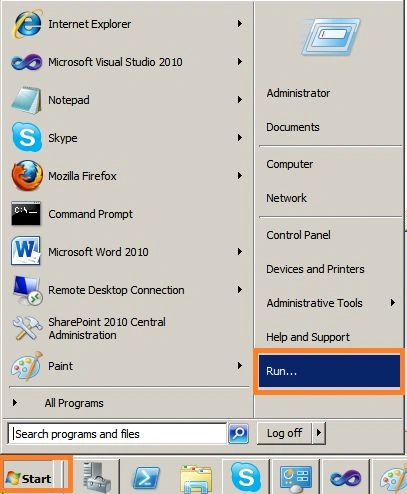
2. Type "iisreset" as in the following: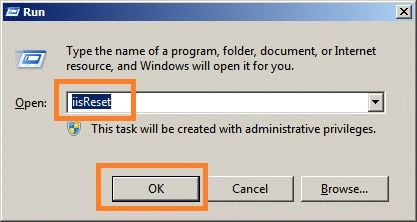
3. Wait untill IIS stops then starts again as in the following: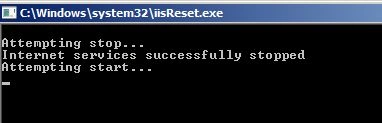
4. Right-click on your SharePoint project then click "Deploy" as in the following: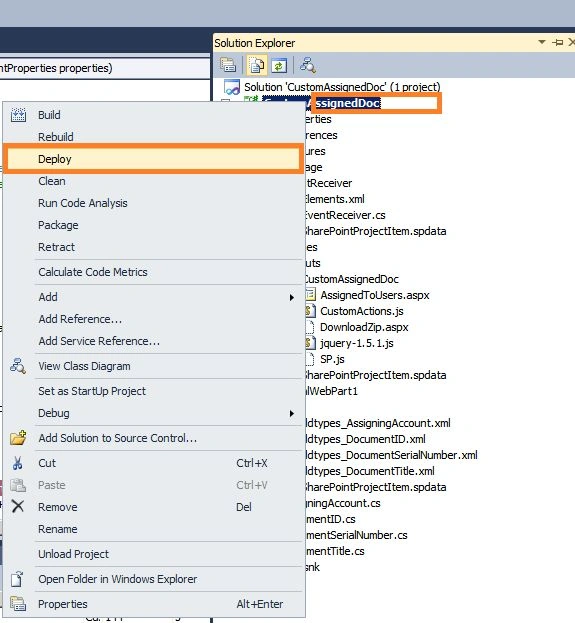
5. Deploy will now succeed.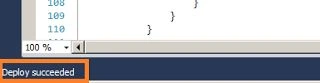
6. If you are still seeing "Error occurred in deployment step 'Recycle IIS Application Pool'" then please restart your SharePoint Server Front Web application.
Akash KajalePosted Mar 3, 2018, 2:50 AM
Yeh...! this working Thanks for the post
Lakshmanan Sethu SankaranarayanPosted Mar 4, 2014, 11:05 AM
I have faced the same issue many times:)