

Introduction
In this article I am going to make a XML Web service that exposes the Default table from a SQL Server database. For the basics of XML Web Service read my last article, click here.
First go through SQL Server and make a table.
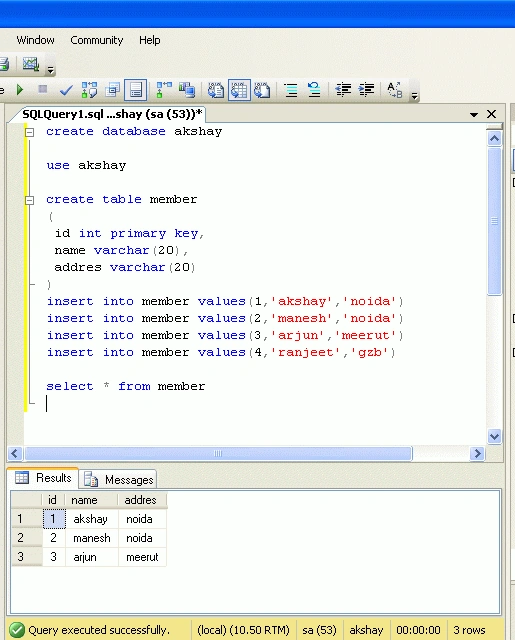
Database- akshay
Table Name-member
Creating XML Web Service in .Net
Here is sample code which I use to create and consume ASP.NET Web Service:
Step 1 : Create the ASP.NET Web Service Source File
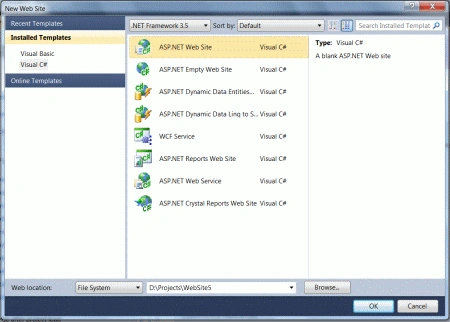
Open Visual Studio 2010 and create a new web site.->Select .Net Framework 3.5. ->Select ASP.NET Web Service page -> Then, you have to give the name of your service. In this example I am giving it the name "mywebservice". Then Click the ok Button. A screen-shot of this activity is shown below.
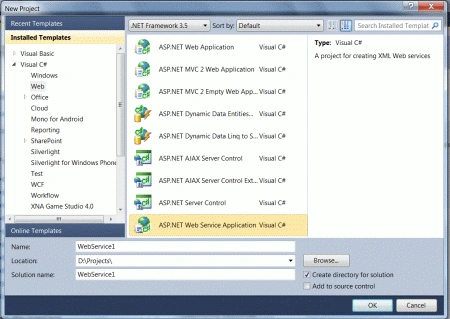
Step 2 : Click on the "OK" button; you will see the following window:
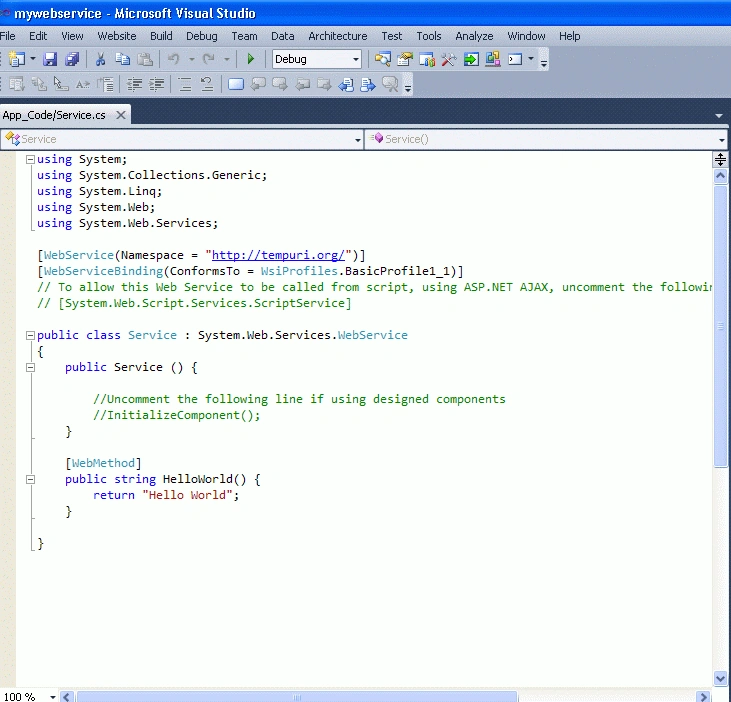
Here (in the above figure), you will note that there is a predefined method "HelloWorld" which returns the string "Hello World". You can use your own method and can perform other operations. Here I made the simple method "Getmember" which returns the Dataset.
Service.cs
using
System;
using
System.Collections.Generic;
using
System.Linq;
using System.Web;
using
System.Web.Services;
using
System.Data;
using
System.Data.SqlClient;
namespace
mywebservice
{
///
<summary>
/// Summary
description for Service1
///
</summary>
[WebService(Namespace =
"http://tempuri.org/")]
[WebServiceBinding(ConformsTo =
WsiProfiles.BasicProfile1_1)]
[System.ComponentModel.ToolboxItem(false)]
// To allow this Web Service to be called from
script, using ASP.NET AJAX, uncomment the following line.
//
[System.Web.Script.Services.ScriptService]
public class
Service1 : System.Web.Services.WebService
{
SqlConnection con;
SqlDataAdapter adap;
DataSet ds;
[WebMethod]
public
DataSet Getmember()
{
con = new
SqlConnection(@"Data
Source=.;Initial Catalog=akshay;Persist Security Info=True;User ID=sa;pwd=wintellect;");
adap = new
SqlDataAdapter("select
* from member", con);
ds = new
DataSet();
adap.Fill(ds, "member");
return ds;
}
}
}
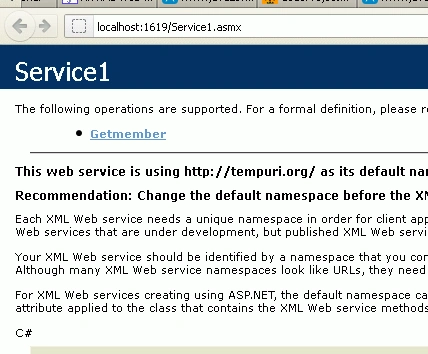
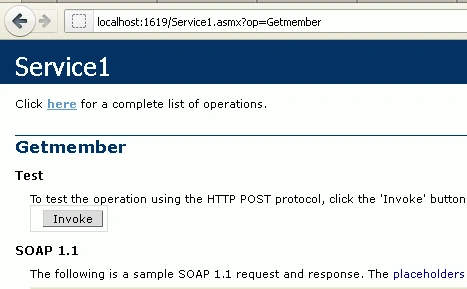
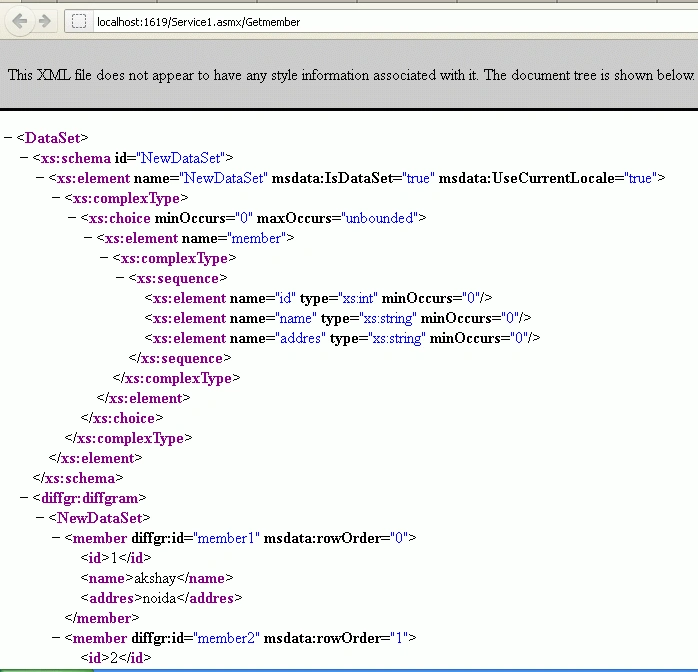
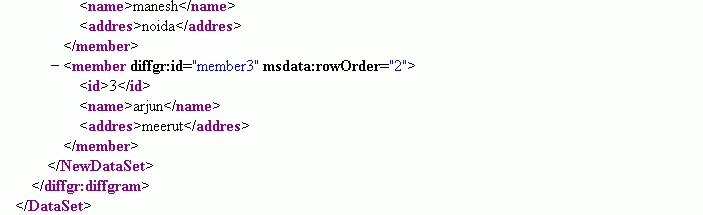
Step 3 : Build Web Service and Run the Web Service for testing by pressing F5 function key.
Join the conversation! Your thoughts help the community grow.