

What is Active Directory Domain Services?
Active Directory Domain Services (AD DS) stores the directory data and manages communication between the users and the domains, including user logon processes, authentication and directory searches. An Active Directory domain controller is a Server, which is running AD DS.
In this article, I have explained how to create and configure a user profile, using Active Directory Domain Services in Windows Server 2016.
Log on to Windows Server machine.
Navigate into Server Manager.
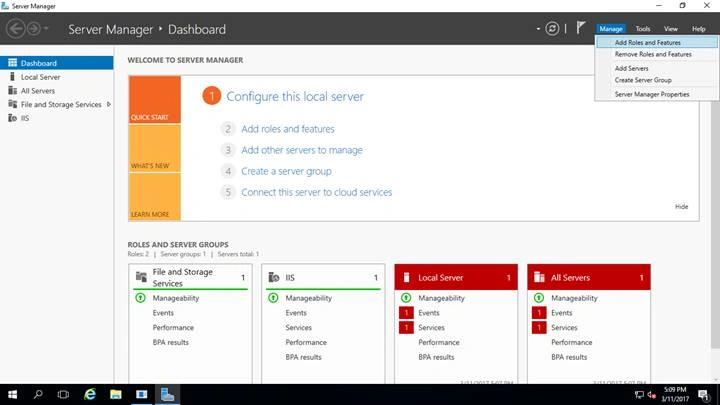
Click Manage -> Add roles and features.
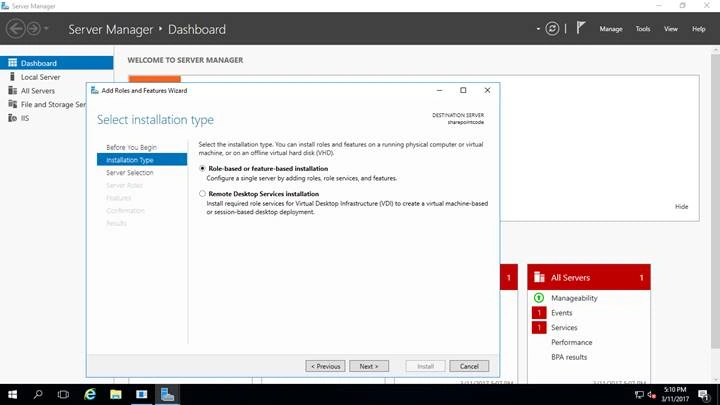
Pick Role based are feature based installation -> Click Next.
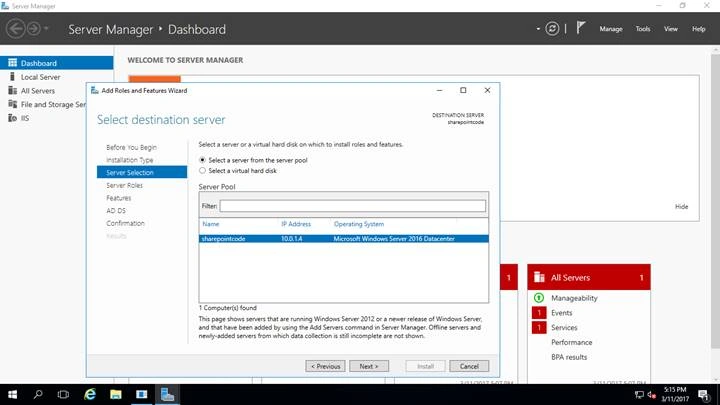
Pick the Server from the Server pool -> click Next.
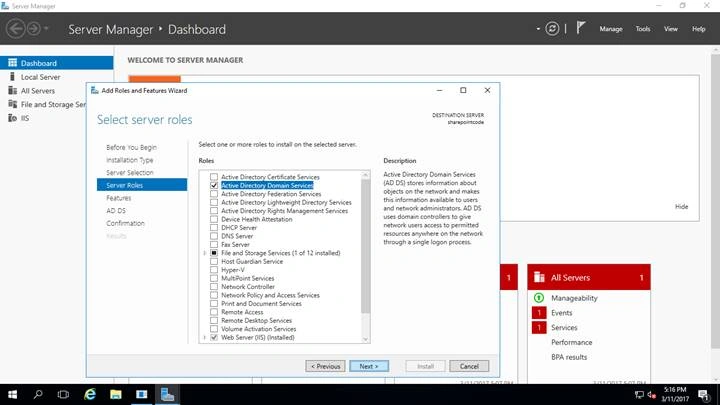
Check Active Directory Domain Sservices -> Click Next.
Click Next.
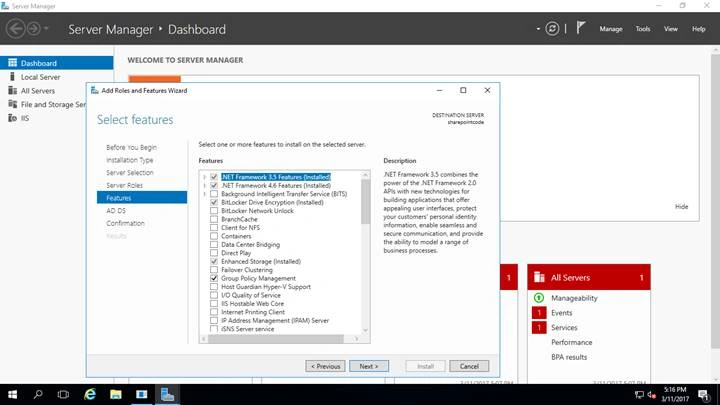
Click Next.
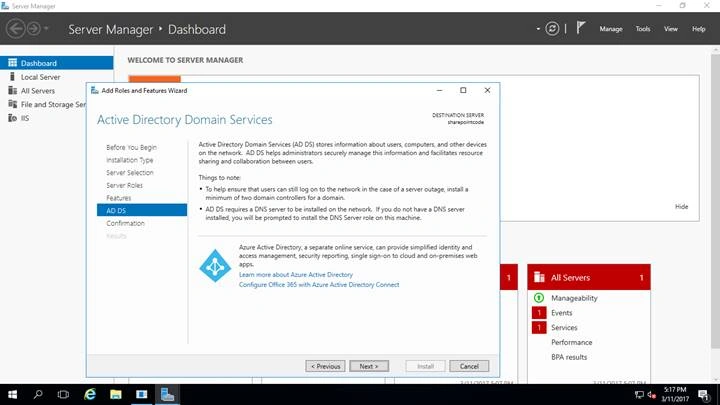
Click Next.
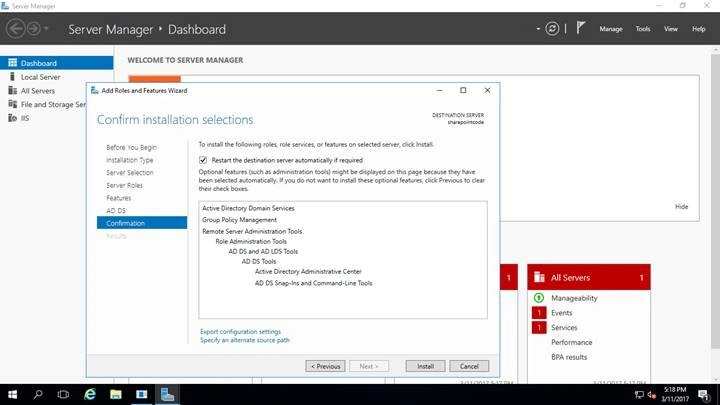
Check Restart destination Services automatically -> Click Install.
Click Close.
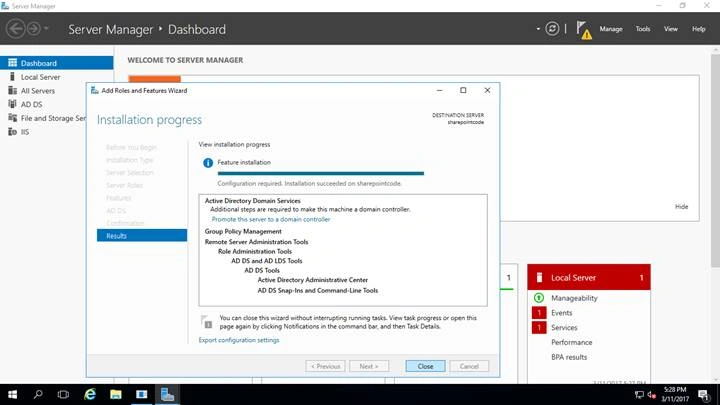
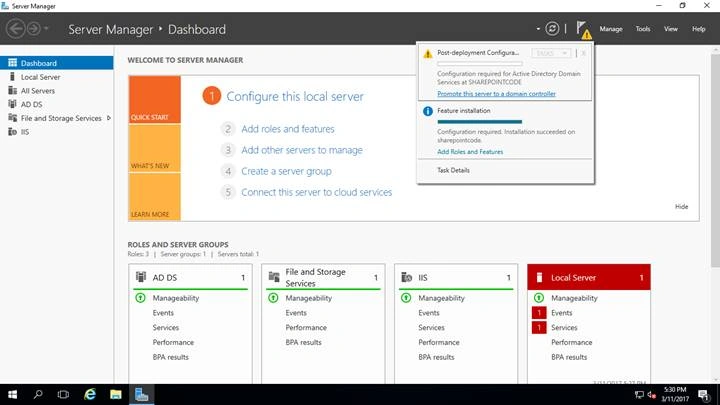
After successful installation, click on the Flag “Promote this server into domain controller”.
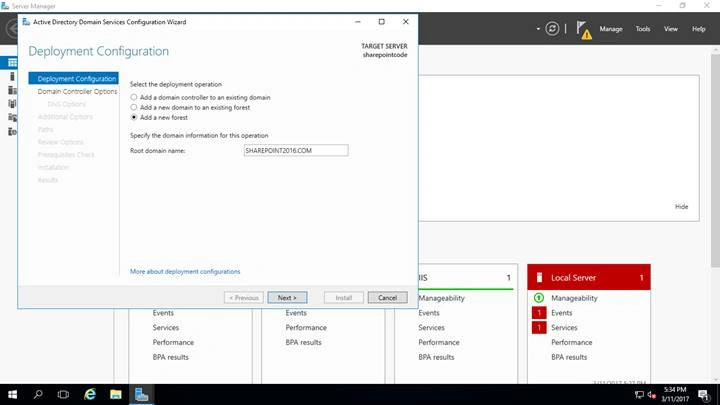
Click Add Forest and provide the root domain name.
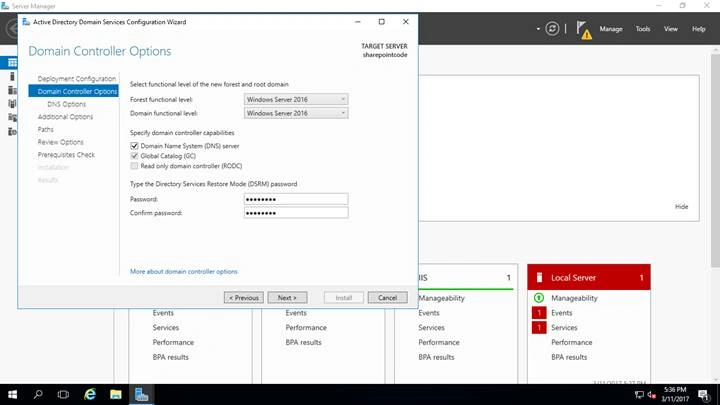
Click Next and provide Directory Services recovery password.
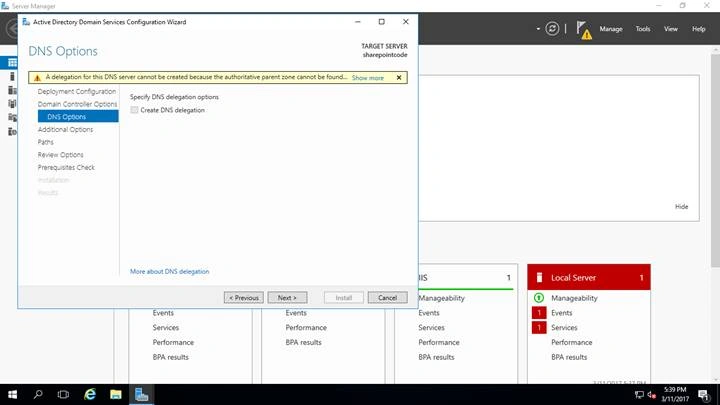
Click Next.
Leave the NETBIOS name by default “SHAREPOINT2016”.
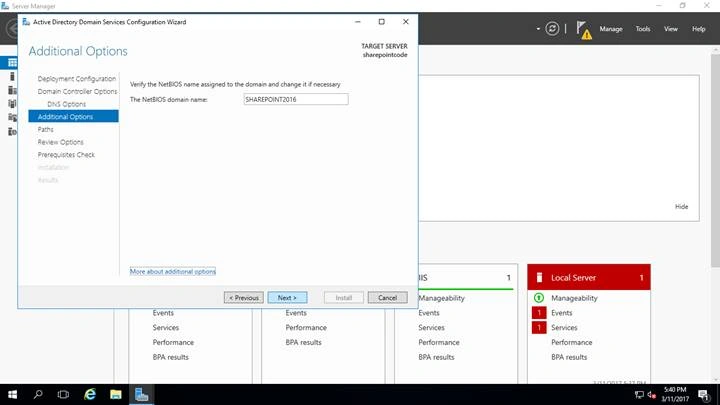
Provide the location for AD DS database.
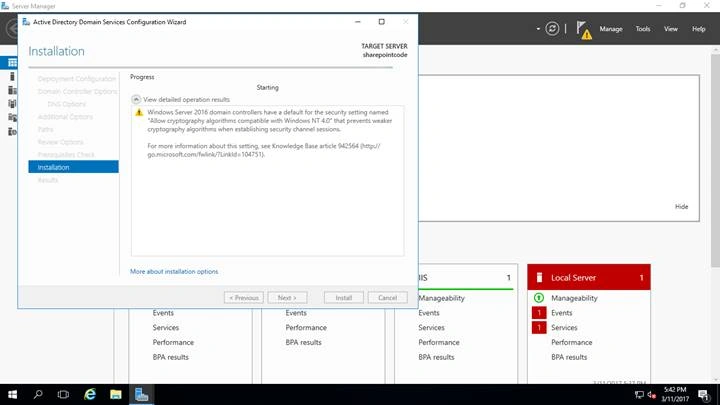
Click Next and click Install.
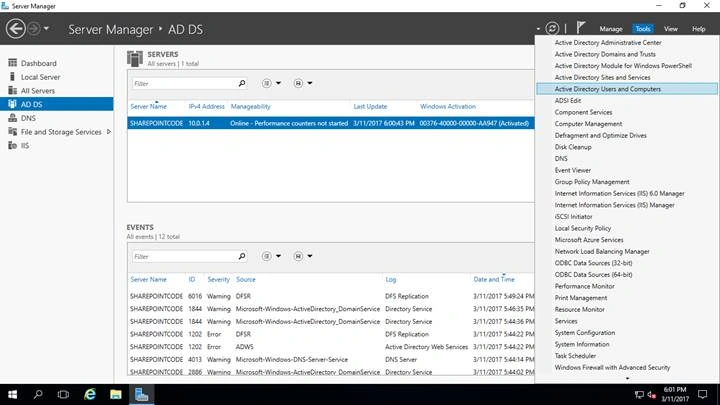
After successful installation, click Tools -> Active directory users and computers.
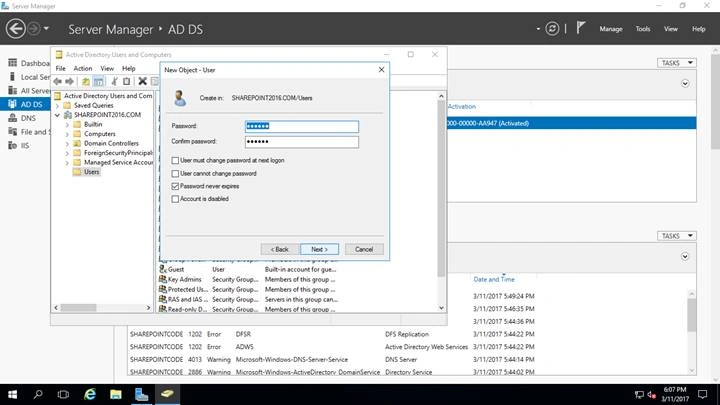
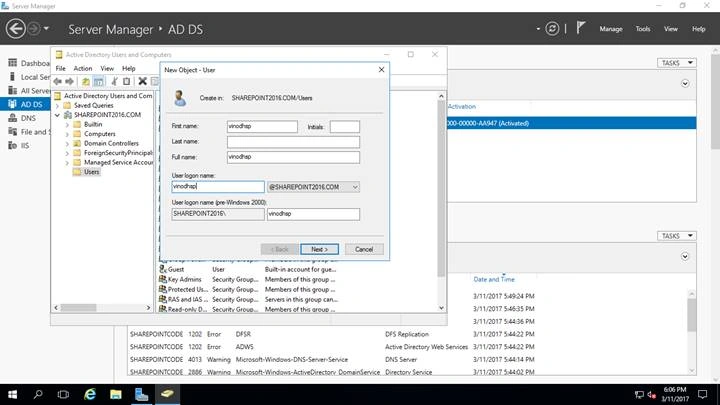
Click on N.
New user icon.
Create a user name and provide a password.
Click Finish.
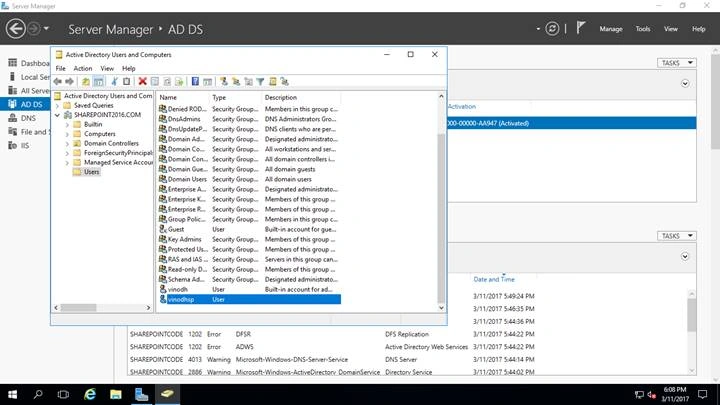
Let’s log in with the username and the password.
Happy learning.
Bhushan GawalePosted Mar 16, 2017, 5:18 AM
Good overview, however it seems like it is still the same procedure what was there in Server 2008 or 2012. It would be great if you can also mention if there are any additional features or configuration differences in the setup process between Server 2016 and older versions.
Vinodh NarayananPosted Mar 16, 2017, 12:55 AM
thanks for your valuable comment bro
Thennarasu NPosted Mar 15, 2017, 9:24 PM
Super brother Easy understand ......