

Introduction
This article explains how to implement the Facebook Like Box in a web site. Here we create a Web API application. It enables the Like box that shows the people that like the page and also reads the current post on that page. Here we open the c-sharpcorner Facebook like box.
Procedure for displaying the Like box in an application:
- First create a Facebook account, if you have already then login with that account.
- Now open this link:
https://developers.facebook.com/docs/plugins/like-box-for-pages/
The page will looks like this:
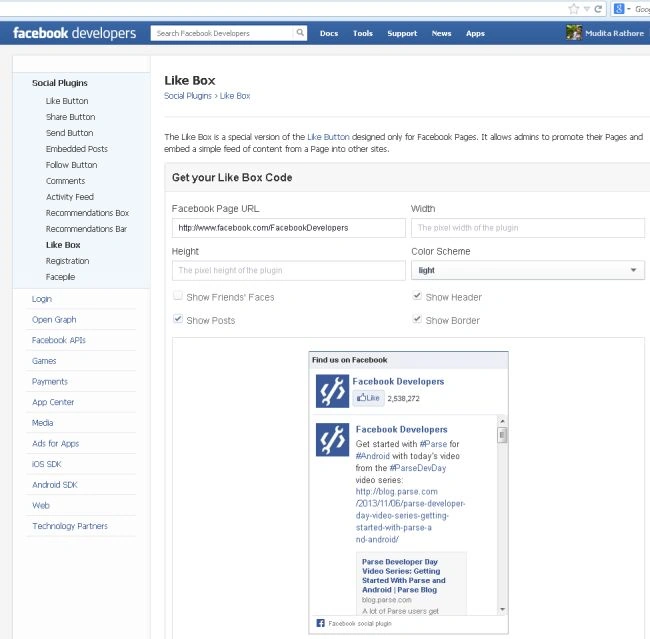
- Now fill in the Like Box form with some details:

- Facebook page URL: Here you type the page URL.
- Width: Type the width of the page in pixels.
- Height: Type the height of the page in pixels.
- Show friend's faces: It displays the faces of friends that have liked this page, if the checkbox is checked.
- Show Header: It displays the header of the Facebook if the checkbox is checked.
- Show Footer: The Id shows the Facebook footer if the checkbox is checked.
- Show Post: Show the Facebook post.
- Get Code: Clicking this button will generate the code.
- Now for getting the code click on the "Get Code" button.
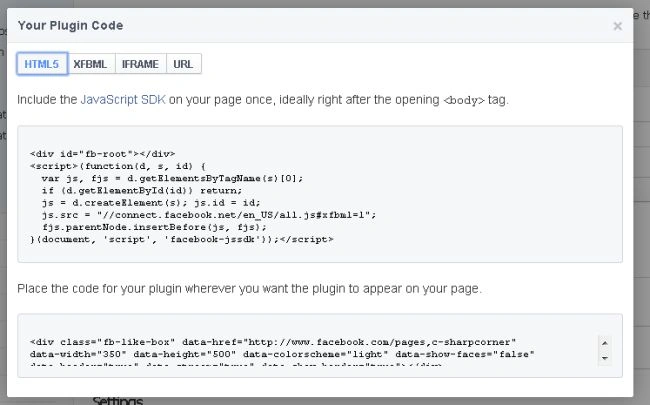
- Use the following procedure to create a sample of the application:
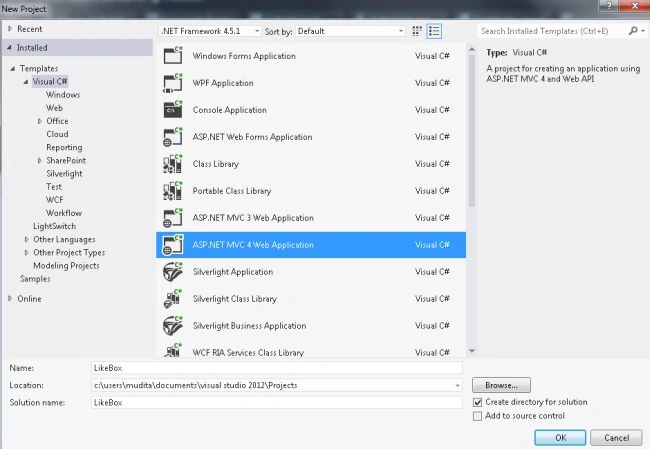
- Start Visual Studio 2012.
- From the Start window select "Installed" -> "Visual C#" -> "Web".
- Select "ASP .NET MVC4 Web Application' and click on the "OK" button.
- From the "MVC4 Project" window select "Web API".
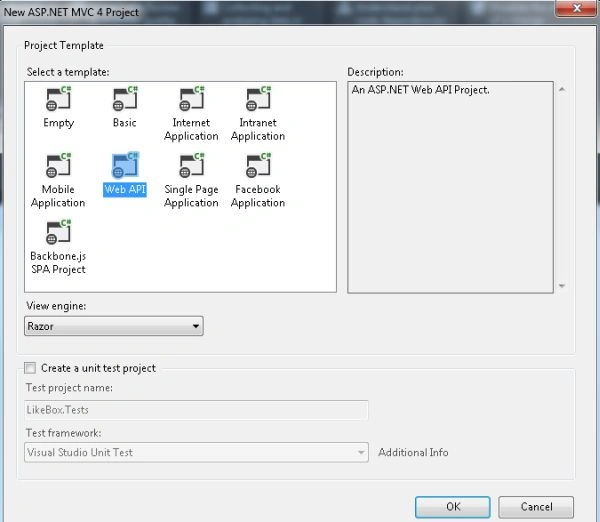
- Click on the "OK" button.
- Now copy the code and paste it into the "index.cshtml" file:
- In the "Solution Explorer".
- Select the "Home folder".
- Select the "Index.cshtml" file.
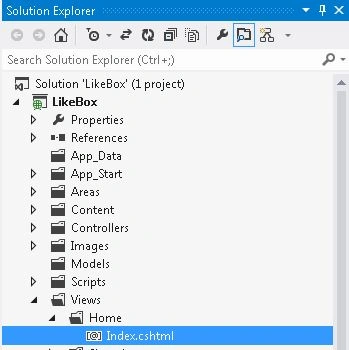
Paste in the following code:
- <html>
- <head>
- <title>Like Box of Face book</title>
- <div id="fb-root">
- </div>
- <div id="fb-root"></div>
- <script>(function (d, s, id) {
- var js, fjs = d.getElementsByTagName(s)[0];
- if (d.getElementById(id)) return;
- js = d.createElement(s); js.id = id;
- js.src = "//connect.facebook.net/en_US/all.js#xfbml=1";
- fjs.parentNode.insertBefore(js, fjs);
- }(document, 'script', 'facebook-jssdk'));</script>
- </head>
- <body>
- <div class="fb-like-box" data-href="https://www.facebook.com/pages/C-Corner/194086953935286" data-width="350" data-height="500" data-colorscheme="light" data-show-faces="true" data-header="true" data-stream="true" data-show-border="true"></div> </body>
- </html>
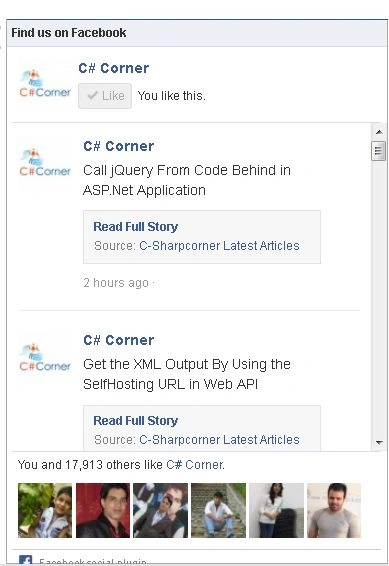
- Now execute the application and see the output.
Join the conversation! Your thoughts help the community grow.