
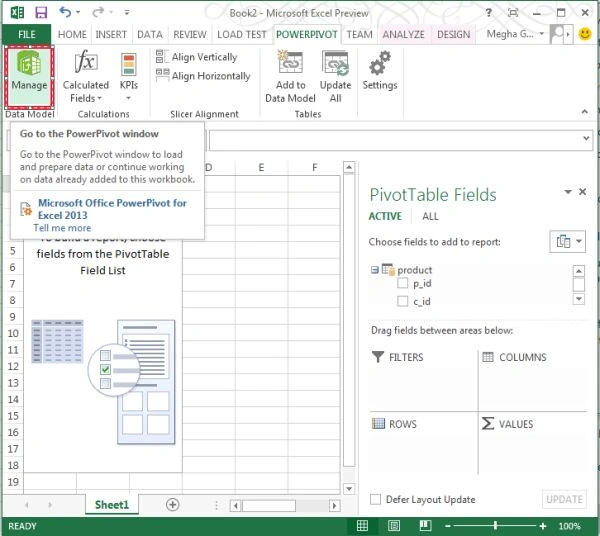
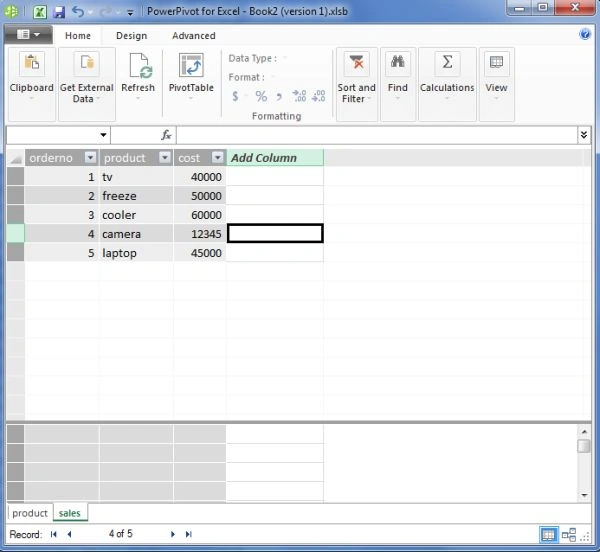
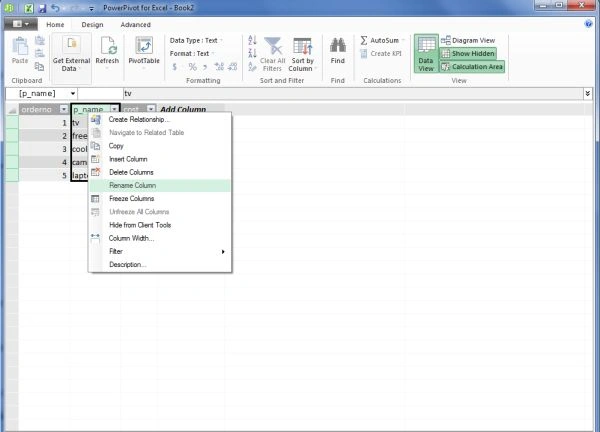
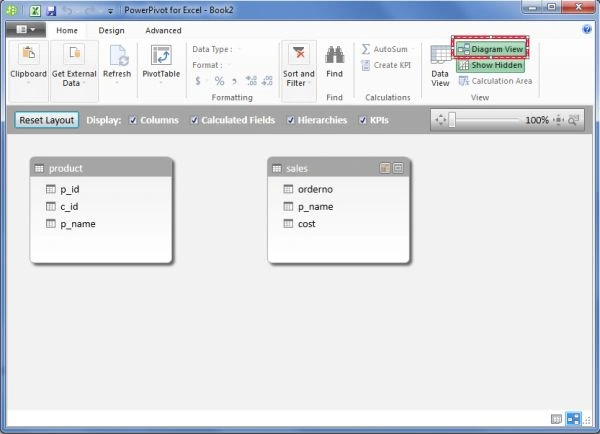
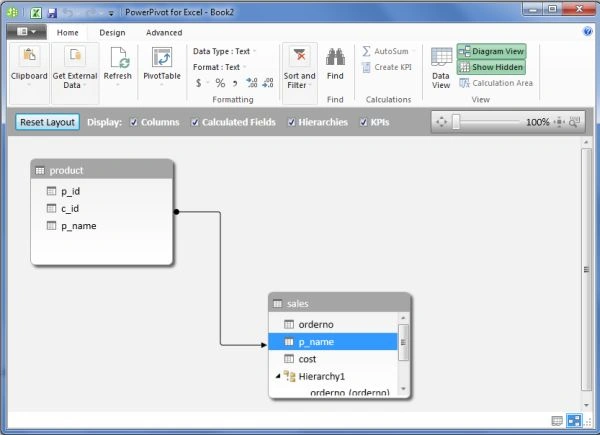
This is a new feature introduced in Excel 2013. It is the advanced data modeling feature in Excel 2013. In it we can rename the tables as well as the columns. We can make the relationships in the Diagram View by just dragging and dropping the fields of another table to it. We can filter the unnecessary data just to import only the necessary data.
Let's have a look at the following steps.
Step 1
Go to Excel 2013.
Step 2
Now select the blank workbook.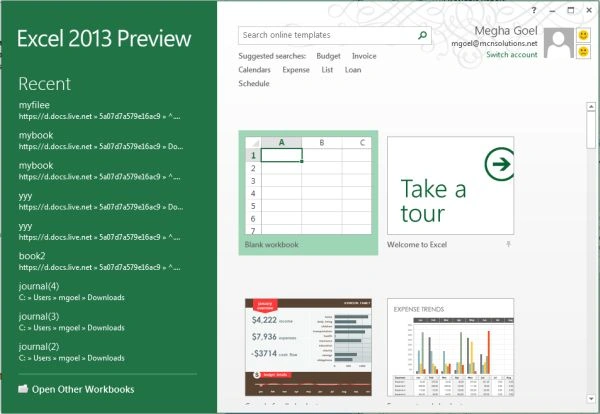
Step 3
Now click on the Data menu and under it just select the From Other Sources option.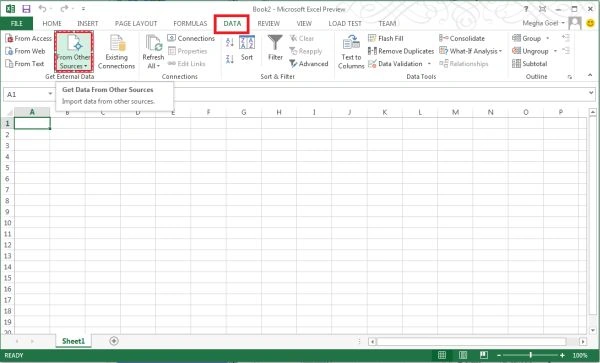
Step 4
Now select from SQL Server Option from it.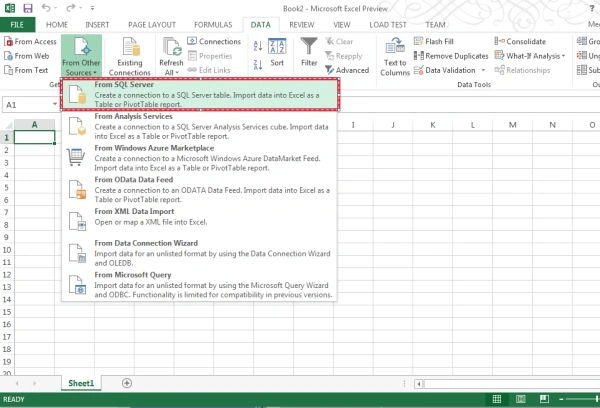
Step 5
Now a data Connection wizard will appear like this: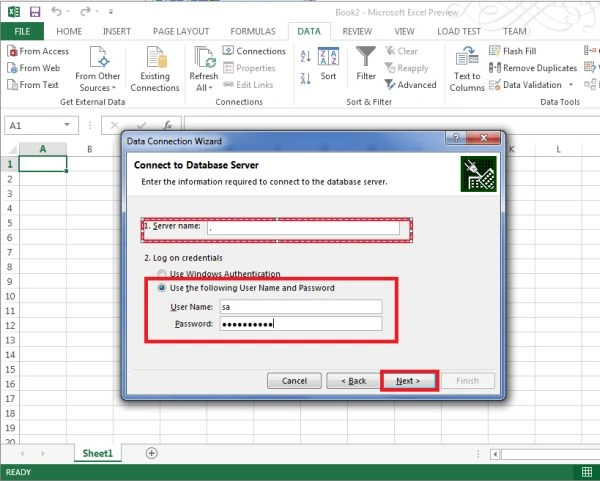
Step 6
In it just select the database from the dropdown list as shown below: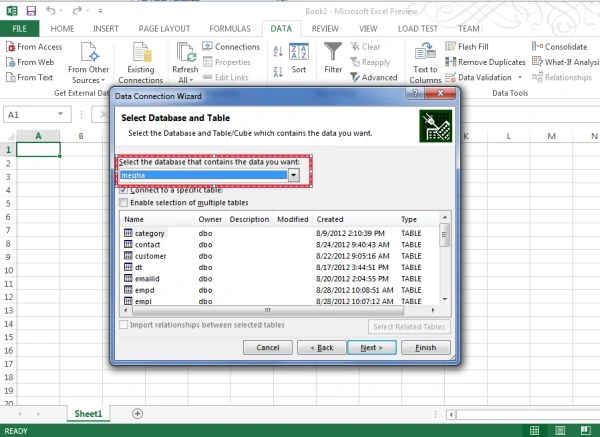
Step 7
Now select the Enable selection of multiple tables check box and select the tables you want to include in the power pivot.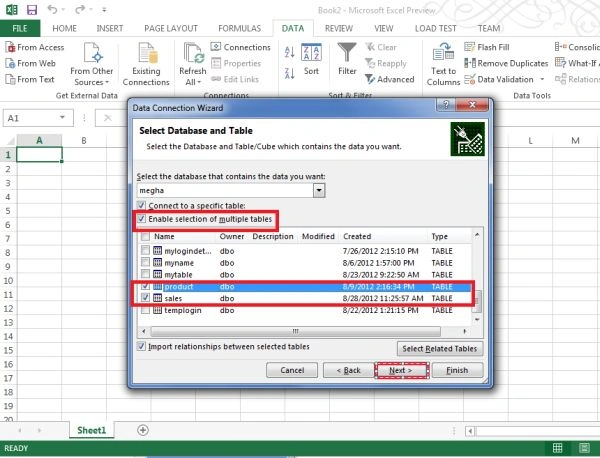
Step 8
Now click on the Finish button in the next dialog box appearing like this: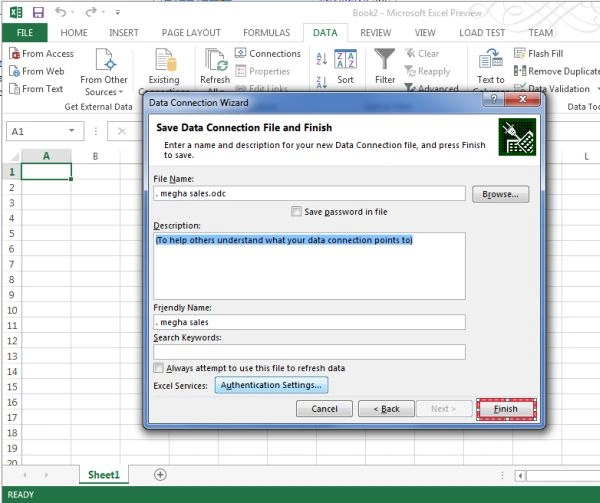
Step 9
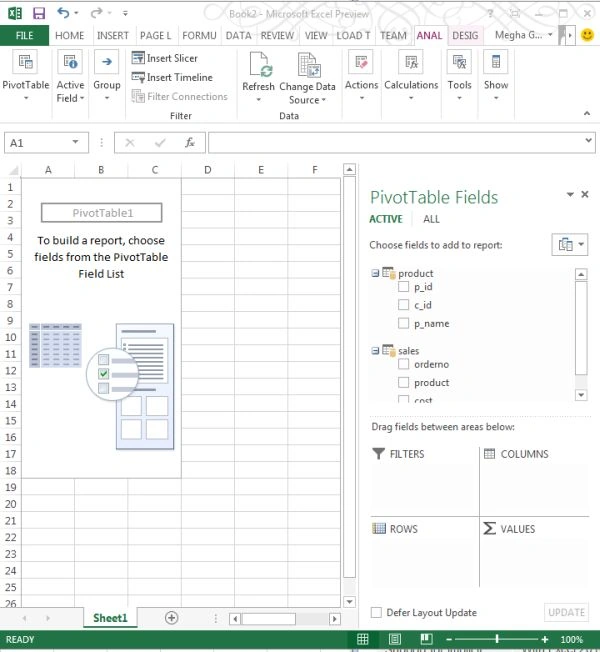
Now an import data dialog box will appear; in it just select the PivotTable Report option and click on the Existing worksheet option and click on the ok button.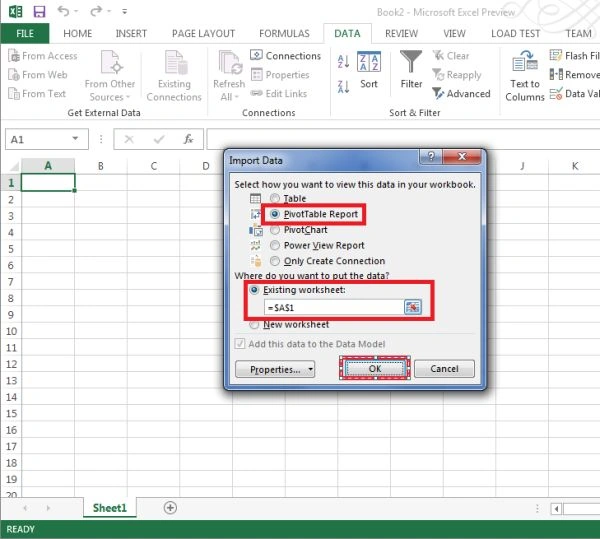
Join the conversation! Your thoughts help the community grow.