

Robotic Process Automation is the technology that allows anyone today to configure computer software, or a “robot” to emulate and integrate the actions of a human interacting within digital systems to execute a business process.
RPA robots utilize the user interface to capture data and manipulate applications just like humans do. They interpret, trigger responses and communicate with other systems in order to perform a vast variety of repetitive tasks, only substantially better: An RPA software robot never sleeps and makes zero mistakes.
UiPath is a leading Robotic Process Automation vendor providing a complete software platform to help organizations efficiently automate business processes.
UiPath Studio is a tool that can model an organization's business processes in a visual way.
Reading this article, you can learn how to use argument to perform addition operations using UiPath Studio Pro Community.
The following important tools are required for developing UiPath Bots,
- Windows 7/8.1/10 (Recommended)
- UiPath Studio Pro - Community Cloud (It is a free software available online – https://www.uipath.com/start-trial)
Now we can discuss step by step App development.
Step1
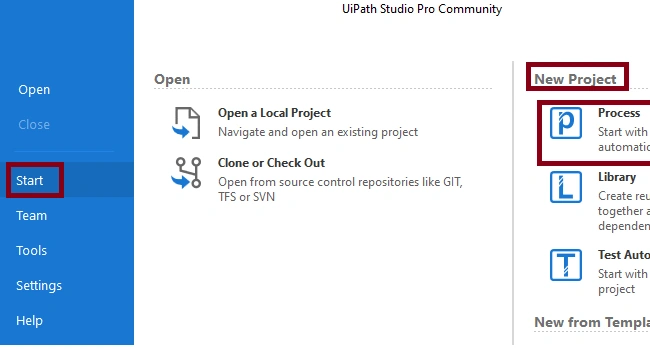
Open UiPath Studio -> Start -> New Project-> Click Process
Step 2
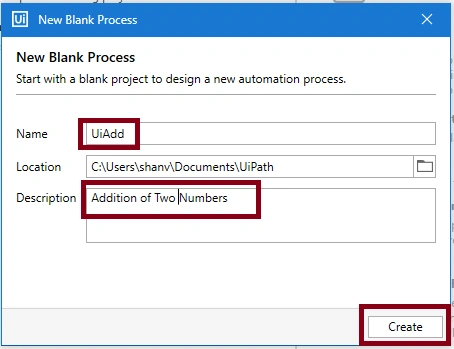
Now, create New Blank Process , Name as UiAdd and give your description.
Step 3
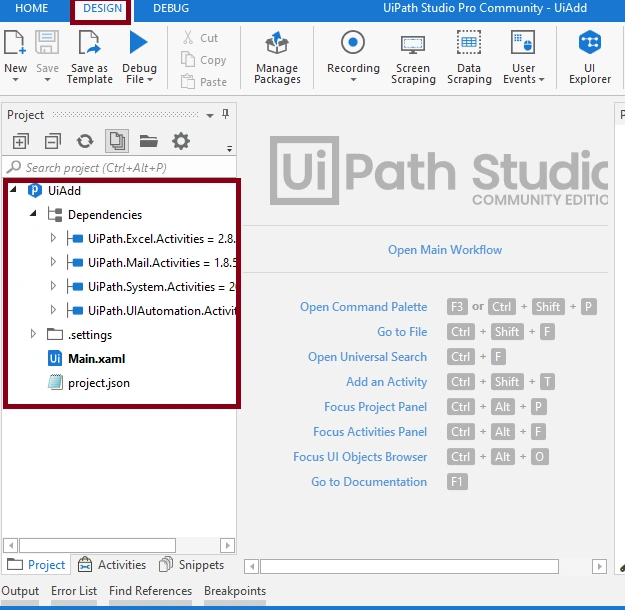
After that UiPath studio creates the project UiAdd with supporting files
Step 4
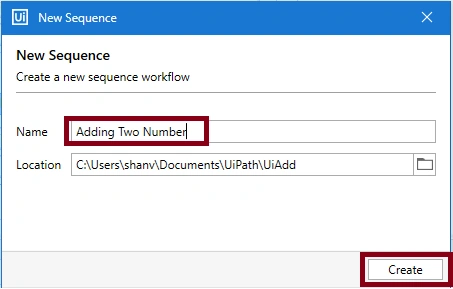
For performing Addition Operation, create two sequences, Reading Two Numbers and Adding Two Numbers.
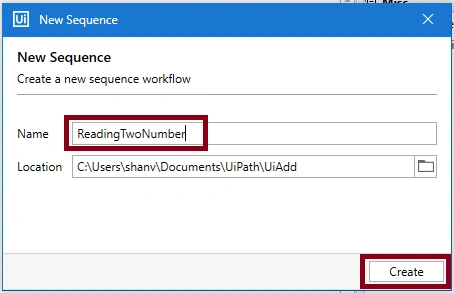
First, create a sequence for Reading Two Numbers, clickNew->Sequence
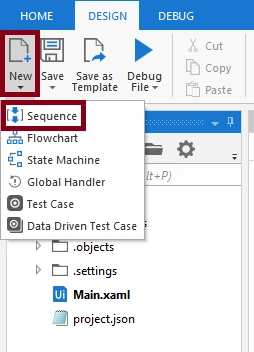
Give the name as Reading Two Numbers
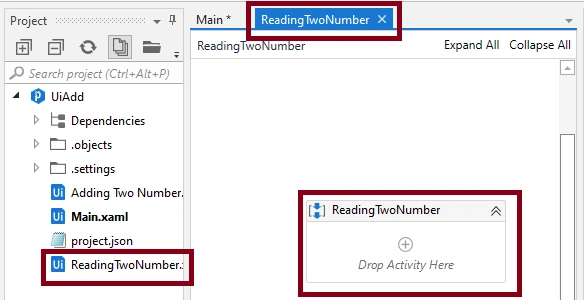
After creating Reading Two Numbers:
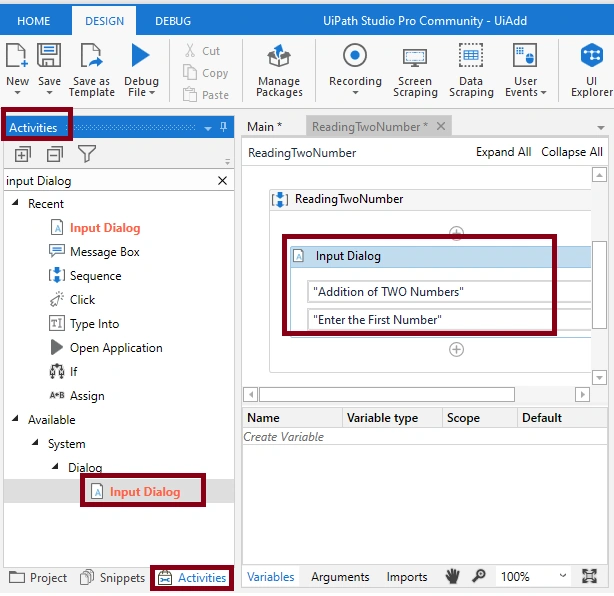
For reading a First Number,
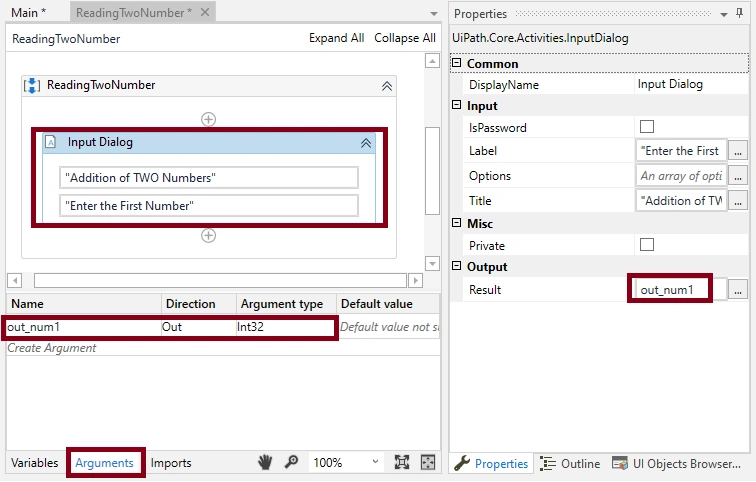
Click Activities -> search Input Dialog -> Drag and drop into sequence,
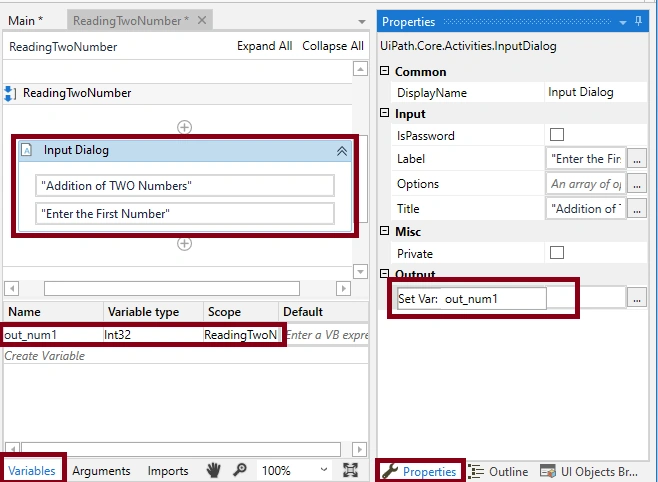
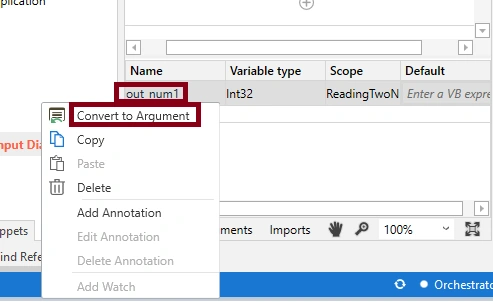
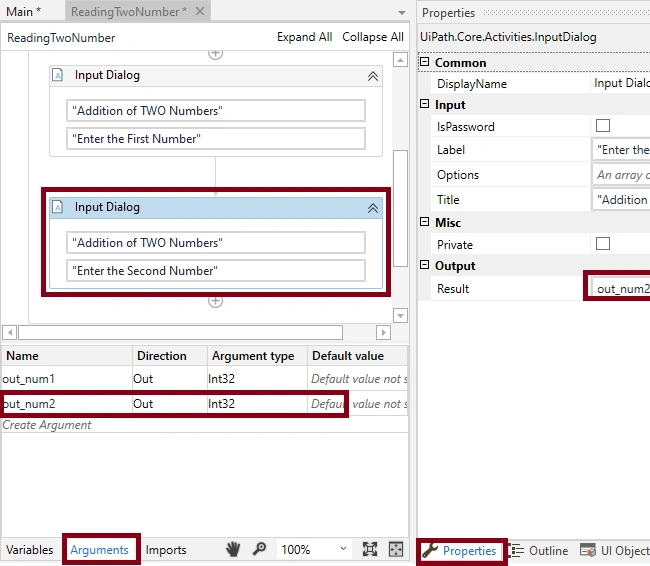
Set the value Display name, Label, Title, Result (for Result value go to properties window and (click ctrl+k) create the variable out_num1 and verify the variable in the variables tab,
Join the conversation! Your thoughts help the community grow.