
Introduction
Ajax (Asynchronous
JavaScript and XML) is a new web development technique use for interactive
websites. AJAX helps us develop web applications and retrieve a small amount of
data from a web server. AJAX consists of different types of technology.
- JavaScript
- XML
- Asynchronous Call to the server
Graph
A Graph is an abstract representation of a set
of objects where some pairs of the objects are connected by links. The
interconnected objects are represented by mathematical abstractions called
vertices, and the links that connect some pairs of vertices are called edege.The
edges may be directed (asymmetric) or undirected (symmetric).
Step 1 : Open Visual Studio 2010.
- Go to File->New->Websites
- Select ASP.NET Empty Websites
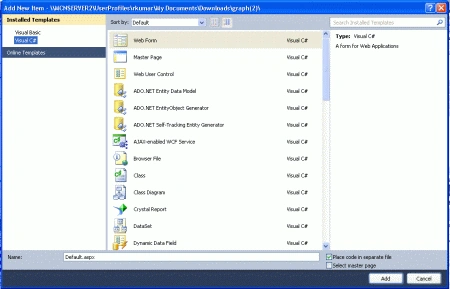
Step 2 : Go to Solution Explorer and right-click.
- Select Add->New Item
- Select Web Form
- Default.aspx page open
Step 3 : Go to Web Form [Design Option] and drag control from Toolbox.
- Drag ScriptManager Control, Button Control
- Write the code for a designing graph
Code :
<body
onload="init();">
<form
id="form1"
runat="server">
<div>
<asp:ScriptManager
ID="ScriptManager1"
runat="server">
</asp:ScriptManager>
<h1
align=center>
AJAX Graph using ASP.NET</h1>
<p
align=center
style="background-repeat
:repeat-x">
<a
href="AJAXGraph1.aspx">
AJAX Graph Demo1</a>
| <a
href="AJAXGraph2.aspx">
AJAX Graph Demo2</a>
| <a
href="AJAXGraph3.aspx">
AJAX Graph Demo3</a></p>
<div
align=center
>
<table class="gridTable">
<tr
valign="bottom">
<td>
<div id="d1"
class="gridDiv">
</div>
</td>
<td>
<div id="d2"
class="gridDiv">
</div>
</td>
<td>
<div id="d3"
class="gridDiv">
</div>
</td>
<td>
<div id="d4"
class="gridDiv">
</div>
</td>
<td>
<div id="d5"
class="gridDiv">
</div>
</td>
<td>
<div id="d6"
class="gridDiv">
</div>
</td>
<td>
<div id="d7"
class="gridDiv">
</div>
</td>
<td>
<div id="d8"
class="gridDiv">
</div>
</td>
<td>
<div id="d9"
class="gridDiv">
</div>
</td>
<td>
<div id="d10"
class="gridDiv">
</div>
</td>
<td>
<div
id="d11"
class="gridDiv">
</div>
</td>
<td>
<div id="d12"
class="gridDiv">
</div>
</td>
<td>
<div id="d13"
class="gridDiv">
</div>
</td>
<td>
<div id="d14"
class="gridDiv">
</div>
</td>
</tr></table><br
/>
<input
id="Button1"
type="button"
value="Start/Stop"
onclick="return
Button1_onclick()" />
</div>
<script
type="text/xml-script">
<page xmlns:script="http://schemas.microsoft.com/xml-script/2005">
<references>
</references>
<components>
</components>
</page
</script>
</div>
Create a Web Form for the next level Graph.
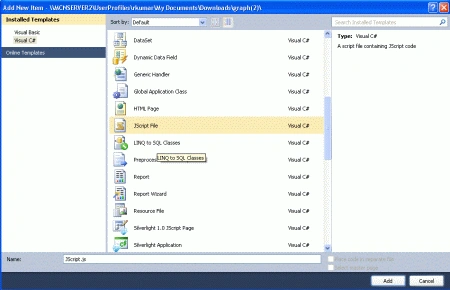
Step 4 : Go to Solution Explorer and right-click.
- Select Add->New Item
- Select WebForm
- Default.aspx page opens
- Define the code for the second graph


Upendra Pratap ShahiPosted Jun 12, 2015, 8:17 AM
nice...
Vineet Kumar SainiPosted Dec 27, 2011, 12:04 PM
Very Good work..
Vikas MishraPosted Dec 26, 2011, 1:45 PM
Hi Davin you explained it in a very nice way..... Thanks for sharing.........