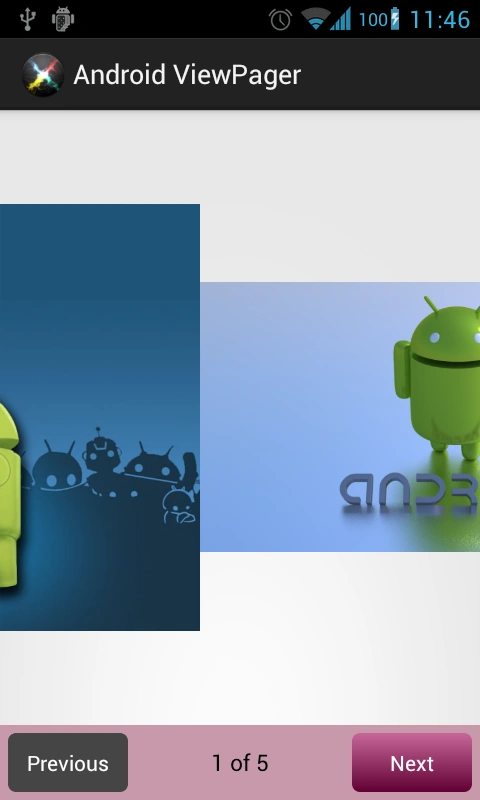
ViewPager is a simple layout manager to mover through views using the simple left and right swipes.
It was not available till android SDK 11 so we will need to import the android support library v4 or v13
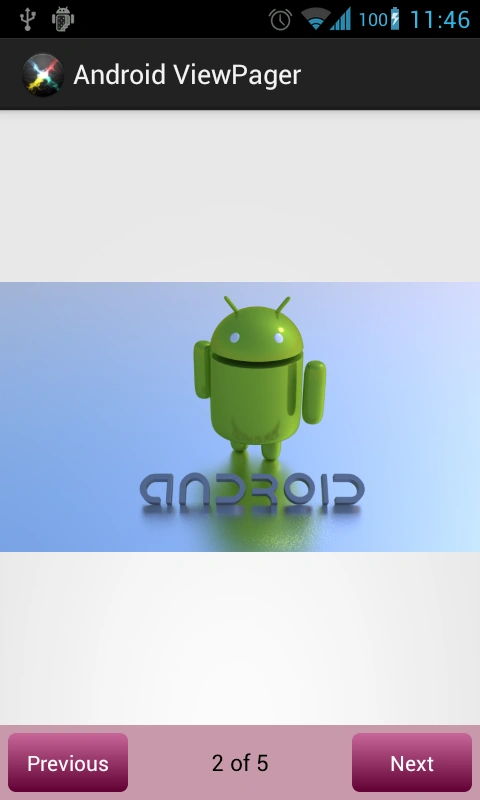
It is used in managing fragments but in this article, we are going to implement a simple ImageView swipe.
This demo uses 4 images android1.jpg .... android4.jpg so first get these images or download the source code
It also uses a background resource from an earlier article android
buttons background
Now let's start, create a new project, import the android v4 support library
Now open
activity_main.xml file
- <LinearLayout xmlns:android="http://schemas.android.com/apk/res/android"
- xmlns:tools="http://schemas.android.com/tools"
- android:layout_width="match_parent"
- android:layout_height="match_parent"
- android:orientation="vertical"
- >
- <android.support.v4.view.ViewPager
- android:id="@+id/viewPager"
- android:layout_height="match_parent"
- android:layout_width="match_parent"
- android:layout_weight="1"
- />
- <LinearLayout
- android:layout_height="50dp"
- android:layout_width="match_parent"
- android:background="#C799AA"
- >
- <Button
- android:id="@+id/previousButton"
- android:layout_height="wrap_content"
- android:layout_width="80dp"
- android:padding="10dp"
- android:text="Previous"
- android:textSize="14sp"
- android:background="@drawable/button_background"
- android:layout_margin="5dp"
- android:textColor="#ffffff"
- android:enabled="false"
- />
- <TextView
- android:id="@+id/positionTextView"
- android:layout_height="wrap_content"
- android:layout_width="fill_parent"
- android:gravity="center"
- android:layout_weight="1"
- android:padding="5dp"
- android:layout_gravity="center_vertical"
- android:textColor="#000000"
- android:textSize="15sp"
- />
- <Button
- android:id="@+id/nextButton"
- android:layout_height="wrap_content"
- android:layout_width="80dp"
- android:padding="10dp"
- android:text="Next"
- android:textSize="14sp"
- android:background="@drawable/button_background"
- android:layout_margin="5dp"
- android:textColor="#ffffff"
- />
- </LinearLayout>
- </LinearLayout>
Here android.support.v4.view.ViewPager is the tag for the ViewPager as it is imported from the android v4 support library
Rest is self-explanatory i.e. two Buttons for next and previous, a TextView for indicating the position.
Now open
MainActivity.java
- import android.app.Activity;
- import android.os.Bundle;
- import android.support.v4.view.PagerAdapter;
- import android.support.v4.view.ViewPager;
- import android.support.v4.view.ViewPager.OnPageChangeListener;
- import android.view.Menu;
- import android.view.View;
- import android.view.View.OnClickListener;
- import android.view.ViewGroup;
- import android.widget.Button;
- import android.widget.ImageView;
- import android.widget.LinearLayout.LayoutParams;
- import android.widget.TextView;
-
- public class MainActivity extends Activity {
-
- private int[] images = {R.drawable.android1, R.drawable.android2, R.drawable.android3, R.drawable.android4, R.drawable.android5};
- private ViewPager mViewPager;
- private MyPagerAdapter myPagerAdapter;
- private Button nextButton, previousButton;
- private TextView positinTextView;
- private int imageCount = images.length;
-
- @Override
- protected void onCreate(Bundle savedInstanceState) {
- super.onCreate(savedInstanceState);
- setContentView(R.layout.activity_main);
-
-
-
-
- myPagerAdapter = new MyPagerAdapter();
-
- previousButton = (Button)findViewById(R.id.previousButton);
- nextButton = (Button)findViewById(R.id.nextButton);
-
- positinTextView = (TextView)findViewById(R.id.positionTextView);
-
- mViewPager = (ViewPager)findViewById(R.id.viewPager);
- mViewPager.setAdapter(myPagerAdapter);
-
-
-
-
- mViewPager.setCurrentItem(0);
- positinTextView.setText("1 of "+imageCount);
-
-
-
-
-
- mViewPager.setOnPageChangeListener(new OnPageChangeListener() {
-
- @Override
- public void onPageSelected(int position) {
-
- positinTextView.setText((position+1)+" of "+imageCount);
- if (position==imageCount-1) {
- nextButton.setEnabled(false);
- }
- else {
- nextButton.setEnabled(true);
- }
- if (position==0) {
- previousButton.setEnabled(false);
- }
- else {
- previousButton.setEnabled(true);
- }
- }
-
- @Override
- public void onPageScrolled(int position, float positionOffset, int positionOffsetPixels) {
- }
-
- @Override
- public void onPageScrollStateChanged(int state) {
- }
- });
-
-
-
-
- nextButton.setOnClickListener(new OnClickListener() {
- @Override
- public void onClick(View v) {
-
- mViewPager.setCurrentItem(mViewPager.getCurrentItem()+1);
- }
- });
-
- previousButton.setOnClickListener(new OnClickListener() {
- @Override
- public void onClick(View v) {
-
- mViewPager.setCurrentItem(mViewPager.getCurrentItem()-1);
- }
- });
- }
-
- @Override
- public boolean onCreateOptionsMenu(Menu menu) {
-
- getMenuInflater().inflate(R.menu.main, menu);
- return true;
- }
-
-
-
-
-
- private class MyPagerAdapter extends PagerAdapter {
-
- public MyPagerAdapter(){}
-
-
-
-
- @Override
- public int getCount() {
- return imageCount;
- }
-
- @Override
- public View instantiateItem(ViewGroup container, int position) {
-
-
-
- ImageView mImageView = new ImageView(MainActivity.this);
- mImageView.setImageResource(images[position]);
-
-
- container.addView(mImageView, LayoutParams.MATCH_PARENT, LayoutParams.MATCH_PARENT);
-
- return mImageView;
- }
-
- @Override
- public void destroyItem(ViewGroup container, int position, Object object) {
- container.removeView((View) object);
- }
-
- @Override
- public boolean isViewFromObject(View view, Object object) {
- return view == object;
- }
- }
- }
Please read the comments in between the code lines for more explanation
Google Documentation:
http://developer.android.com/reference/android/support/v4/view/ViewPager.html



Join the conversation! Your thoughts help the community grow.