Introduction
In the previous article, we have created a Web API and connected that with DB. Also, we have secured the Web API using the OAuth2.0 technique. Now, in this part, we will consume that API using an Angular app in the front-end.
The complete project code is given at this link below.
How will it work?
First of all, we have to configure the environment to start development in Angular. I hope you already configured the environment. Please download the latest version of NodeJS. I’m using Visual Studio Code as my code editor but you can choose any other or this one. So, let’s create an Angular app using Angular CLI.
Open Visual Studio Code terminal or command prompt and run through the following steps.
Step 1
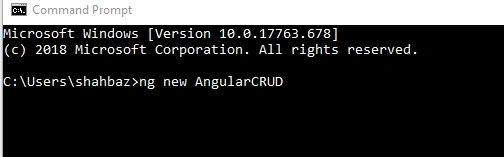
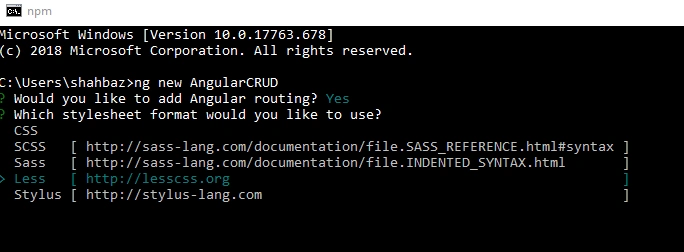
Create an Angular project. Open cmd or VS Code terminal and type the command - ng new AngularAuth
Step 2
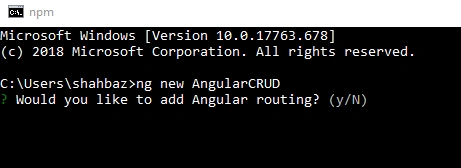
Type (Y) to add routing module
Step 3
Choose stylesheet type
Step 4
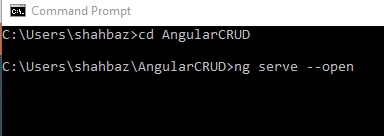
Now our project is created successfully now let’s run the project. Type the command,
cd AngularCRUD
ng serve –open
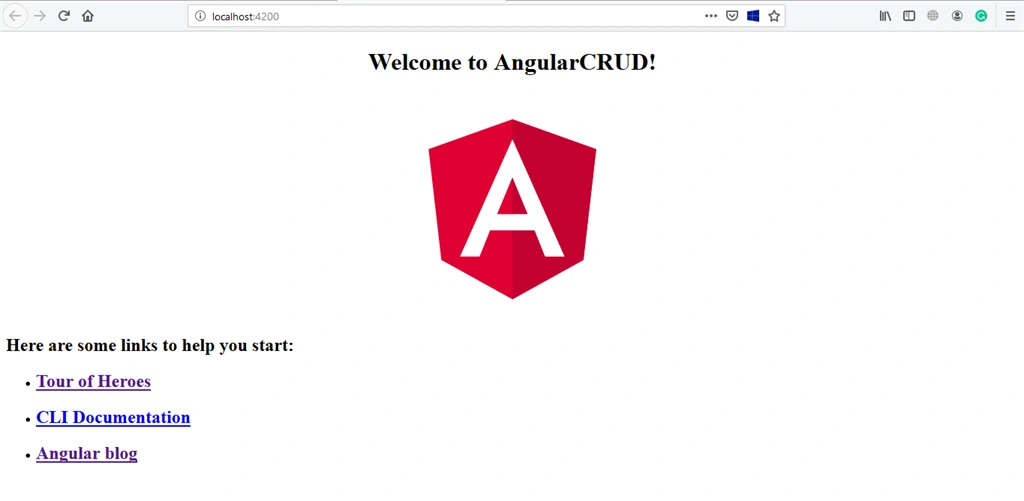
The Browser will display this page which means the project created and ran successfully.
Step 5
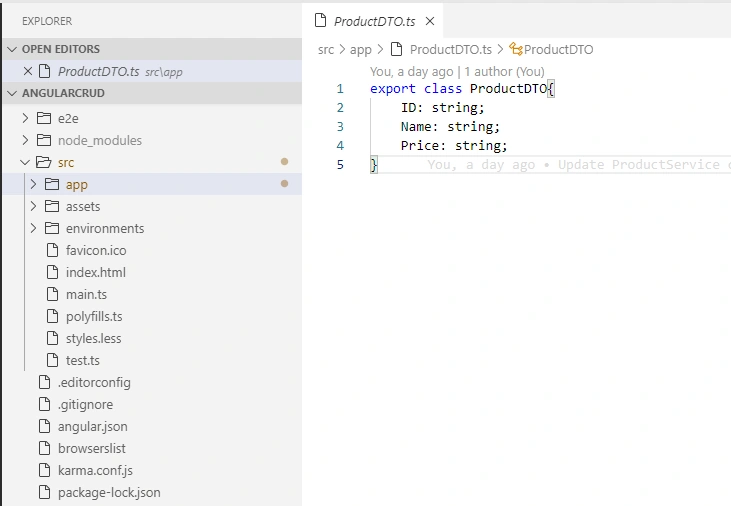
Let’s create a DTO class ProductDTO.ts
ProductDTO.ts
- export class ProductDTO{
- ID: string;
- Name: string;
- Price: string;
- }
Step 6
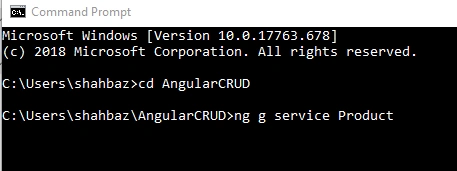
Let’s create a service class for communication with the database.
Type the command: ng g service Product.
ProductService.ts
- import { Injectable } from '@angular/core';
- import {HttpClient,HttpHeaders} from '@angular/common/http';
- import { ProductDTO } from '../app/ProductDTO';
- import { Observable } from 'rxjs';
- @Injectable({
- providedIn: 'root'
- })
- export class ProductService {
- ApiUrl='http://localhost:57046/';
- constructor(private httpclient: HttpClient) { }
-
- GetProducts():Observable<ProductDTO[]>{
- return this.httpclient.get<ProductDTO[]>(this.ApiUrl+'Api/Product/GetProducts');
- }
-
- GetProductById(Id:string):Observable<ProductDTO>{
- return this.httpclient.get<ProductDTO>(this.ApiUrl+'Api/Product/GetProductById/'+Id);
- }
- InsertProduct(product:ProductDTO){
- return this.httpclient.post<ProductDTO>(this.ApiUrl+'Api/Product/InsertProduct',product);
- }
-
- UpdateProduct(product:ProductDTO):Observable<ProductDTO>{
- return this.httpclient.put<ProductDTO>(this.ApiUrl+'Api/Product/Updateproduct/',product);
- }
-
- DeleteProduct(Id:string){
- return this.httpclient.delete(this.ApiUrl+'Api/Product/DeleteProduct/'+Id);
- }
-
- UserAuthentication(UserName: string,Password: string):Observable<any>{
- let credentials='username=' +UserName + '&password=' +Password +'&grant_type=password';
- var reqHeader = new HttpHeaders({'Content-Type': 'application/x-www-urlencoded','No-Auth':'True' });
- return this.httpclient.post<any>(this.ApiUrl+'token',encodeURI(credentials),{headers:reqHeader});
- }
- }
Step 7
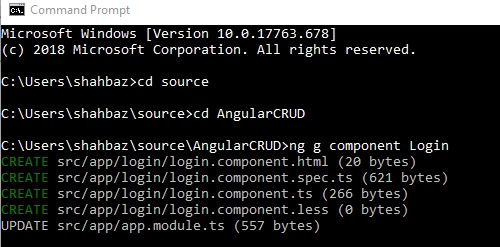
Now, let’s create a Login Component; type the command - ng g component Login
LoginComponent.ts
- import { Component, OnInit } from '@angular/core';
- import { ProductService } from '../product.service';
- import { FormControl,FormGroup,Validators } from '@angular/forms';
- import { Router} from '@angular/router';
-
- @Component({
- selector: 'app-login',
- templateUrl: './login.component.html',
- styleUrls: ['./login.component.less']
- })
- export class LoginComponent implements OnInit {
-
- constructor(private productService:ProductService, private router:Router) { }
-
- ngOnInit() {
- if(window.sessionStorage.getItem('userToken')!=null){
- this.router.navigate(['/Product']);
- }
- }
- LoginForm=new FormGroup({
- UserName: new FormControl('',Validators.required),
- Password: new FormControl('',Validators.required),
- });
- OnGetToken(){
- const user=this.LoginForm.controls['UserName'].value;
- const pass=this.LoginForm.controls['Password'].value;
- this.productService.UserAuthentication(user,pass).subscribe((data:any)=>{
- window.sessionStorage.setItem('userToken',data.access_token);
- this.router.navigate(['/Product']);
- });
- }
- }
Step 8
Paste this code in LoginComponent.html file.
- <form [formGroup]="LoginForm" (ngSubmit)="OnGetToken()">
- <div>
- <Label>
- UserName
- <input type="text" formControlName="UserName">
- </Label>
- </div>
- <div>
- <label>
- Password
- <input type="password" formControlName="Password">
- </label>
- </div>
- <div>
- <button type="submit" [disabled]="!LoginForm.valid"> Login</button>
- </div>
- </form>
Step 9
Create Product component, type the command - ng g component Product
ProductComponent.ts
- import { Component, OnInit } from '@angular/core';
- import { ProductService } from '../product.service';
- import { ProductDTO } from '../ProductDTO';
- import { FormGroup,FormControl,Validators } from '@angular/forms';
- @Component({
- selector: 'app-product',
- templateUrl: './product.component.html',
- styleUrls: ['./product.component.less']
- })
- export class ProductComponent implements OnInit {
-
- constructor(private productservice: ProductService) { }
-
- ngOnInit() {
- this.GetAllProducts();
- }
- ProductList:ProductDTO[];
- product:ProductDTO;
- productIdUpdate = null;
- ProductForm=new FormGroup({
- Name: new FormControl('',Validators.required),
- Price: new FormControl(''),
- });
- OnSubmit(){
- if(this.productIdUpdate==null){
- const product=this.ProductForm.value;
- this.InsertProduct(product);
- }
- else{
- const employee=this.ProductForm.value;
- this.UpdateProduct(employee);
- }
- }
-
- GetAllProducts(){
-
- this.productservice.GetProducts().subscribe(data=>{this.ProductList=data;});
- }
- GetProductById(Id:string){
- this.productservice.GetProductById(Id).subscribe(data=>{
- this.SetProductFormValues(data);
- });
-
- }
- SetProductFormValues(product: ProductDTO){
- this.ProductForm.controls['Name'].setValue(product.Name);
- this.ProductForm.controls['Price'].setValue(product.Price);
- this.productIdUpdate=product.ID;
- }
- InsertProduct(product:ProductDTO){
- this.productservice.InsertProduct(product).subscribe(()=>{
- this.GetAllProducts();
- });
- }
- UpdateProduct(product:ProductDTO){
- product.ID=this.productIdUpdate;
- this.productservice.UpdateProduct(product).subscribe(()=>{
- this.productIdUpdate=null;
- this.GetAllProducts();
- });
- }
- DeleteProduct(Id:string){
- this.productservice.DeleteProduct(Id).subscribe(()=>{
- this.productIdUpdate=null;
- this.GetAllProducts();
- });
- }
- }
Step 10
Paste this code in ProductComponent.html.
ProductComponent.html
- <form [formGroup]="ProductForm" (ngSubmit)="OnSubmit()">
- <div>
- <label>
- Name
- <input type="text" formControlName="Name">
- </label>
- </div>
- <div style="margin-top: 20px">
- <label>
- Price
- <input type="text" formControlName="Price">
- </label>
- </div>
- <div>
- <button type="submit" [disabled]="!ProductForm.valid">Save</button>
- </div>
- </form>
- <table>
- <tr>
- <th>
- Name
- </th>
- <th>
- Price
- </th>
- <th>
- Update Record
- </th>
- <th>
- Delete Record
- </th>
- </tr>
- <tr *ngFor="let item of ProductList">
- <td>
- {{item.Name}}
- </td>
- <td>
- {{item.Price}}
- </td>
- <td>
- <button type="button" (click)="GetProductById(item.ID)">Edit</button>
- </td>
- <td>
- <button type="button" (click)="DeleteProduct(item.ID)">Delete</button>
- </td>
- </tr>
- </table>
Step 11
Open app-routing.module.ts file and paste this code.
- import { NgModule } from '@angular/core';
- import { Routes, RouterModule } from '@angular/router';
- import { ProductComponent} from '../app/product/product.component';
- import {LoginComponent} from '../app/login/login.component';
-
- const routes: Routes = [
- {path:'', redirectTo:'/Product',pathMatch:'full'},
- {path:'Product', component:ProductComponent},
- {path:'Login', component:LoginComponent}
- ];
-
- @NgModule({
- imports: [RouterModule.forRoot(routes)],
- exports: [RouterModule]
- })
- export class AppRoutingModule { }
Step 12
Create a new file with the name as auth.interceptor.ts file and paste this code.
- import { HttpInterceptor,HttpHandler,HttpEvent,HttpRequest } from '@angular/common/http';
- import { Injectable } from '@angular/core';
- import { Router } from '@angular/router';
- import { Observable } from 'rxjs';
-
-
- @Injectable()
- export class AuthInterceptor implements HttpInterceptor{
-
- constructor(private router:Router){}
- intercept(req: HttpRequest<any>,next: HttpHandler): Observable<HttpEvent<any>>
- {
- if(req.headers.get('No-Auth') == "True")
- {
- return next.handle(req.clone());
- }
-
- if(window.sessionStorage.getItem('userToken')!=null){
- const clonedReq=req.clone({
- headers:req.headers.set("Authorization","Bearer " +window.sessionStorage.getItem('userToken'))
- });
- return next.handle(clonedReq);
- }
- else{
- this.router.navigateByUrl("/Login");
- }
- }
- }
Step 13
Open app.module.ts class and paste this code.
- import { BrowserModule } from '@angular/platform-browser';
- import { NgModule } from '@angular/core';
- import { AppRoutingModule } from './app-routing.module';
- import { AppComponent } from './app.component';
- import { ProductComponent } from './product/product.component';
- import { LoginComponent } from './login/login.component';
- import { HttpClientModule, HTTP_INTERCEPTORS } from '@angular/common/http';
- import { ReactiveFormsModule } from '@angular/forms';
- import { ProductService } from './product.service';
- import { AuthInterceptor } from '../app/auth.interceptor';
- import {enableProdMode} from '@angular/core';
-
- enableProdMode();
- @NgModule({
- declarations: [
- AppComponent,
- ProductComponent,
- LoginComponent
- ],
- imports: [
- BrowserModule,
- AppRoutingModule,
- ReactiveFormsModule,
- HttpClientModule
- ],
- providers: [ProductService
- ,
- {
- provide:HTTP_INTERCEPTORS,
- useClass:AuthInterceptor,
- multi:true
- }
- ],
- bootstrap: [AppComponent]
- })
- export class AppModule { }
Step 14
Open the app.component.html file, remove all the code except only one tag <router-outlet></router-outlet>.
Step 15
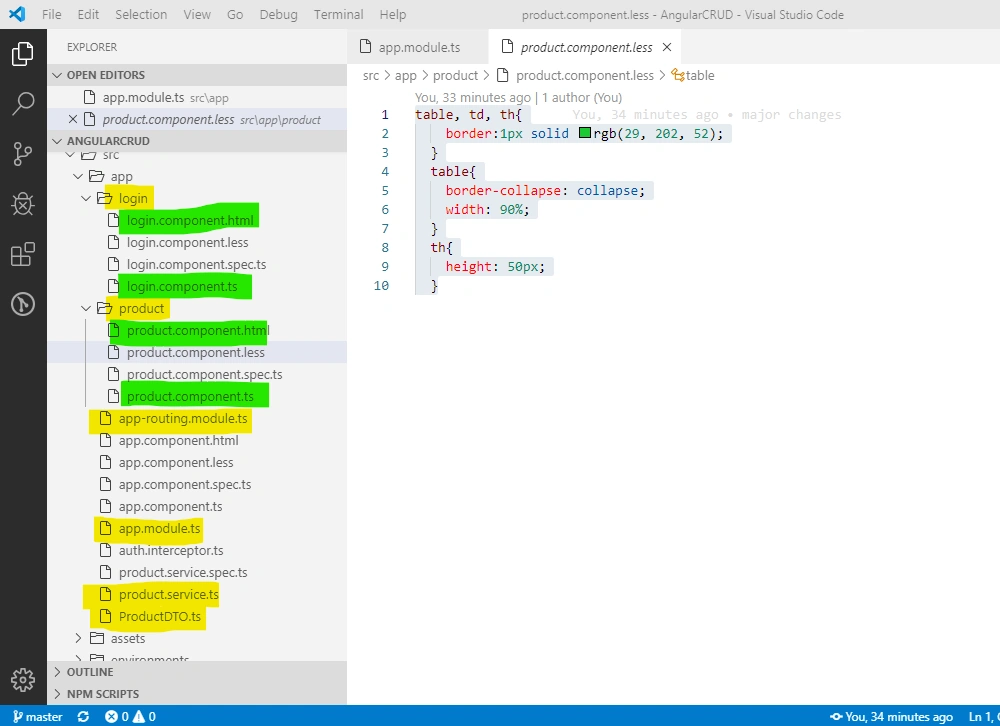
Open the productcomponent.less stylesheet file and paste this code.
- table, td, th{
- border:1px solid rgb(29, 202, 52);
- }
- table{
- border-collapse: collapse;
- width: 90%;
- }
- th{
- height: 50px;
- }
Stylesheet and all other files are highlighted
Step 16
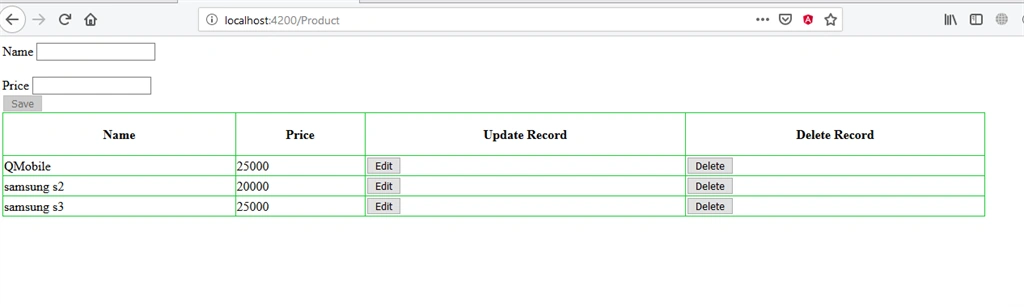
Now just save all the data and refresh the browser. You will see the login page. Once you pass the username and password, the browser will redirect to the Product page.
Conclusion
In this article, we have performed complete CRUD operations in Angular 8. Also, we learned how we retrieve the authorized token from the WebAPI and add in the header of the HTTP request and perform all the operations by passing the Oauth Token. If you face any problem or have any query, please comment in the comment section below. Please don’t forget to like and share it.



SanjeevPosted Feb 24, 2020, 12:06 PM
I do get the login screen, but once i click the LOGIN button nothing happens. on opening the Dev Tools(F12), i do see this error - "You provided 'undefined' where a stream was expected. You can provide an Observable, Promise, Array, or Iterable."
LurchPosted Dec 2, 2019, 9:41 AM
Not working! My request for help here: https://stackoverflow.com/questions/59142192/angular-8-crud-with-oauth2-0-in-webapi-fails-with-error-unsupported-grant-type
matteo groppiPosted Dec 2, 2019, 2:59 AM
In ProductsService you call web api with 'No-Auth':'True' but if use Authorization", 'BASIC XXXX' not work why?
Abc ThakurPosted Nov 19, 2019, 7:49 AM
It doesn't redirect to login page when token expires.
sushant rajhansPosted Oct 11, 2019, 9:08 AM
Thanks very helpful
Hamid KhanPosted Sep 24, 2019, 12:41 PM
Very good thanks for sharing
Amit MohantyPosted Aug 27, 2019, 11:17 PM
Nice article...