

Azure Logic Apps is a cloud service that helps you schedule, automate, and orchestrate tasks, business processes, and workflows. One of the key features of Logic Apps is its ability to connect with various services using different types of connections. In this article,
we will explore the differences between API Connections, Service Provider Connections, and Function Connections in Azure Logic Apps.
Overview
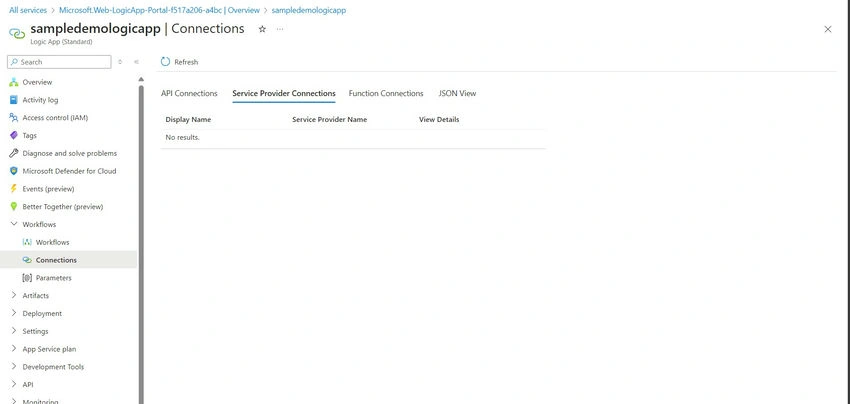
- API Connections: These are connections to various APIs provided by Azure and third-party services. They allow Logic Apps to integrate with a wide range of services such as Office 365, Dynamics 365, Salesforce, and more.
- Service Provider Connections: These are connections specifically to Azure services. They enable Logic Apps to integrate directly with other Azure services like Azure Blob Storage, Azure SQL Database, and others.
- Function Connections: These are connections to Azure Functions. They allow Logic Apps to execute serverless functions and leverage custom logic that isn't available out of the box in Logic Apps
Key Differences
| Feature/Aspect | API Connections | Service Provider Connections | Function Connections |
| Purpose | Connect to third-party and Azure services' APIs | Connect to Azure services | Connect to Azure Functions |
| Use Case | Integrating with SaaS services, REST APIs, and more | Direct integration with Azure services | Executing custom serverless logic |
| Setup and Configuration | Requires setting up API connectors | Typically easier to set up within the Azure ecosystem | Requires creating and deploying Azure Functions |
| Authentication | OAuth, API keys, service principals, etc. | Managed identities, Azure AD, and connection strings | Function keys managed identities |
| Scalability | Dependent on the API and its limitations | Highly scalable within the Azure environment | Scales with Azure Functions infrastructure |
| Security | Varies based on the API and its authentication | High security with Azure's built-in features | Secure with Azure Function's authentication mechanisms |
| Performance | Depends on the third-party API performance | Optimized for performance within Azure | High performance with serverless execution |
| Cost | Can incur costs based on API usage | Costs are based on Azure service usage | Costs depend on the execution of Azure Functions |
| Maintenance | Managed by third-party or API provider | Managed by Azure | Managed within Azure Functions |
| Example Services | Office 365, Salesforce, Dynamics 365, etc. | Azure Blob Storage, Azure SQL Database, Azure Cosmos DB | Custom business logic, data processing functions |
Conclusion
Choosing the right type of connection for your Azure Logic App workflow depends on your specific needs and the services you need to integrate with.
- API Connections are ideal for integrating with a wide range of third-party and Azure services via their APIs.
- Service Provider Connections are perfect for seamless integration with Azure services, offering high performance and scalability.
- Function Connections provide the flexibility to execute custom serverless code, enabling complex and tailored logic within your workflows.
By understanding the differences and capabilities of these connection types, you can effectively design and implement robust workflows using Azure Logic Apps.
Join the conversation! Your thoughts help the community grow.