

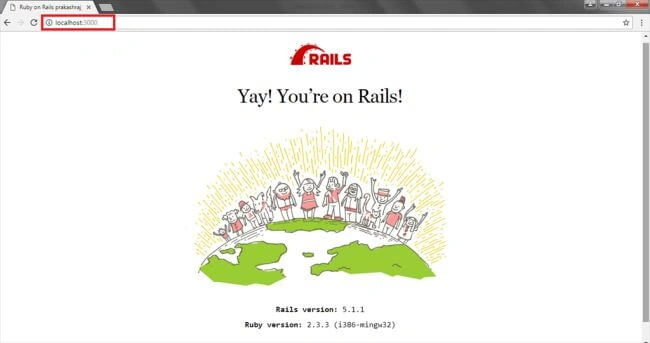
Welcome to my Ruby on Rails article. I assume you have already read my previous article on introduction and installation of Ruby on Rails. Now, you will learn how to create a simple sample application in Ruby on Rails. We will learn about the application file structure, definitions, process of starting Rails Server and how to run the application in web browser.
Requirement
- Software - Ruby on Rails installed in your system.
- Editor - Atom text editor is the best in class.
- Browser - Google Chrome web browser.
Application creation
Step 1
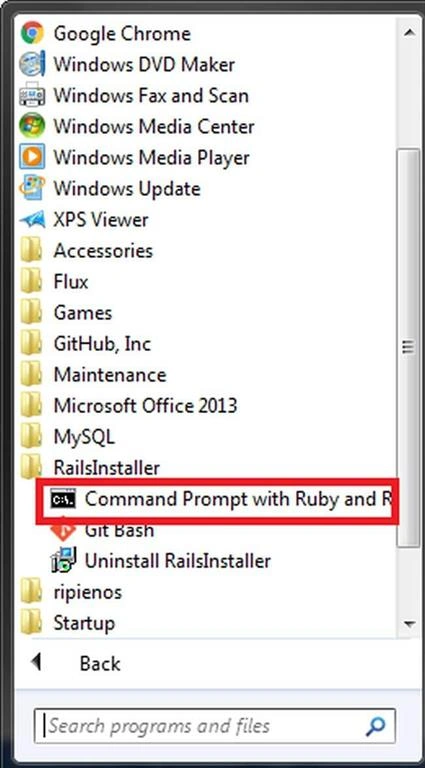
Open the Ruby on Rails Command prompt by going to Start >> All Programs >> RailsInstaller >> Command Prompt with Ruby and Rails.
Step 2
After opening the command prompt, now let's create a new application in rails using the following code.
- rails new simple_app
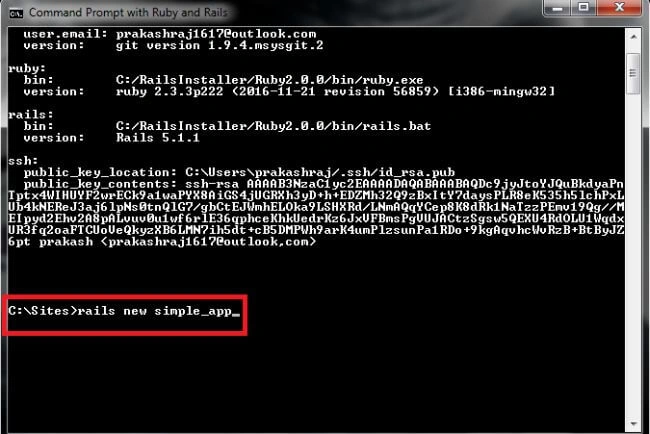
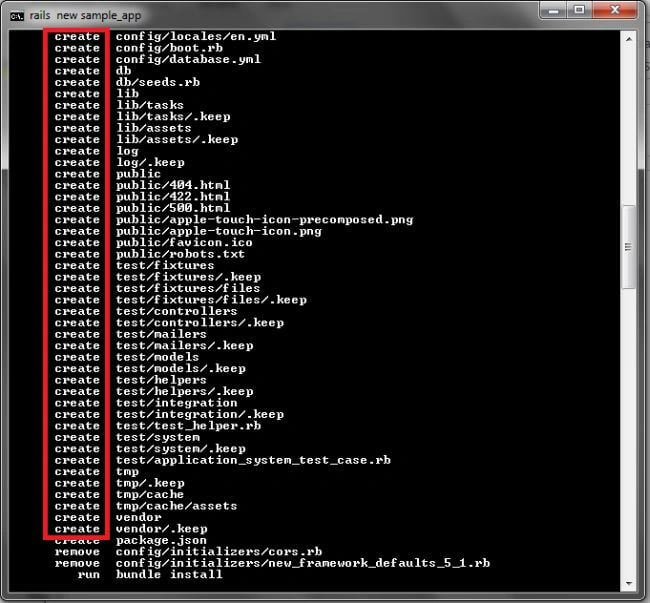
Once you enter the code, it will take some time to create the app. All the supporting files and folders related to configuration, database, library, log, test, temp, vendor files etc. will be created automatically with this bundle command.
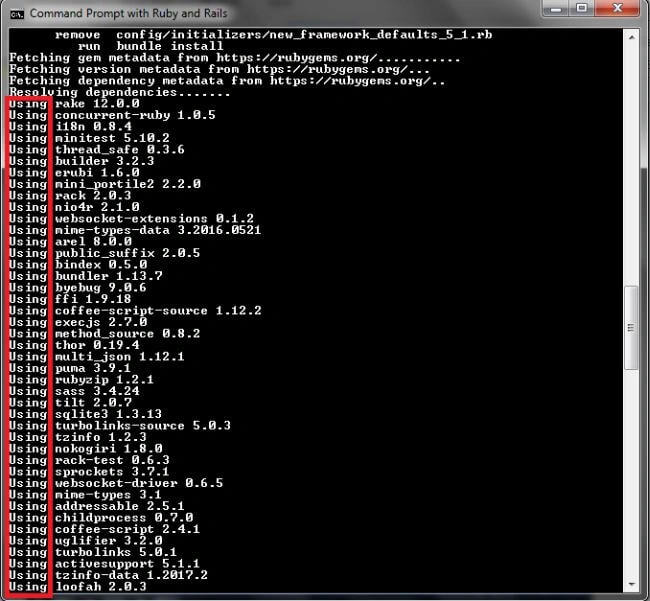
The gem mestadata will be fetched from rubygems.org.
Step 4
The application is created successfully. Now, you can find the application installed at C:/Sites.
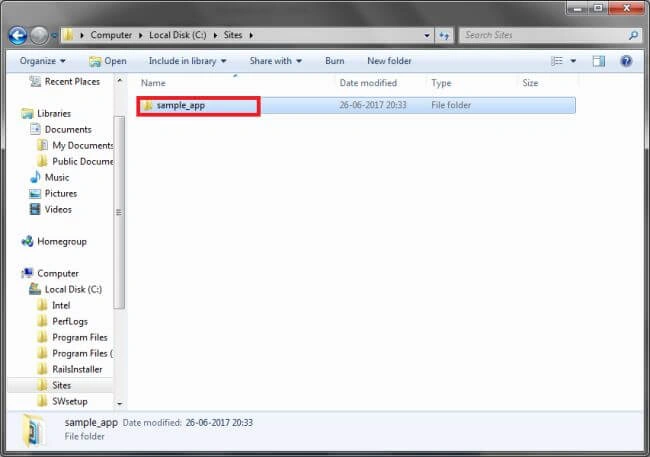
Also, you can explore the folder to learn about application file structure and definitions.
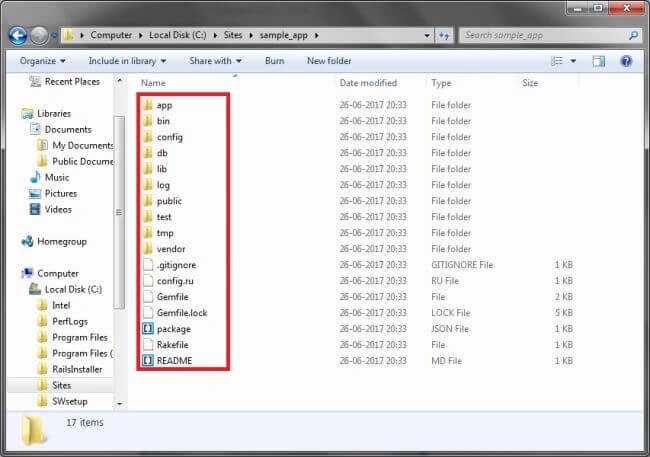
Application File Structure
App directory
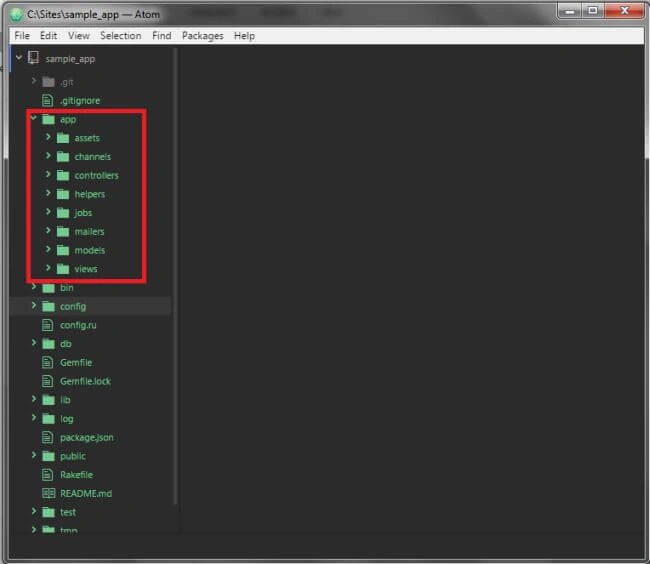
App folder contains most of the application code. You spend most of your time writing the code in this app folder. There are some sub directories also in this folder, such as - Models, Views, and Controllers (MVC architecture ), and helpers to help us write code in our views.
- Assets folder is used to store JavaScript, Stylesheets and some basic images.
- Mailers folder is used if you want to send mails from your application.
- Jobs is used for writing tasks that your application is going to do.
Config directory
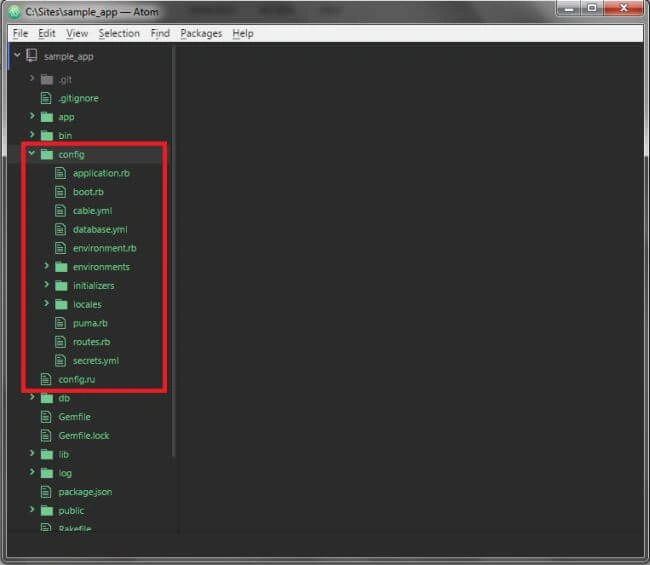
This directory is used to configure the application. There is a lot of important default code already in there that we need to override so as to configure the application as per our requirement.
db directory
db is used for database. Here, all your database files are saved.
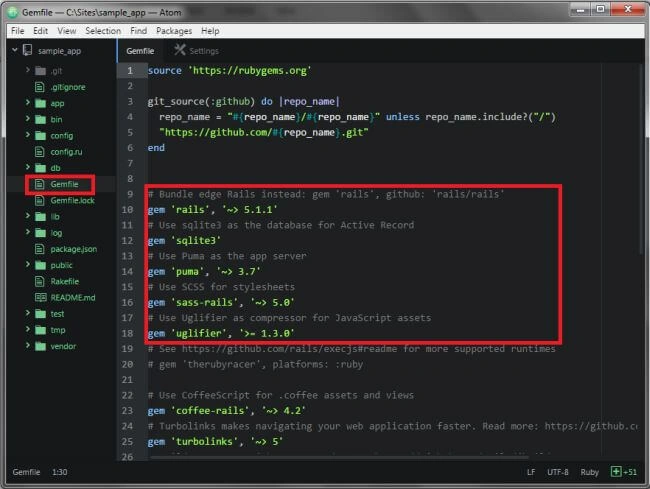
Gemfile
Here you get the informationb of what RubyGems in your application is loaded.
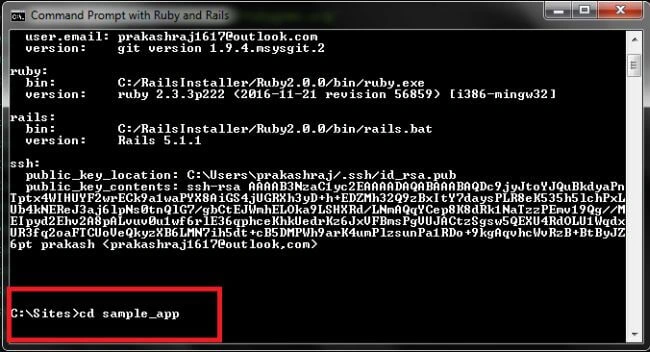
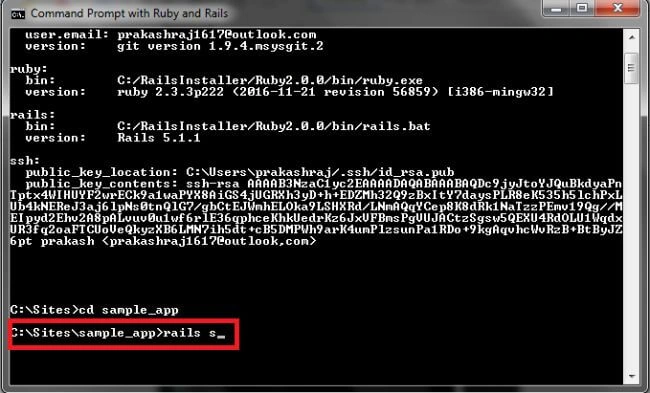
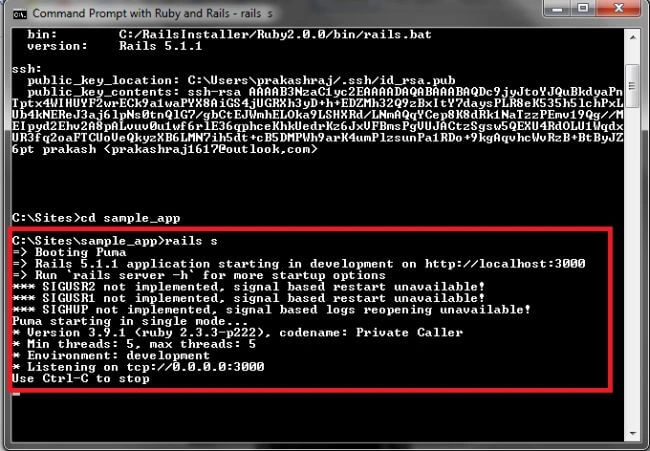
Example code
Samuel GoodwinPosted Nov 29, 2017, 9:44 PM
Great instructions!! Thank you for the simple and concise instructions!
Gayathri AnbazhaganPosted Jun 29, 2017, 1:31 PM
Nice sharing... thanks for sharing...
Sundaram SubramanianPosted Jun 29, 2017, 7:48 AM
Thanks for sharing. Greate. !!!!!