

Introduction
In my previous article, I explained how we can control led using a button. In this article, I'll show you how can we use remote control using Arduino UNO.
Requirements
- Arduino
- IR sensor
- Bread Board
- IR Remote
- Led
- Jumper wires
Connection

Figure 1: IR Sensor
Step 4: Connect the IR Sensor to the Arduino board Vin -3pin, Gnd - Gnd and Vcc - 5v.
Step 5: Connect the led to the Arduino board Anode pin - 13pin and Cathode pin to the Gnd.
Programming
- # include < IR.Remote.h >
- int RECV_PIN = 3;
- Iint led = 13;
- int its ONled[] = {2};
- int ledstates[] = {0,0};
- # define code1 22695
- IRrec irrecv(RECV PIN);
- decode_results.results;
- void setup()
- {
- serial.begin(9600);
- irrecv.enableIRIn();
- pinMode(led, OUTPUT);
- }
- void loop()
- {
- if (irrecv.decode(results))
- {
- unsigned int value = results.value;
- switch (value)
- {
- case code1:
- if (itsONled[1] == 1)
- {
- digitalWrite(led, LOW);
- itsONled[1] = 0;
- }
- else
- {
- digitalWrite(led, HIGH);
- itsONled[1] = 1;
- }
- break;
- }
- serial.println(value);
- Irrec resume();
- }
- }
IR REMOTE FUNCTION:
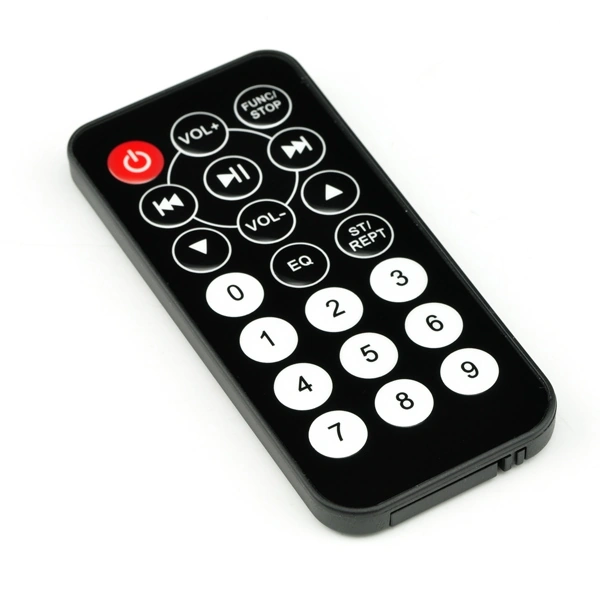
Figure 2: IR Remote
Explanation
Press any button and see the code value in the serial monitor, copy the code, and sketch the code in the program. We can add many LEDs in the connection. If we press the first button the led can be ON. Then on pressing another button, the first led is ON and second led TURN ON. We can add other LEDs and it can be changed in the switch() function. We can control the TV, AC by using the remote.
Gowtham RajamanickamPosted Apr 19, 2016, 6:43 AM
good article
Sr KarthigaPosted Feb 9, 2016, 10:31 PM
Thank you santhakumar sir
Sr KarthigaPosted Feb 9, 2016, 10:31 PM
Thank you jaco
Jaco ZwartsPosted Jan 30, 2016, 8:26 AM
Nice article thank you for sharing
Santhakumar MunuswamyPosted Jan 13, 2016, 10:29 AM
Thanks for nice share
Sr KarthigaPosted Jan 12, 2016, 1:43 AM
thanks to all
Arul RPosted Jan 11, 2016, 8:18 AM
Nice share
Ankur MistryPosted Jan 11, 2016, 6:47 AM
Very nice.
Kumaresh RajalingamPosted Jan 11, 2016, 5:02 AM
good one
Mohammed IbrahimPosted Jan 11, 2016, 4:32 AM
nice