

Introduction
This article walks you through the steps of creating a report in Word or PDF format using Microsoft Report, without using Report Viewer.
STEP 1 - Create ASP.NET Web Application
Check the link below, to see all the steps of creating a Web API wtih Entity Framework code-first implementation.
http://social.technet.microsoft.com/wiki/contents/articles/26795.asp-net-webapi-entity-framework-code-first.aspx
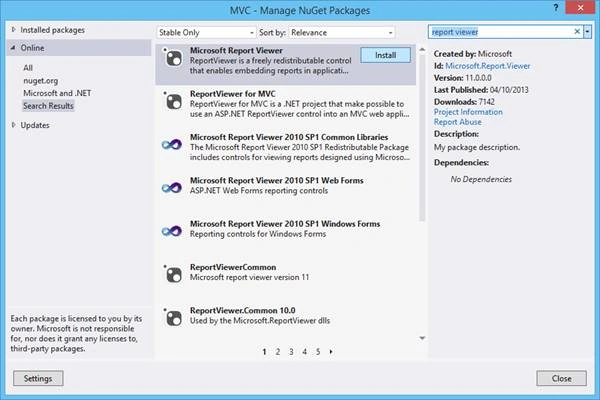
STEP 2 - Install Microsoft Report Viewer Runtime into Machine
To have the ability to create reports into your project, you need to install the Runtime of Microsoft Report Viewer.
Follow the link below and download it according to your Visual Studio version:
http://www.microsoft.com/en-us/download/details.aspx?id=35747
STEP 3 - Create Report
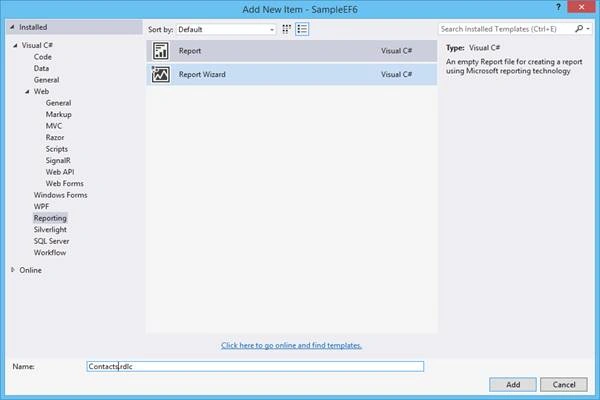
Add new item to your project of type Report.
For that, select Reporting option on the left menu and then select Report item as shown in the image below.
Let's call it "Contacts.rdlc".
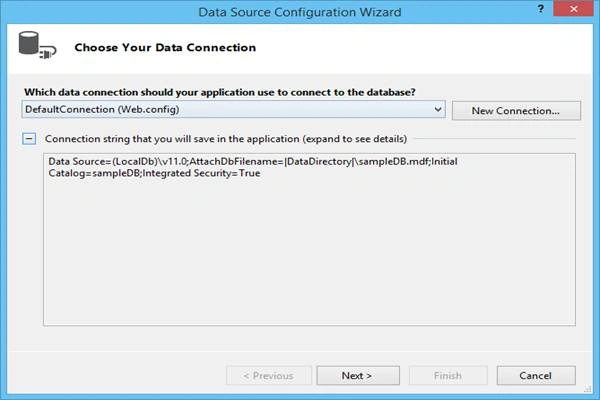
Create new datasource associated with your connection string defined in web.config.
Select "Next" button.
In this demo, we will use table "Contacts" defined in our database.
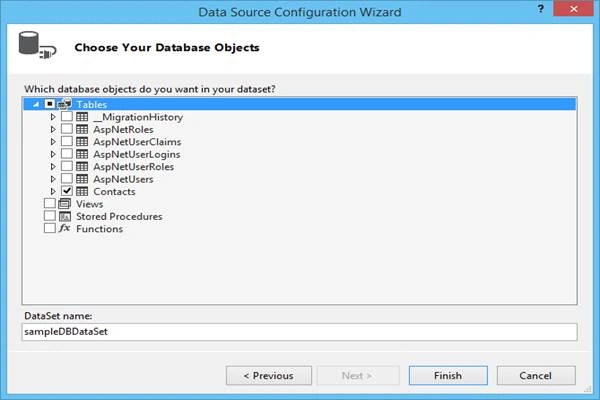
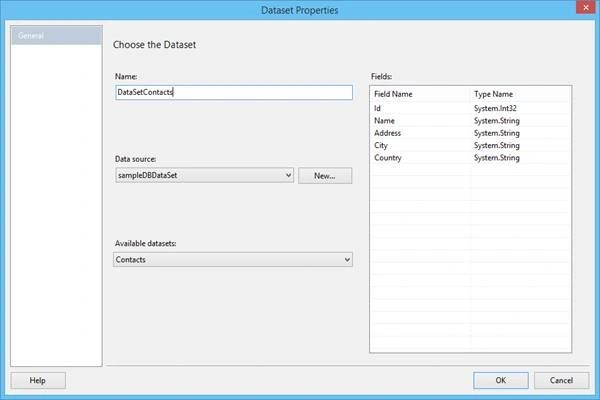
Rename the dataset to DataSetContacts, and press the OK option.
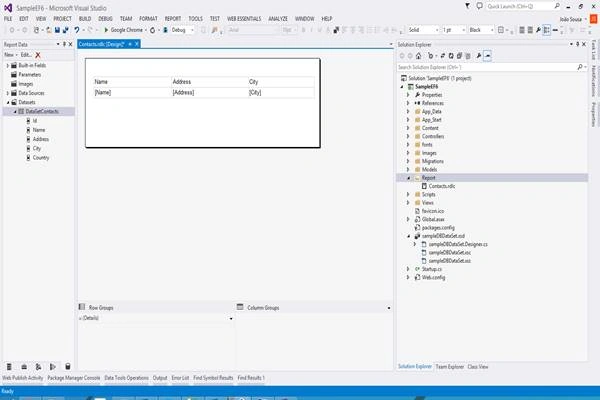
After the creation of dataset, we need to design our report. For that, create a table with three columns, as in the image below.
This will display the Name, Address, and City of each contact that exists in the database table.
STEP 4 - PDF Generate Class
Create new Controller called ReportControllers and have the GetPDFreport method:
C#
- using System;
- using System.Collections.Generic;
- using System.Data.Entity;
- using System.Data.Entity.Infrastructure;
- using System.Linq;
- using System.Net;
- using System.Net.Http;
- using System.Web.Http;
- using SampleEF6.Models;
- using System.Threading.Tasks;
- using System.Web;
- using System.IO;
- using System.Net.Http.Headers;
- namespace SampleEF6.Controllers
- {
- public class ReportController : ApiController
- {
- // GET api/<controller>
- [HttpGet]
- public async Task<HttpResponseMessage> GetPDFReport()
- {
- string fileName = string.Concat("Contacts.pdf");
- string filePath = HttpContext.Current.Server.MapPath("~/Report/" + fileName);
- ContactController contact = new ContactController();
- List<Contact> contacList = contact.Get().ToList();
- await SampleEF6.Report.ReportGenerator.GeneratePDF(contacList, filePath);
- HttpResponseMessage result = null;
- result = Request.CreateResponse(HttpStatusCode.OK);
- result.Content = new StreamContent(new FileStream(filePath, FileMode.Open));
- result.Content.Headers.ContentDisposition = new ContentDispositionHeaderValue("attachment");
- result.Content.Headers.ContentDisposition.FileName = fileName;
- return result;
- }
- }
- }
Danny CalmanPosted Feb 17, 2018, 2:26 AM
I use ZetPDF for this kind of projects. It has everything you need you need for adding PDF render and print support in .NET applications. You can visit the link: https://zetpdf.com/
Manas MohapatraPosted May 16, 2017, 2:23 AM
Nice to know to load the report dynamically and render as PDF..
JRoger songPosted May 16, 2017, 1:14 AM
Nice article.Thanks for sharing..
Thiruppathi RPosted May 16, 2017, 12:28 AM
Nice article.Thanks for sharing...
Satyaprakash SamantarayPosted May 16, 2017, 12:21 AM
NICE.......................................................
Manav PandyaPosted May 16, 2017, 12:13 AM
Nice share joao .............