Introduction
In this article, we will learn what asynchronous programming is and understand the async and await keywords in C#.
Major concepts covered in this article
What asynchronous programming is
What async and await keywords do
How async and await work in C#
A simple real-world example
The difference between synchronous and asynchronous programming
What is Asynchronous Programming ?
Asynchronous programming allows an application to continue executing other tasks without waiting for a long-running operation to complete.
For Example
A website can load data while users continue browsing
A mobile app can download files without hanging
A desktop application can stay responsive while reading large files
A web application can handle multiple users at the same time
This is called asynchronous programming.
Real-Life Example of Async and Await in C#
Imagine you order pizza online.
After placing the order
The restaurant starts preparing your pizza
You do not stand and wait at the door
You continue watching TV or doing other work
When the pizza arrives, you receive it
This is exactly how asynchronous programming works.
Understanding with C# Concepts
| Real Life | C# Async Programming |
|---|
| Ordering pizza | Starting a task |
| Pizza being prepared | Task running in background |
| Watching TV meanwhile | Program doing other work |
| Pizza arrives later | Task completed |
| Receiving pizza | await gets result |
Simple C# Example
using System;
using System.Threading.Tasks;

class Program
{
    static async Task Main(string[] args)
    {
        Console.WriteLine("Ordering pizza...");

        await PreparePizzaAsync();

        Console.WriteLine("Pizza received!");
    }

    static async Task PreparePizzaAsync()
    {
        Console.WriteLine("Pizza is being prepared...");

        await Task.Delay(5000); // wait for 5 seconds

        Console.WriteLine("Pizza is ready.");
    }
}
OutPut
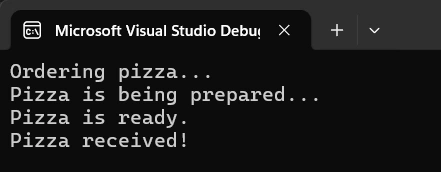
What Happens Here?
Step 1
await PreparePizzaAsync();
The program starts preparing the pizza.
Step 2
await Task.Delay(5000);
This task waiting for 5 seconds.
The application does not freeze during this time.
Step 3
After the task completes, execution continues.
Console.WriteLine("Pizza received!");
Easy Definition
Why This Is Useful
Without async/await
With async/await
Difference Between Sync and Async
| Synchronous Programming | Asynchronous Programming |
|---|
| Runs one task at a time | Runs tasks without blocking |
| Application may freeze | Application stays responsive |
| Slower for long tasks | Better performance |
When Should We Use Async and Await?
Async and await are commonly used for
API calls
Database operations
File handling
Network requests
Cloud services
Background processing
Conclusion
Async and await are powerful features in C# that simplify asynchronous programming and help developers to build responsive applications.
By using asynchronous programming correctly, applications can perform long-running operations efficiently without freezing or blocking the user interface.
Hope this helps you to learn new concepts!


Join the conversation! Your thoughts help the community grow.