

In this article, I will provide information on how to authorize the logged in Windows users using Windows Active Directory groups in Razor pages. In order to see how to create a .NET Core web application with Razor pages and retrieve data from SQL Server using Entity Framework, you can visit my previous article.
Below are the software/concepts used in this document.
- Visual Studio 2019
- Razor Pages
- .Net Core 2.1
- Net Core Web Application
- C# Language
Introduction
The best practice for designing an application is to be very sure about the process by which we would be authenticating the user to log into the application and then, authorizing the user to use the functionalities of the application. In this article, I have already used Windows Authentication while creating the web application and now, I would be showcasing on how to use Windows Active Directory groups to authorize the logged in Windows user. Below is the step-by-step description on how to achieve this in .NET Core Razor Pages.
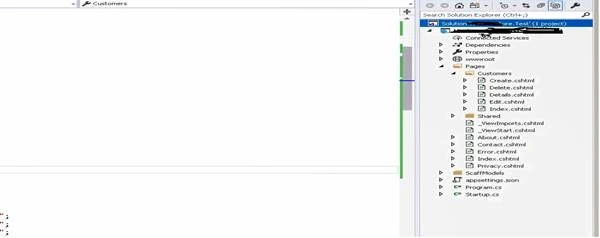
Open your project in Visual Studio 2019
In my case, I am opening the earlier created project where Razor pages are present.
Ways to achieve authorization in .NET Core Web Application
There are multiple ways to achieve authorization like using Custom role-based authorization, using policy-based authorization, simply calling method to check if the user is authorized to access the method or not, etc. Here, we will be discussing the below two ways.
- Using a custom role-based authorization.
- Using a custom method to check if logged in user is part of Windows AD Group or not.
Custom role-based authorization in .NET Core Web Application
- Create a new class which would extend the IClaimsTransformation.
- public class ClaimsTransformer : IClaimsTransformation
- {
- public Task<ClaimsPrincipal> TransformAsync(ClaimsPrincipal principal)
- {
- var wi = (WindowsIdentity)principal.Identity;
- if (wi.Groups != null)
- {
- foreach (var group in wi.Groups) //-- Getting all the AD groups that user belongs to---
- {
- try
- {
- var claim = new Claim(wi.RoleClaimType, group.Value);
- wi.AddClaim(claim);
- }
- catch (Exception ex)
- {
- throw ex;
- }
- }
- }
- return Task.FromResult(principal);
- }
- }
- Add the below line to your configureService method in Startup.cs as you have created your own class extending the IClaimsTransformation.
- services.AddSingleton<IClaimsTransformation, ClaimsTransformer>();
- In your Controller, add the “Authorize” line to get the authorization in place for every method where you want to implement the authorization.
- [Route("api/[controller]/[action]")]
- [ApiController]
- public class MYListsController : ControllerBase
- {
- [Authorize(Roles = "Admin")]
- [HttpGet]
- [ActionName("GetMyList")]
- public bool GetMyList()
Anirban MazumdarPosted Sep 7, 2019, 8:34 AM
Nice article Viren :)
Virender VermaPosted Jun 24, 2019, 7:31 AM
Hi Mithilesh, when you say examples using AD, you mean ways to authorize using AD or more examples for the 2 ways i have explained above. Do let me know.
Mithilesh KumarPosted Jun 21, 2019, 12:47 AM
Nice article and can you give some more details with examples using AD....