

Introduction
Content Delivery Network is a distributed network of internet servers. Basically, it is used to deliver static content/information with high bandwidth by caching. In this article, I’m going to explain how to create Azure CDN with Azure Storage Service.
Content
- Creating an Azure CDN in Azure Storage
- Uploading a static file in Azure Storage
- Configuring the Azure CDN with the static content
- Experimenting with the Azure CDN
Creating an Azure CDN in Azure Storage
Step 1
Log in to Azure Portal https://portal.azure.com
Step 2
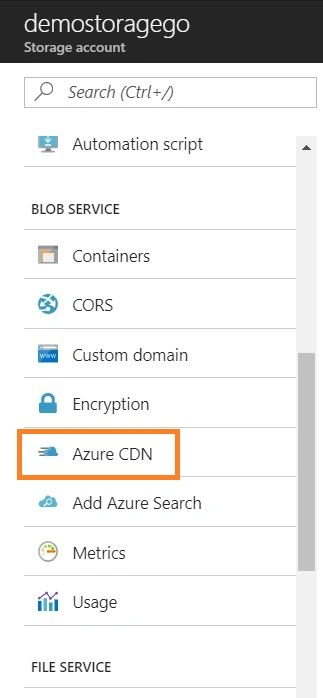
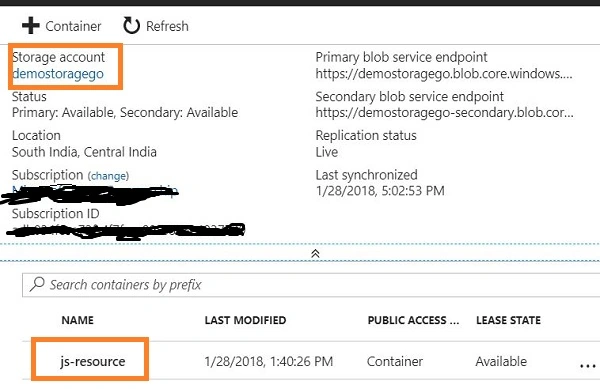
Go to your Azure storage. In my case, I have created anAzuree storage with a name “demostoragego”. Click on Azure CDN from the Azure Storage, as shown in below figure.
Step 3
Now, it will step into creating a new endpoint.
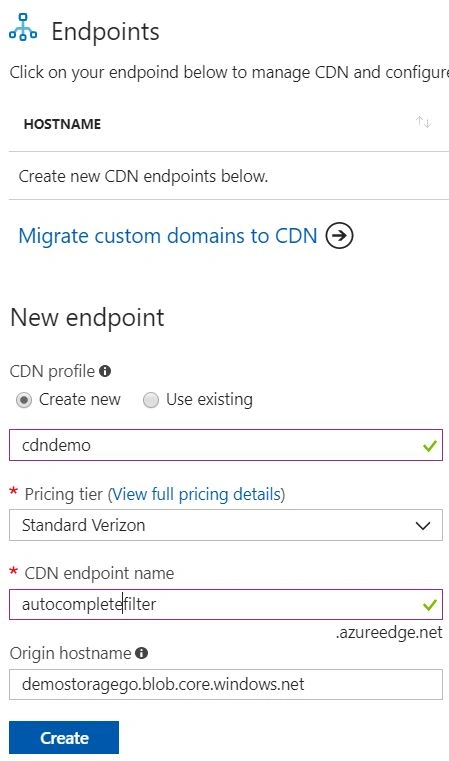
1. CDN profile – Name the CDN profile which contains an endpoint.
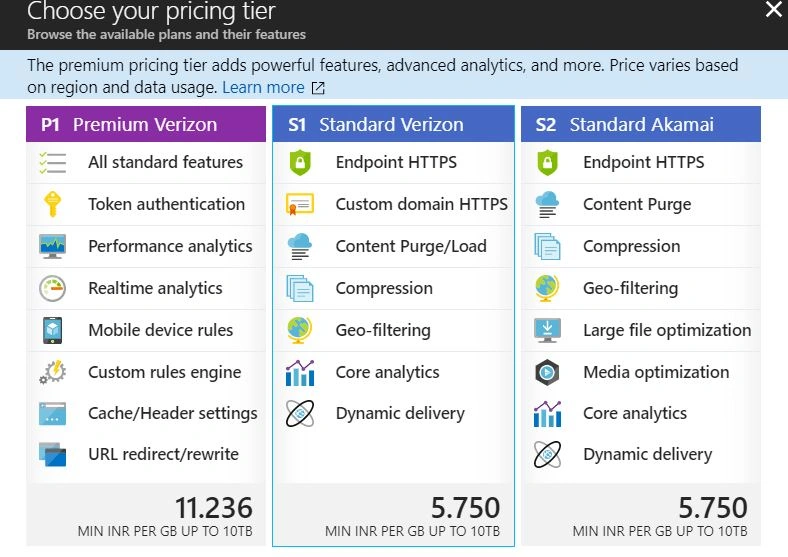
2. Pricing tier - choose the pricing tier based on your requirement; in my case, I have selected standard verizon plan.
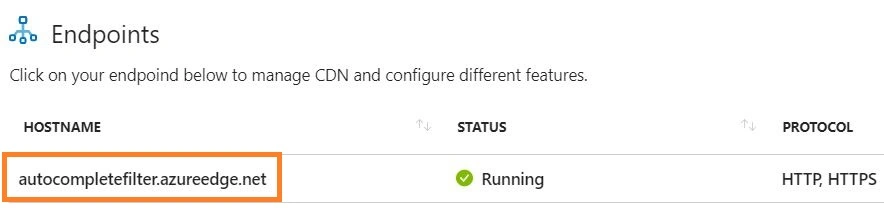
Endpoint Name- give an end point name.
Uploading a static file in Azure Storage:
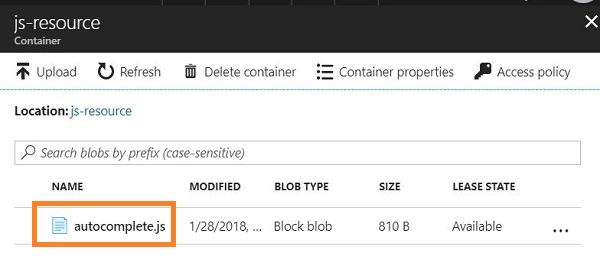
Basically, I’m going to use the blob to store the static content. Click here to know how to create a blob in Azure Storage Service. In my case, I named my container as js-resource. I’m going to upload a JavaScript file into the container as a blob.
While creating a container, make sure the public access level should be blob because it is a JavaScript file and I’m going to make it accessible to anonymous users as read-only.
Configuring the Azure CDN with the static content:
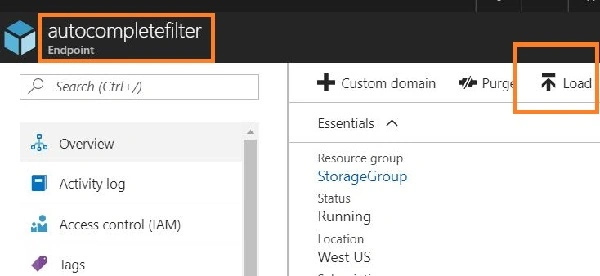
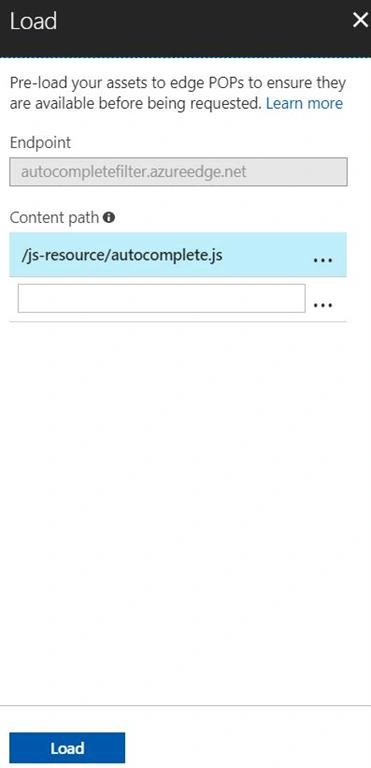
Open the Azure CDN(autocompletefilter) which we created and click on Load. In the load screen, mention the content path.
The path should be /<publiccontainer>/<blobname>
In my case, it is /js-resource/autocomplete.js
https://autocompletefilter.azureedge.net/js-resource/autocomplete.js
Experimenting the Azure CDN
I have created an HTML page to experiment the CDN. I removed the JS file with the local reference and added the Azure CDN as script source.
- <!DOCTYPE html>
- <html>
- <head>
- <meta charset="utf-8">
- <title>Untitled</title>
- <link rel="stylesheet" href="https://kendo.cdn.telerik.com/2018.1.117/styles/kendo.common.min.css">
- <link rel="stylesheet" href="https://kendo.cdn.telerik.com/2018.1.117/styles/kendo.rtl.min.css">
- <link rel="stylesheet" href="https://kendo.cdn.telerik.com/2018.1.117/styles/kendo.default.min.css">
- <link rel="stylesheet" href="https://kendo.cdn.telerik.com/2018.1.117/styles/kendo.mobile.all.min.css">
- <script src="https://code.jquery.com/jquery-1.12.3.min.js"></script>
- <script src="https://kendo.cdn.telerik.com/2018.1.117/js/angular.min.js"></script>
- <script src="https://kendo.cdn.telerik.com/2018.1.117/js/jszip.min.js"></script>
- <script src="https://kendo.cdn.telerik.com/2018.1.117/js/kendo.all.min.js"></script>
- <!--<script src="http://localhost:11207/JS/autocomplete.js"></script>-->
- <script src="https://autocompletefilter.azureedge.net/js-resource/autocomplete.js"></script> <!-- Azure CDN -->
- </head>
- <body>
- <input id="autocomplete" />
- </body>
- </html>
Result in browser
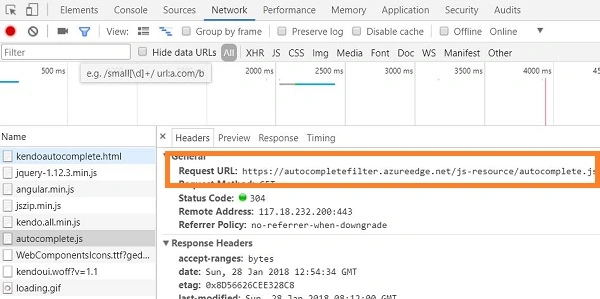
You can see from the network that the Azure CDN is successfully loaded.
I hope you have enjoyed this article. Your valuable feedback, questions, or comments about this article are always welcome.
samer koutaPosted Nov 3, 2021, 2:36 PM
What is the difference if we call the js file from the storage directly and we dont use the CDN? like https://demostoragego.blob.core.windows.net/js-resource/autocomplete.js
Ashish ShindePosted Oct 4, 2018, 5:23 AM
How I can forcefully move the blob container images to CDN
Germán AntognettiPosted Apr 17, 2018, 9:35 AM
Is there a way to put all container content to cdn?
Sagar Pandurang KapPosted Jan 29, 2018, 10:46 PM
Very nice article.Keep sharing..