

What is Azure Data Factory?
Azure Data Factory is a managed cloud service that's built for these complex hybrid extract-transform-load (ETL), extract-load-transform (ELT), and data integration projects.
Why to Choose ADF over on-prem SSIS package?
So, whenever anyone hear Azure data factory ETL, ELT packages, first question will hit our brain is why not to use on-prem SSIS packages to achieve same. Right? but ADF is not a replacement for SSIS instead these are both ETL tools with some amount of shared functionality, they are separate products, each with its own strengths and weaknesses.
So, here are few important things which will help us to understand benefits of ADF over SSIS.
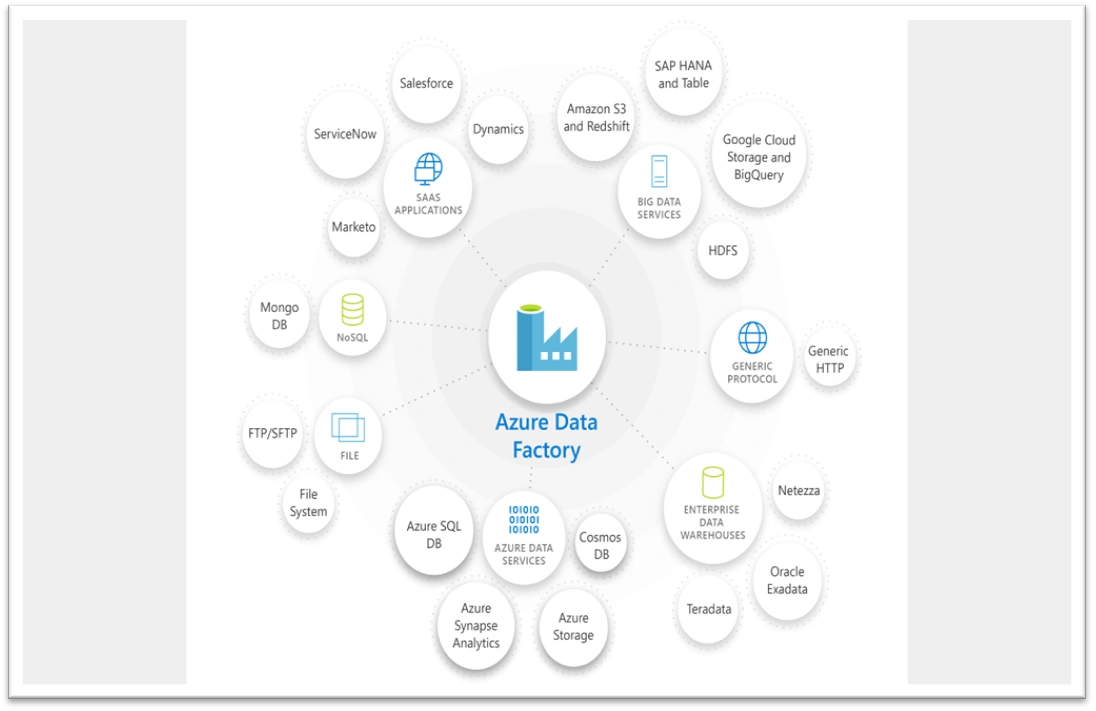
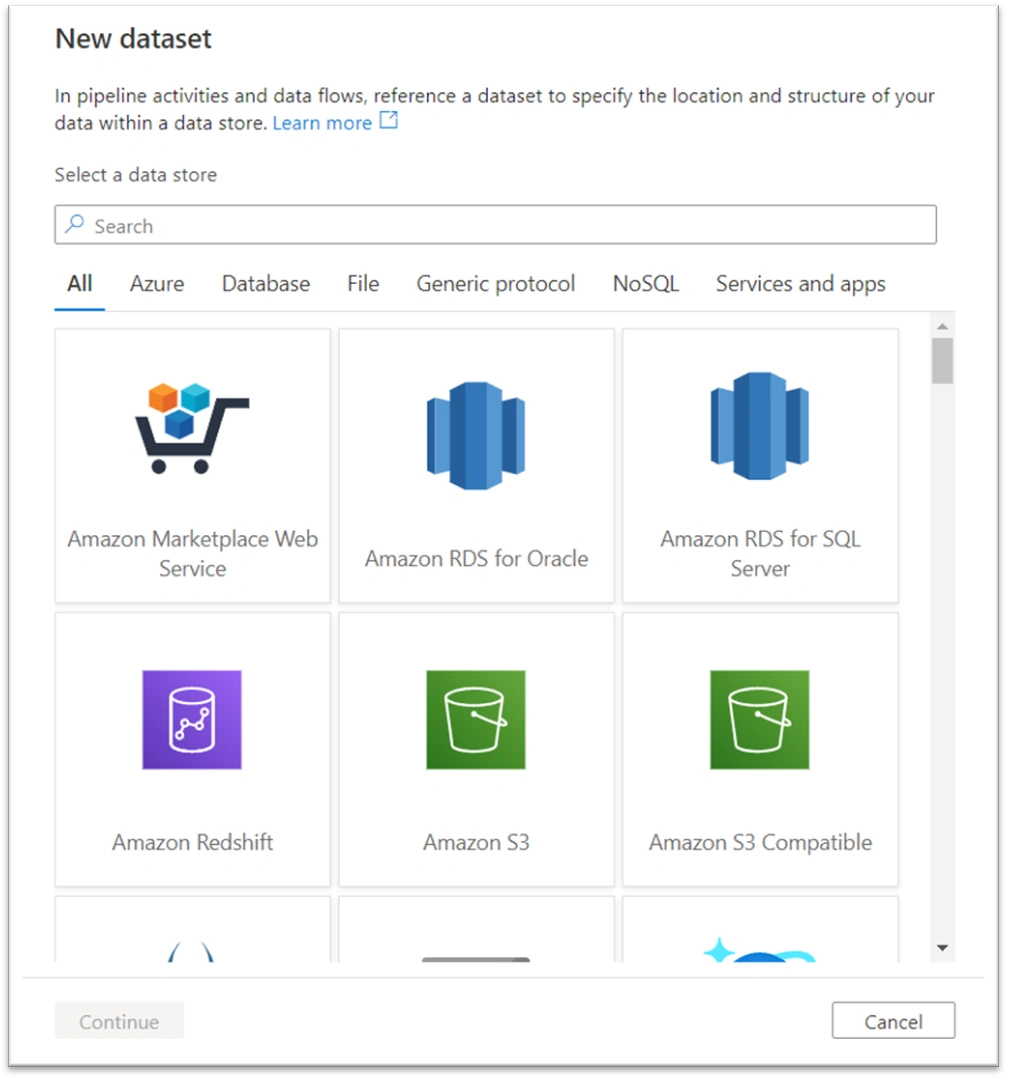
- ADF comes along with 90+ built connector at no added cost. This means, ADF allow us to perform data migration across multiple platforms. Please find below snap for popular platforms with ADF connector.
Reference: https://docs.microsoft.com/en-us/azure/data-factory/connector-overview
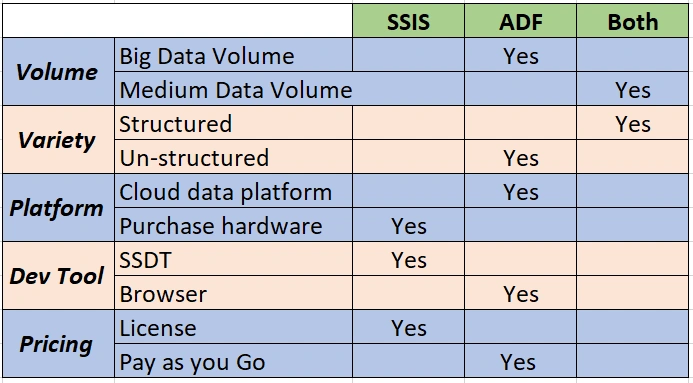
- Given below is quick comparison between SSIS and ADF which describes the benefits to use ADF over SSIS in this cloud world.
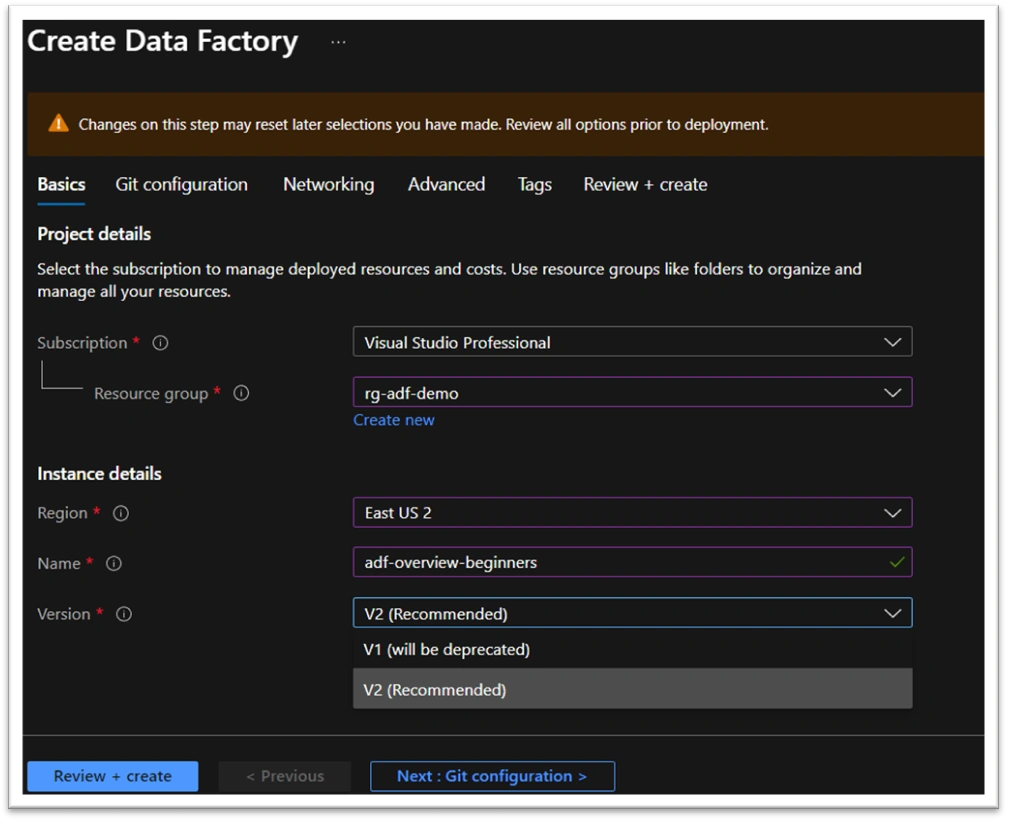
Overview of Azure Data factory
As we can see below, ADF current version is V2 which is latest and recommended version as V1 version is going to be deprecated very soon.
You can find more details about V2 advantages over V1 on Microsoft site.
Reference: https://docs.microsoft.com/en-us/azure/data-factory/compare-versions
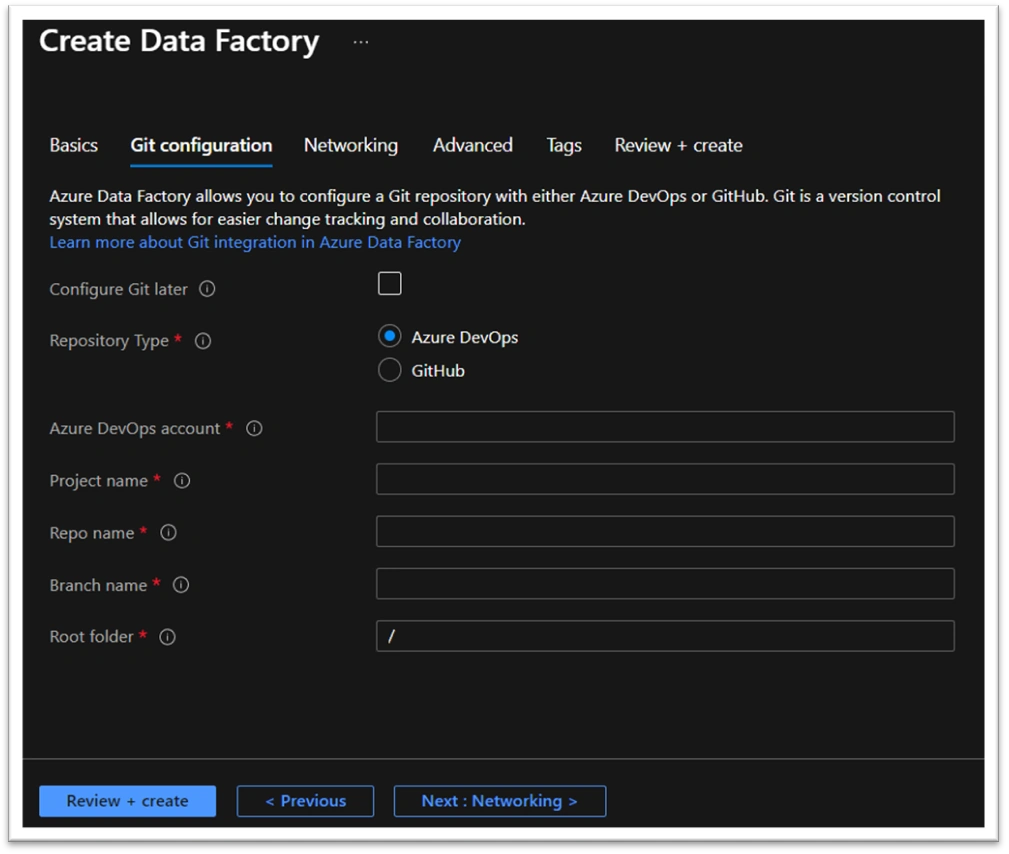
ADF also support version controlling along with CI/CD pipeline deployment with Azure Dev-Ops as well Github. This makes deployment and migration easier from one environment to next environment.
Networking is most important part when we deal with Data over cloud. So, ADF comes with Managed virtual network as well as it has capability to make use of Private endpoint for self-hosted integration runtime.
The Integration Runtime (IR) is the compute infrastructure used by Azure Data Factory and Azure Synapse pipelines to provide data integration capabilities across different network environments:
Creating an Azure IR within managed Virtual Network ensures that data integration process is isolated and secure.
It does not require deep Azure networking knowledge to do data integrations securely. Instead getting started with secure ETL is much simplified for data engineers.
Managed Virtual Network along with Managed private endpoints protects against data exfiltration.
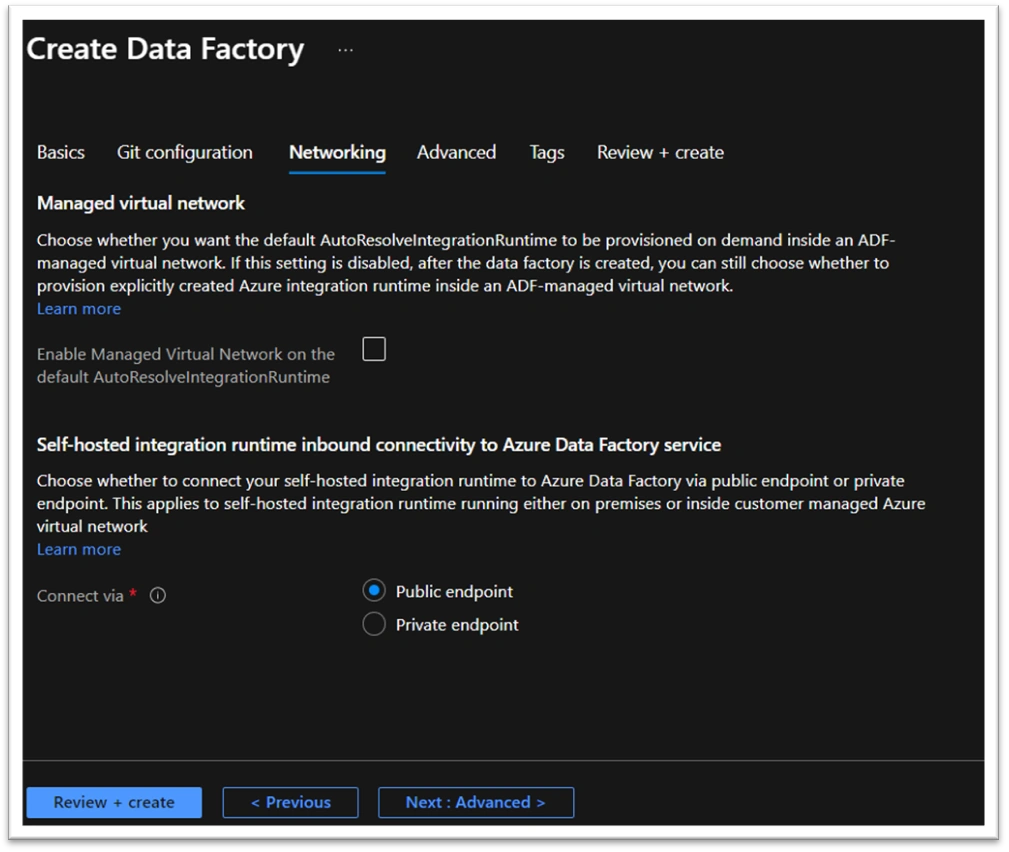
As we can see description below, by default data is encrypted with Microsoft managed keys but in addition to this managed key, ADF allow us to take control over encryption by defining own Customer managed key and that key can be accessed through Key Vault.
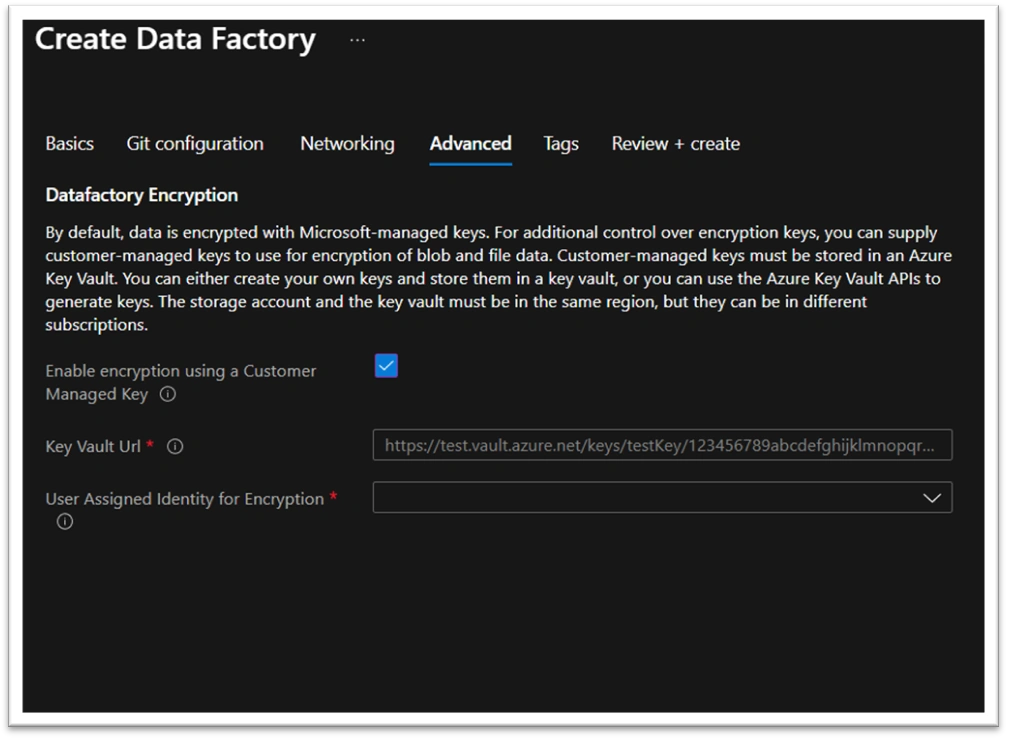
With above set of configurations our first ADF is ready to be deployed.
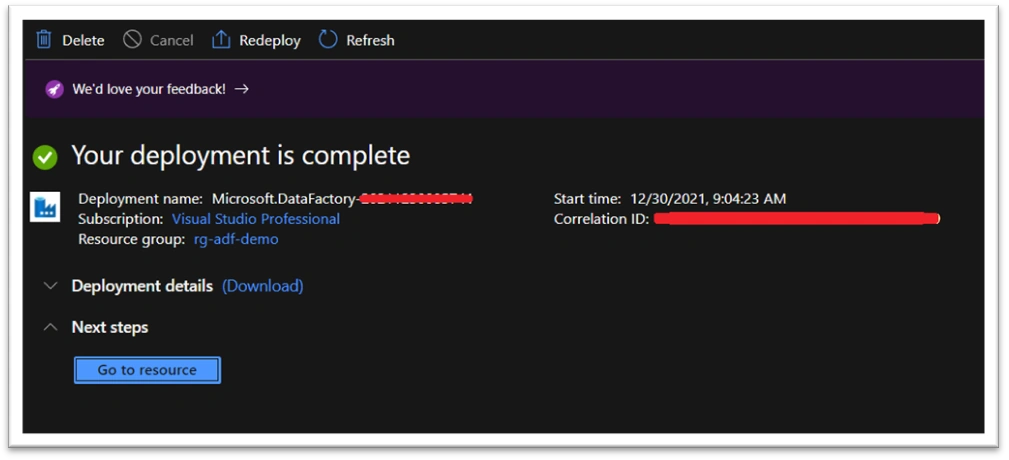
Once resource is deployed, we can see all properties in below screen. However, pipeline development happens on ‘https://adf.azure.com/’ portal and to navigate to portal simply click on ‘Open Azure Data Factory Portal’ box below ‘Getting Started’ title.
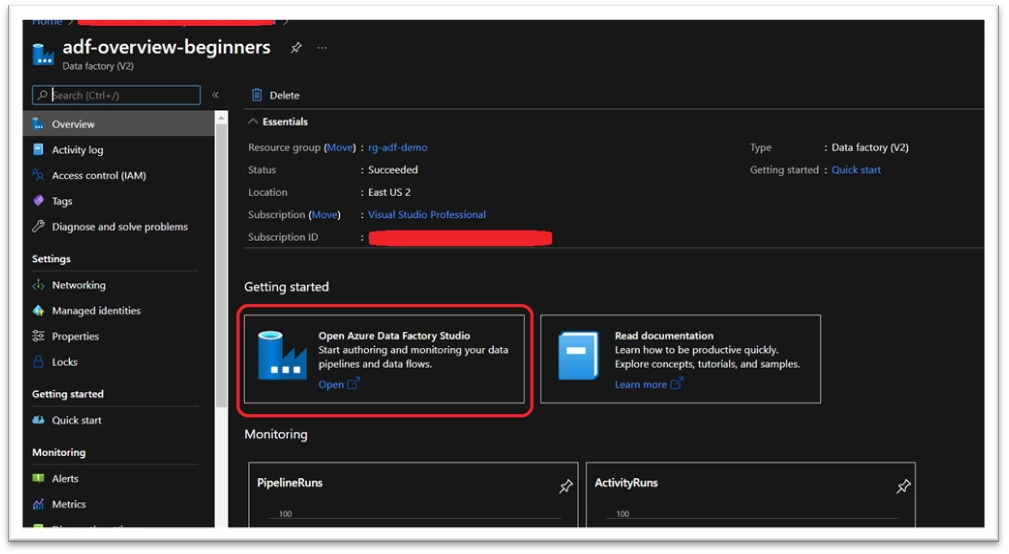
This is how 'Data Factory Studio' looks like.
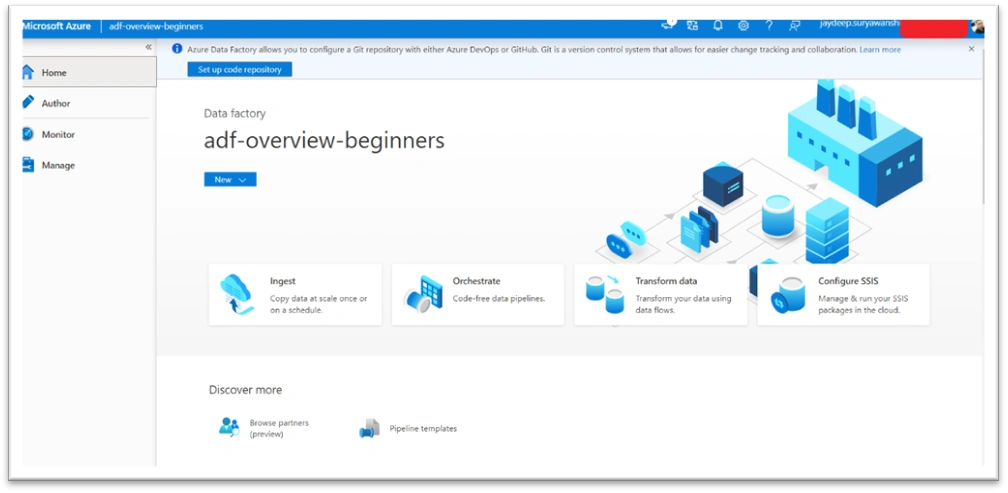
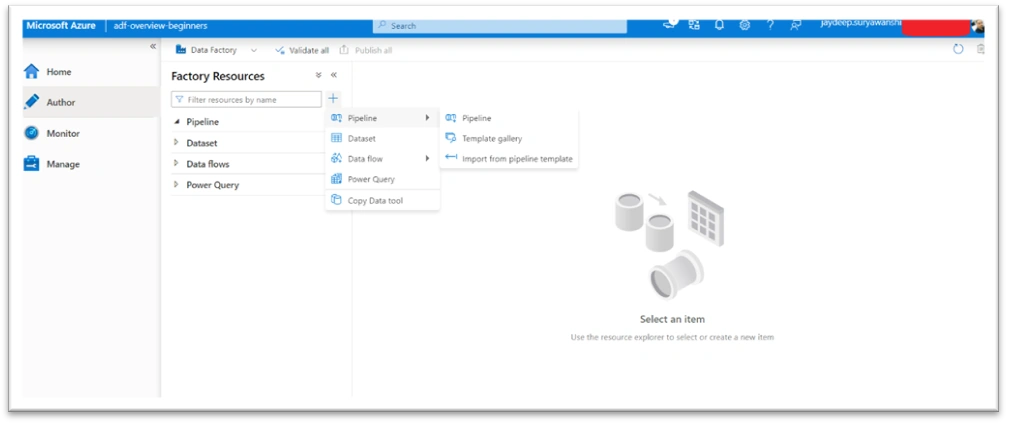
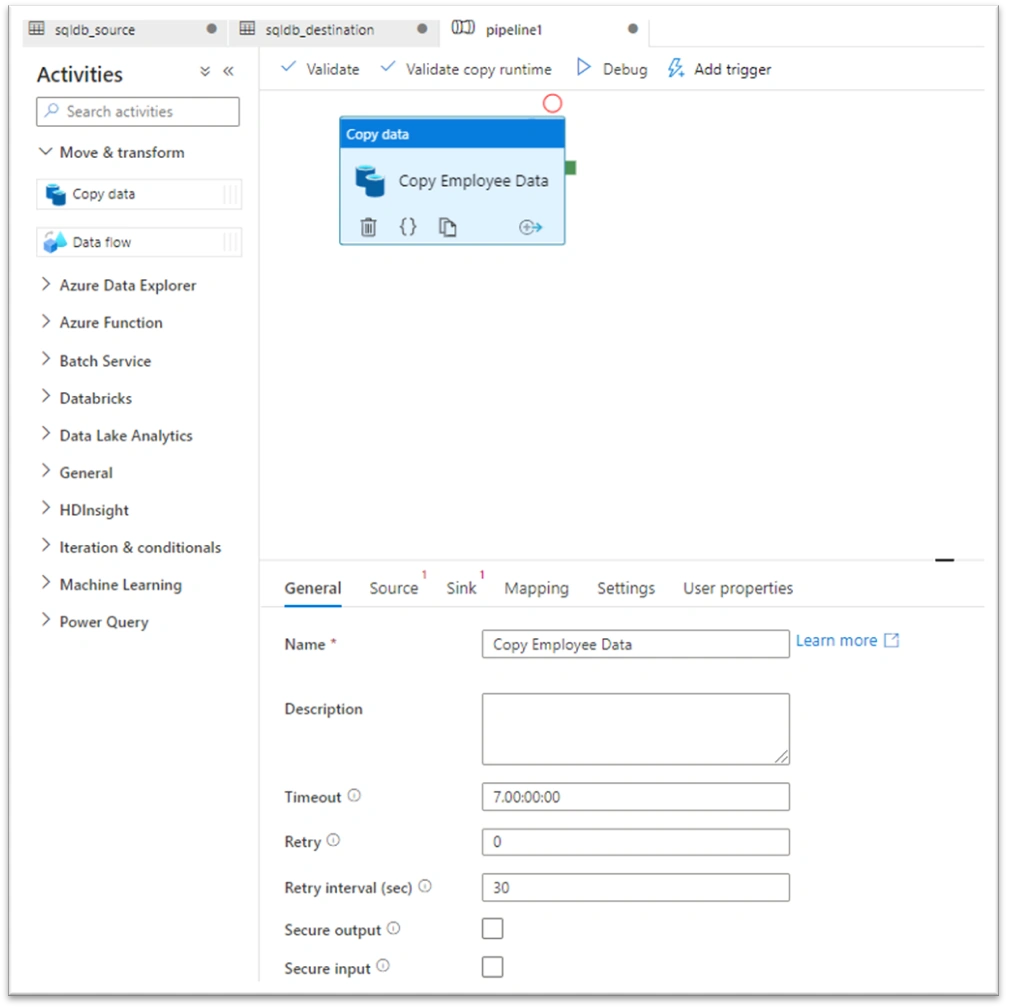
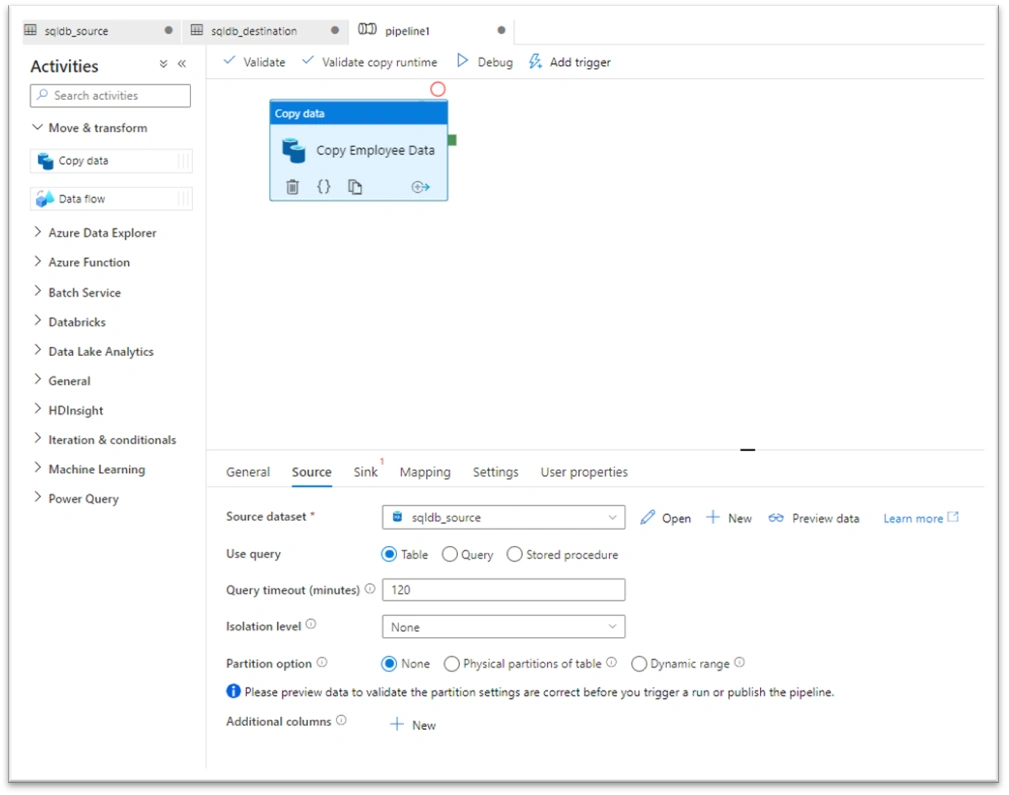
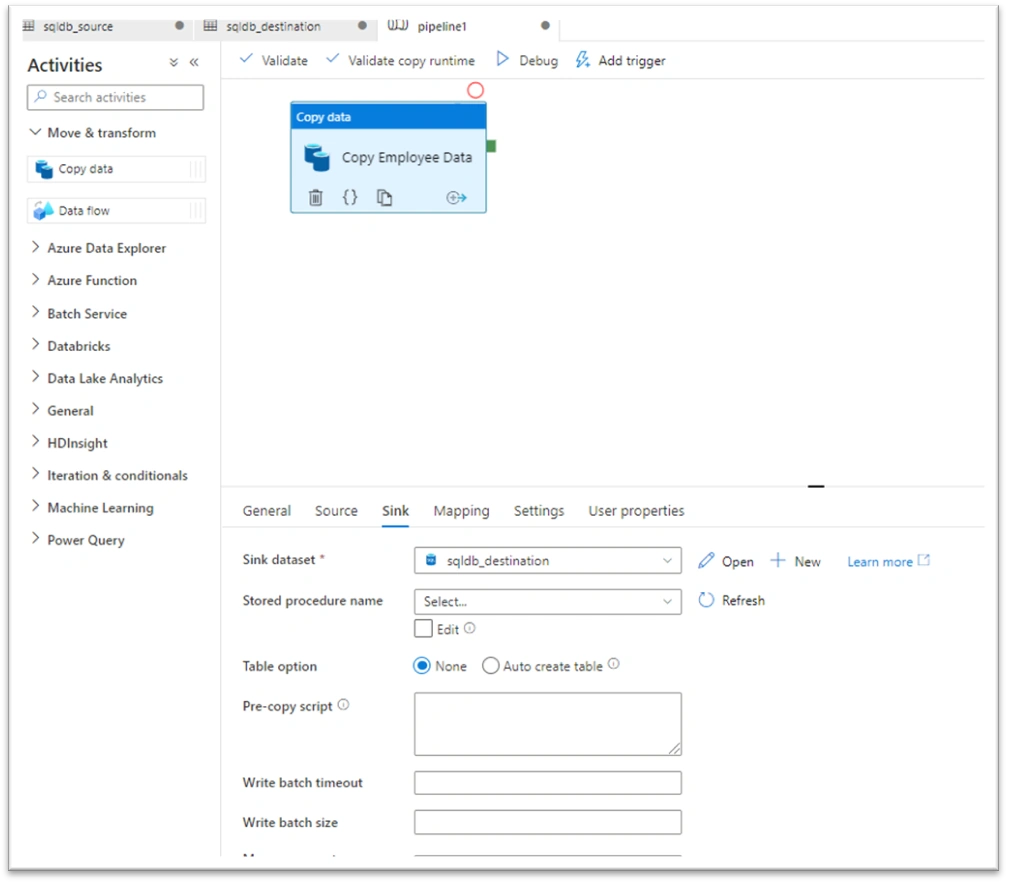
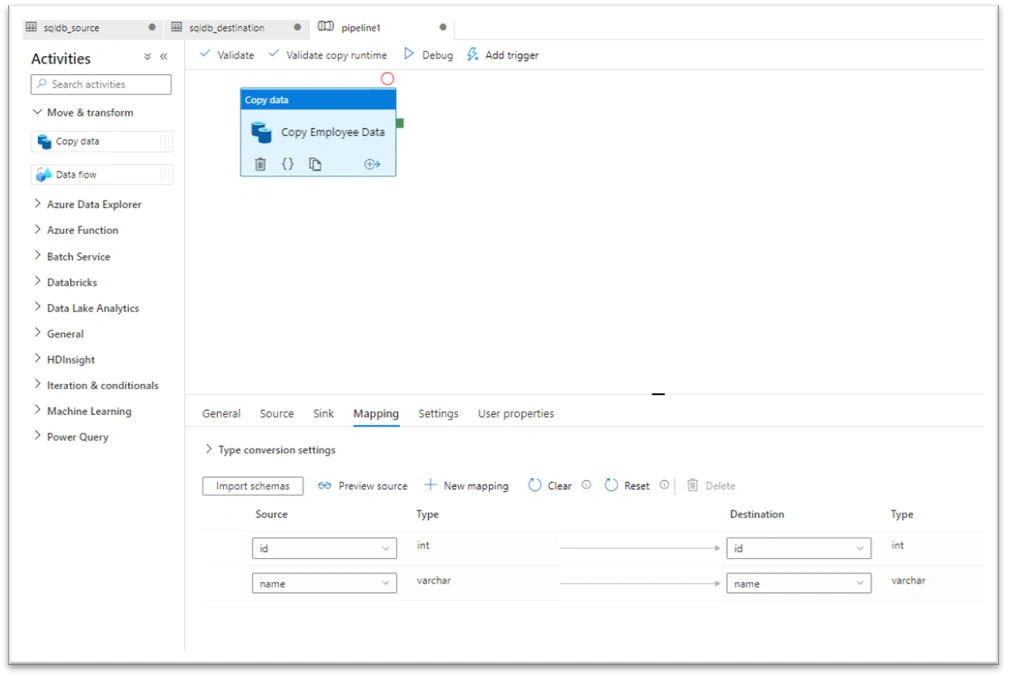
To create pipeline click on Author and it will give you further options to create variety of packages.

Join the conversation! Your thoughts help the community grow.