

Introduction
These days, Serverless computing is one of the key terms in the Cloud. This is a PaaS (Platform as a Service). It allows us to deploy and manage individual code functions without a need to deploy and manage on the individual Virtual Machine (VM). Serverless architecture does not mean that we host applications without servers but Serverless really talks about the PaaS.
Azure Functions is a serverless compute service that runs our code on-demand without needing to host it on the server and managing infrastructure. Azure Functions can be trigger by a variety of events. It allows us to write code in various languages, such as C#, F#, Node.js, Java, or PHP.
Azure Functions provide the following features:
Flexible development
We can write our code directly to the portal or can set up continuous integration and deploy our code through Azure DevOps, GitHub, or any other supported development tools.
Integrated security
We can protect HTTP-triggered function with OAuth providers, such as Azure AD, Microsoft account, or other third-party accounts, such as Google, Facebook, and Twitter.
Allow selecting development language
It allows us to write a function in the language of our choice, such as C#, F#, Java, PHP, JavaScript, etc. You can check the list of supported languages here.
Bring our own dependencies
Azure Functions allow us to download code dependencies from NuGet and NPM, so we can use libraries that need to execute our code and are available on either NuGet or NPM.
Pay per use price model
Azure provides a flexible consumption plan as per our requirement. Also, if we already use App service for our other application, we can run the function on the same plan. So, there is no additional cost we need to pay.
Open Source
The function runtime is open source.
Azure Function Trigger
The Azure function is the best solution for working with IoT devices, building small API and microservice, any data processing. Azure Functions support triggers that are the way to start the execution of our code. Azure Function provides the following templates to get it triggered
- HTTPTrigger
- TimerTrigger
- CosmosDBTrigger
- BlobTrigger
- QueueTrigger
- EventGridTrigger
- EventHubTrigger
- ServiceBusQueueTrigger
- ServiceBusTopicTrigger
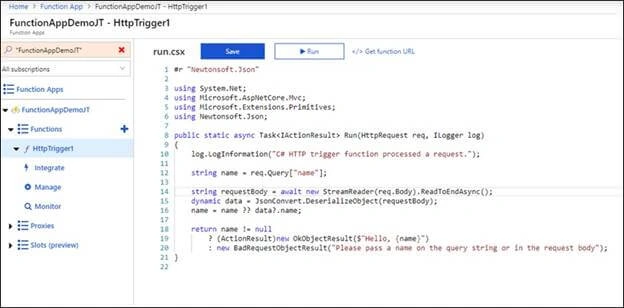
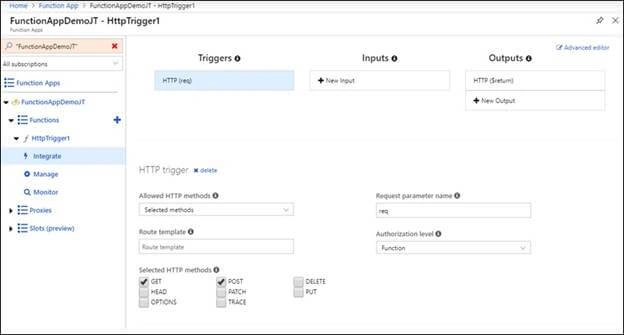
In this article, I will explain how to create an Azure Function with HTTP trigger using Azure portal. The same function can be developed using an editor, such as Visual Studio or VS Code and publish to Azure portal. To do the hands-on, you need an Azure subscription.
Following are the steps to create Azure Function on Azure Portal
Step 1
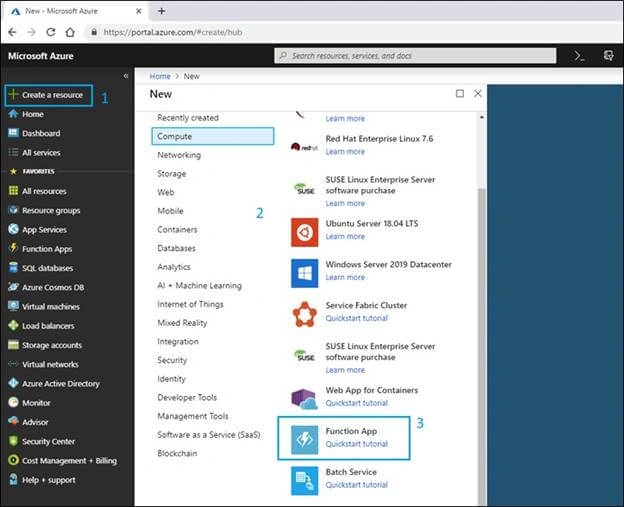
Click on "Create a resource" link and then select "Compute" option from the marketplace and click on "Function App" from the Featured tab.
Step 2
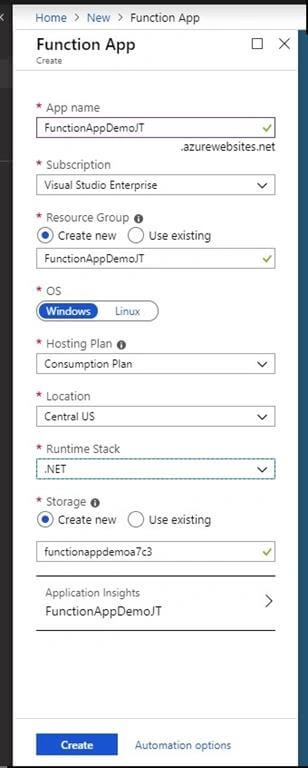
Provide App name, subscription, resource group, OS, hosting plan, location, and storage and then click on the "Create" button.
Step 3
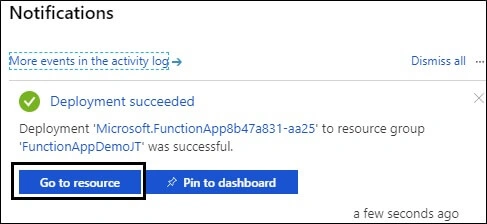
Wait. The Azure Portal will create a Function app and host/deploy it. Once it deploys, a notification will be displayed. We can jump to the "Create function" screen by clicking "Get to resource" button.
Step 4
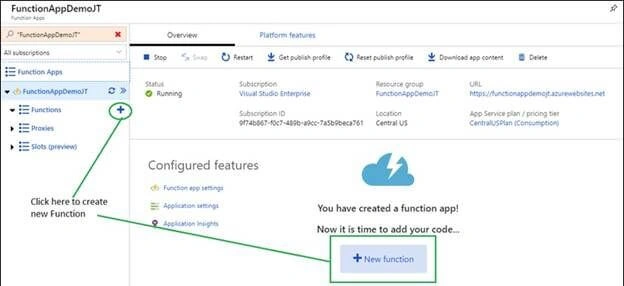
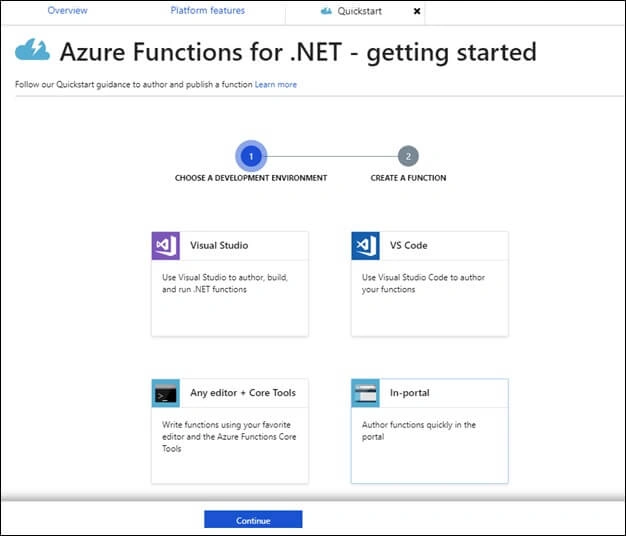
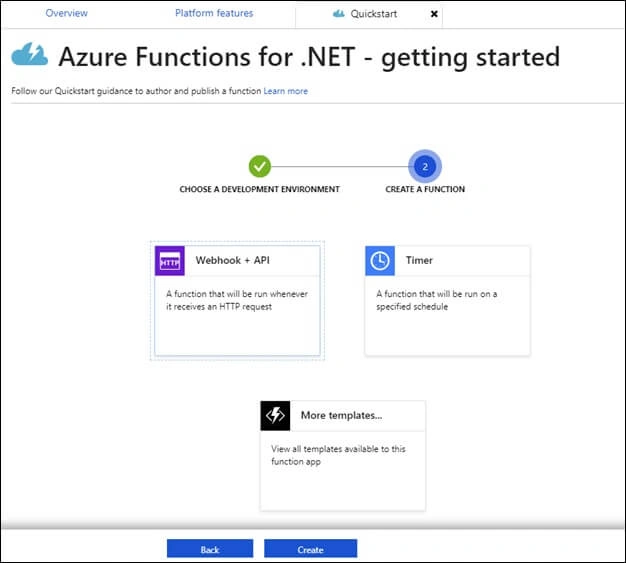
Click on the (+) or the “New function" button to create a function under Function App.
Ano MepaniPosted May 26, 2019, 4:13 AM
Jignesh Sir, Thanks for sharing. For demo purpose, we can test as per the demo. I have query what is real use case of using HTTP trigger Azure function in application.
Manoj MittalPosted May 24, 2019, 12:07 PM
Good Article Jignesh. Thanks for sharing.