

In this post, I will work on the machine learning predictive model and how to explore the types of client and server applications that you can use to consume Azure Machine Learning web service.
I will walk through building various client and server applications meant to consume Azure Machine Learning predictive models exposed as web services.
This example contains a very simple and basic client application and explores a full-blown ASP.NET web API web service implementation that implements the REST protocol and provides Azure Machine Learning predictions using JSON for the inputs and the outputs.
Let’s begin by looking at the default sample code the call an Azure Machine Learning web services that we have exposed.
You can reach a code sample page by navigation to your Azure Machine Learning workspace from the global menu.
- Go to Azure Machine Learning and select your workspace.
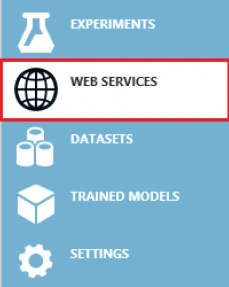
- Choose the right implementation version for the Azure Machine Learning Web Service.
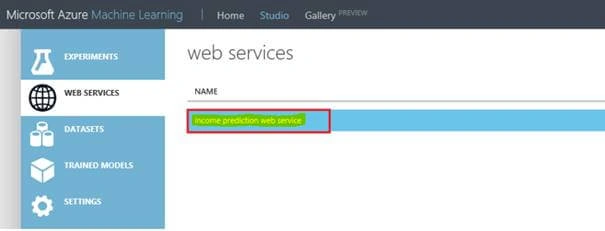
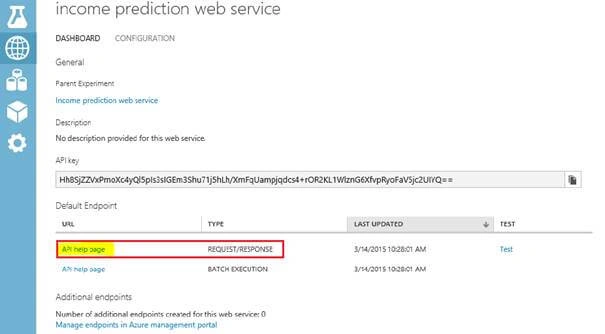
- Select the API help page for the request/Response option.
- After that, we will be directed to a web page where we can easily view all the technical details to invoke the Azure Machine Learning web service over the HTTP POST.
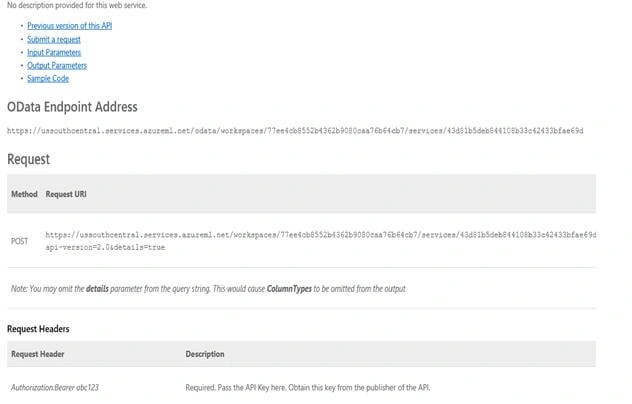
The help page for the Azure Machine Learning API web service provides specific implementation details about the following aspects of making an Azure Machine Learning web service via an HTTP POST request,
- OData End Point Address
- Method Request URI Format
- POST Request Headers
- Sample REQUEST body
- RESPONSE – Status Codes
- RESPONSE – Headers
- RESPONSE – Body
- RESPONSE – Sample Reply
Let’s start with creating a new clients application to call our new Azure Machine Learning web service from C#.
Create a Console Application.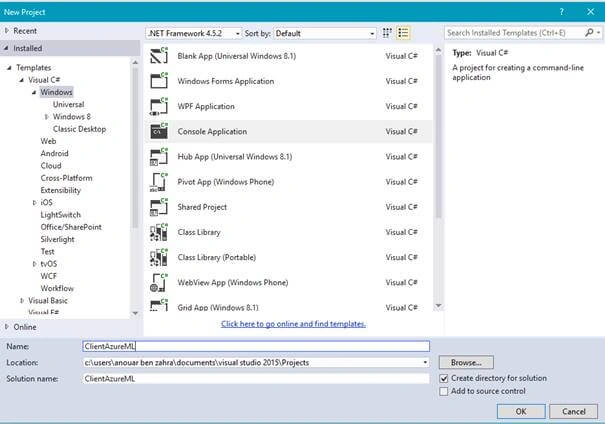
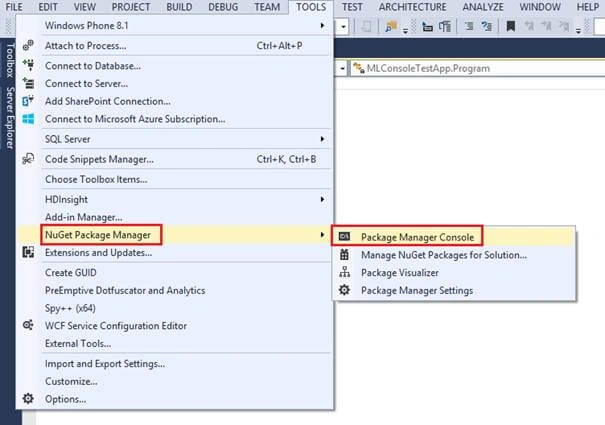
Install the Microsoft.AspNet.WebApi.Client NuGet packages and their dependencies:
Install-Package Microsoft.AspNet.WebApi.Client

- using System;
- using System.Collections.Generic;
- using System.Linq;
- using System.Text;
- using System.Threading.Tasks;
- using System.Net.Http;
- using System.Net.Http.Headers;
- First create a DataTable class
- public class DataTable
- {
- public string[] ColumnsNames { get; set; }
- public string[,] Values { get; set; }
- }

Hadshana KamalanathanPosted Jul 14, 2018, 11:53 PM
Thank you for sharing...