

In this article, we’ll learn about Azure Static Web Apps and learn to build a static site using Azure Static Web Apps. We first understand what Azure Static Web Apps is, its benefits, and then go ahead with a step-by-step guide to build our static site through the Azure Portal.
Azure Static Web Apps
Azure Static Web Apps enables developers to build and deploy full stack web applications automatically to Azure through the code repository. Based upon the code changes, the apps are built and thus deployed thus making the Azure Static Web Apps fit for the workflow of the developers. As the Azure Static Web Apps resource is created, GitHub and Azure DevOps are interacted with by the Azure for the branch that is selected where based upon the push commits as well as the pull requests, build is run and APIs are deployed in Azure.
The Azure Static Web Apps supports numerous languages, frameworks, and libraries from HTML, CSS, JavaScript to Blazor, Vue, Svelte, React, and Angular. On contrary to the traditional web server where, different assets such as HTML, CSS, and JavaScript are served from one server alone with required API endpoints, the Static Web Apps separates the static assets and serve it through different points which are distributed geographically across the world. Hence, Azure makes it extremely faster to access these files as they are distributed across the globe which means are closer to end user wherever they might be in the world. Moreover, based upon the Serverless Architecture, the API endpoints are hosted thus removing the requirement of the backend server at all times. Learn more about Azure Serverless from this article.
Benefits of Azure Static Web Apps
Modern Web Apps can be built using a range of JavaScript libraries and frameworks from Svelte, Vue, to React and Angular.
WebAssembly Applications can be created with back-end using the Azure Functions. Read about the Azure Functions and more from my previous article, What is Azure Compute?
Static websites can be easily published using frameworks such as VuePress, Hugo ad Gatsby.
Web Applications can be deployed using frameworks such as Nuxt.js and Next.js
How to Create Static App using Azure Portal?
Step 1
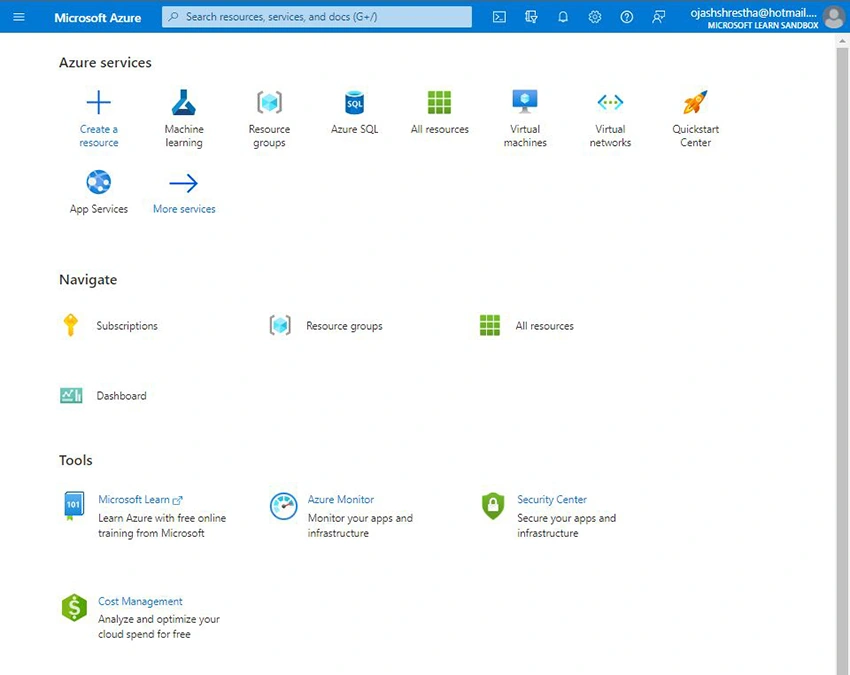
First, visit the Azure Portal. You’ll be welcomed on the Homepage as follows.
Step 2
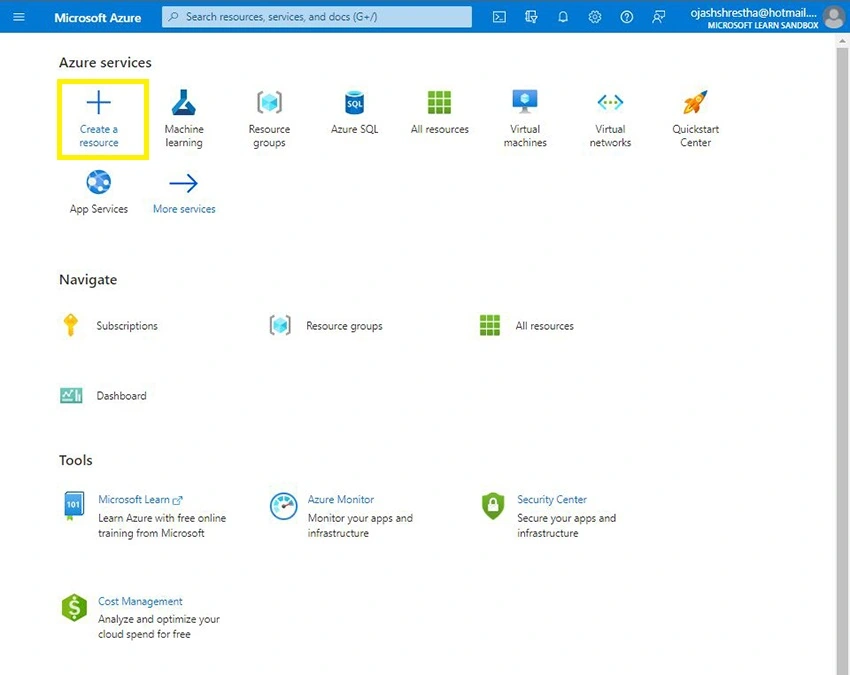
Click on Create a Resource
Step 3
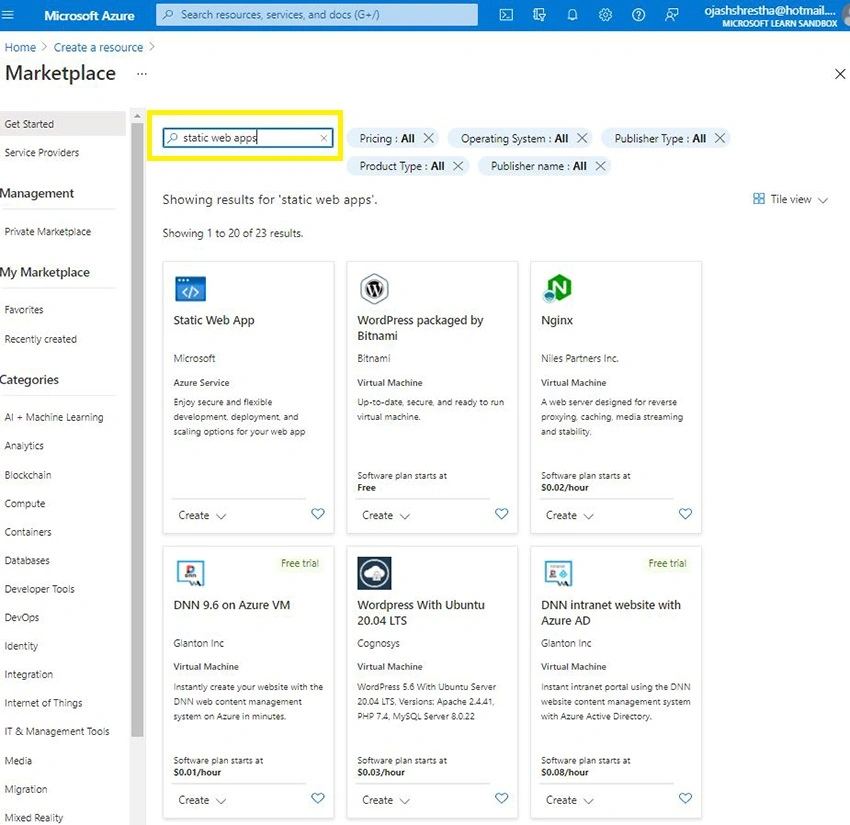
Search for “Static Web App”
Step 4
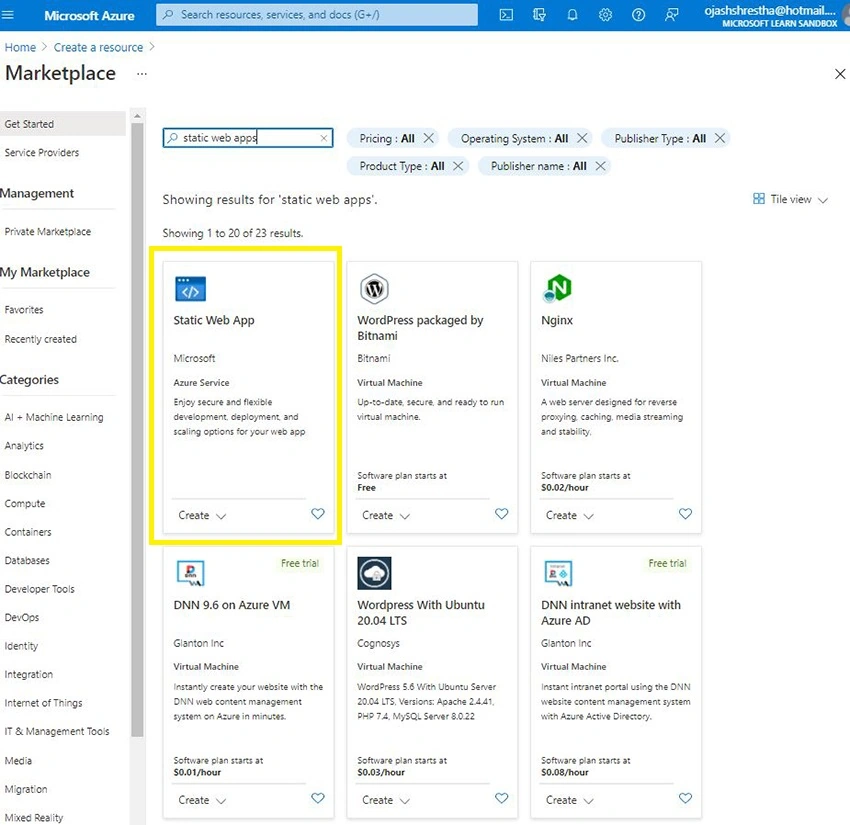
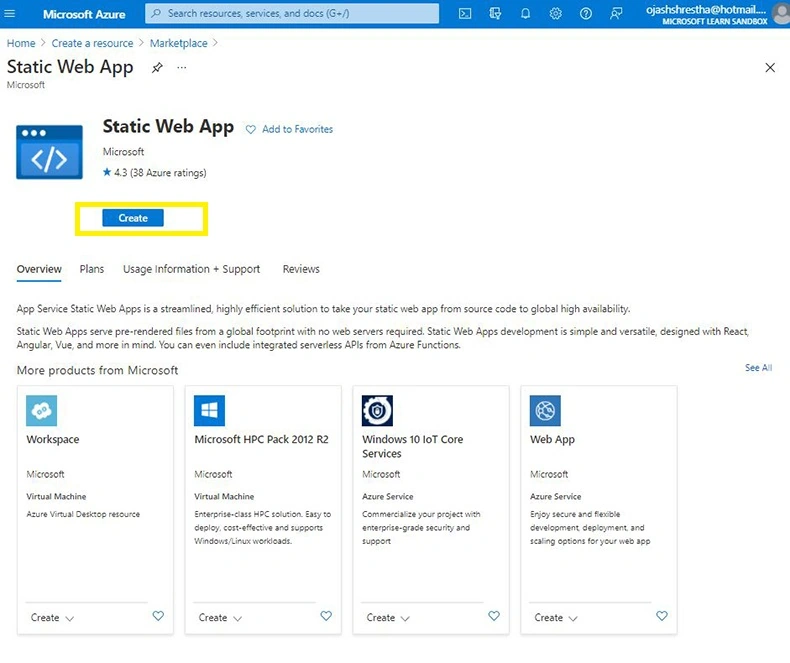
Select the Static Web App
Step 5
Click on Create
Step 6
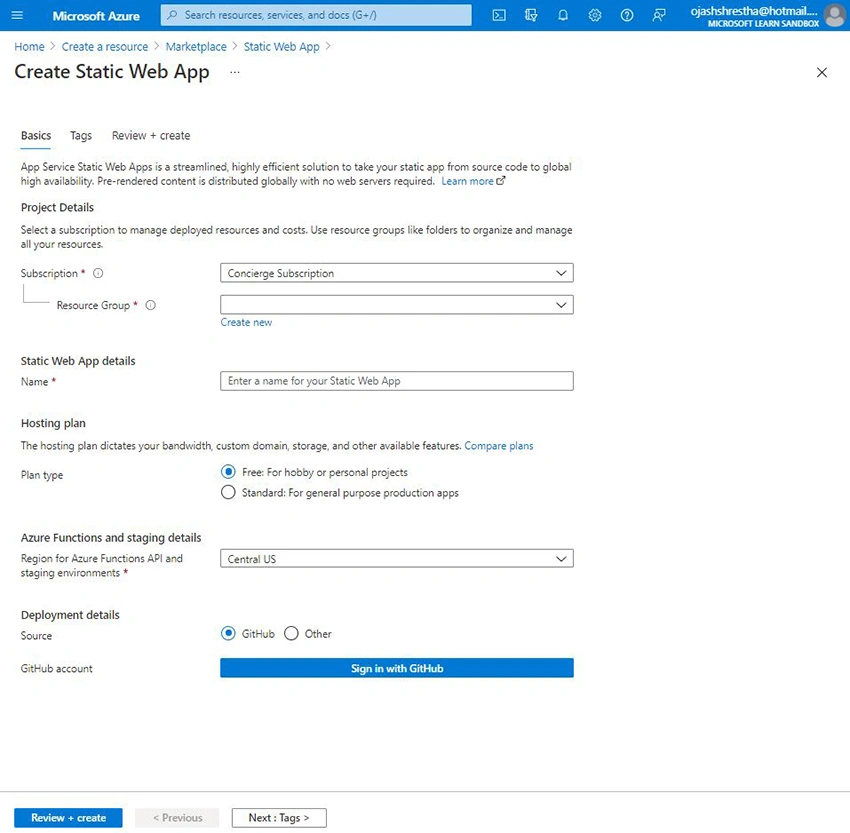
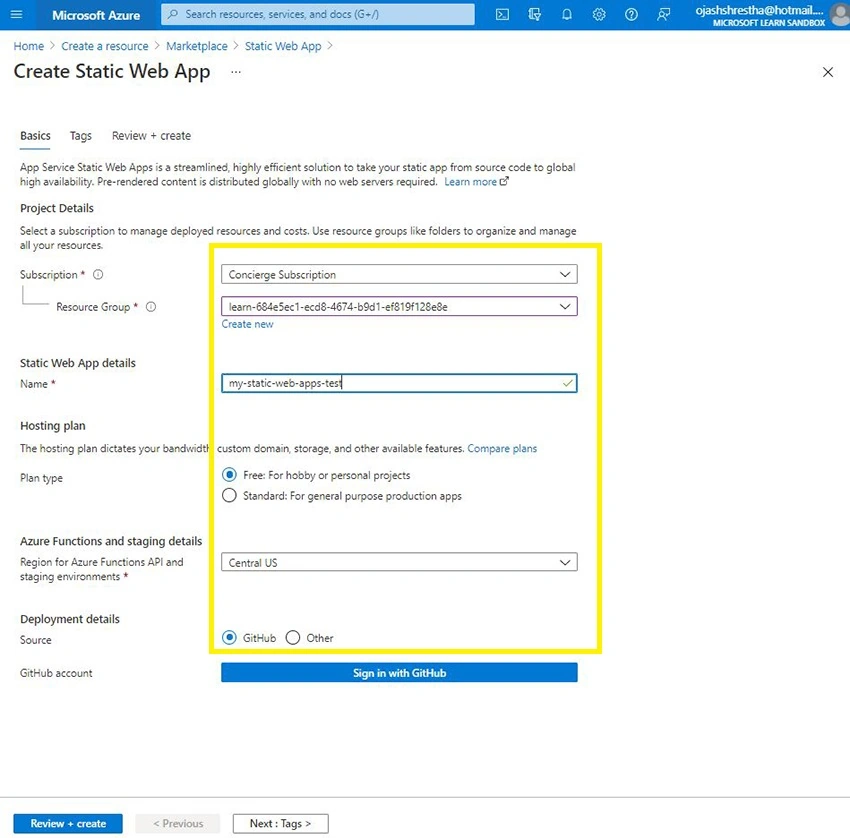
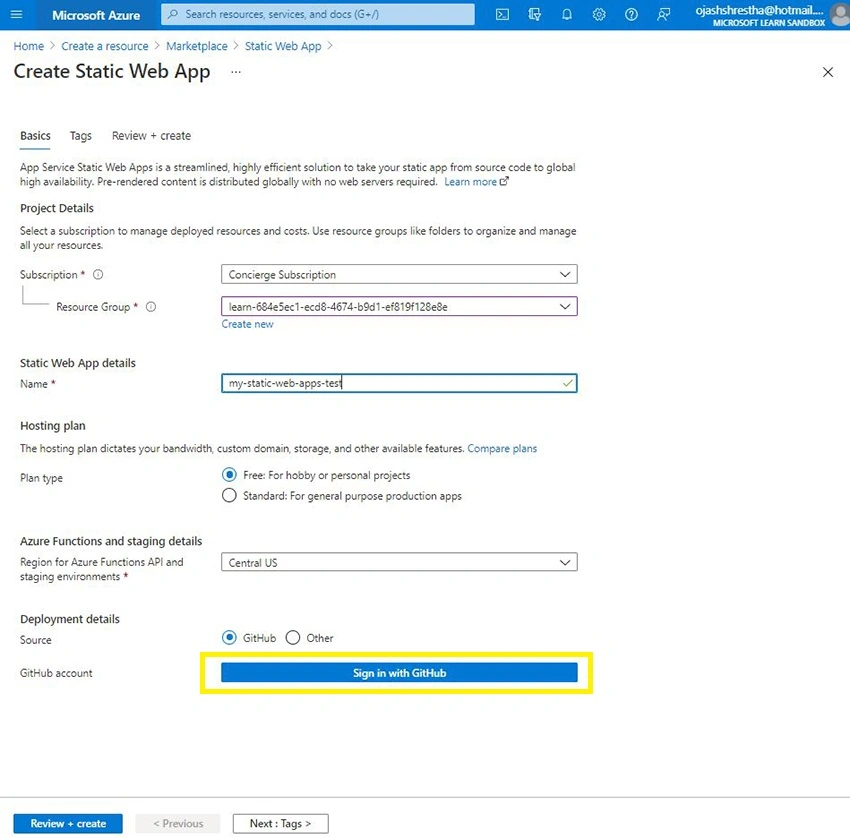
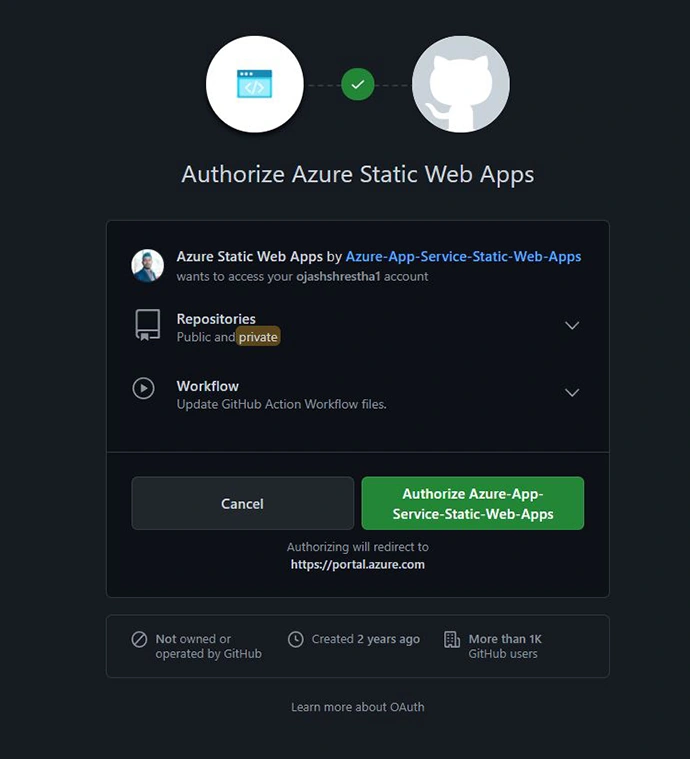
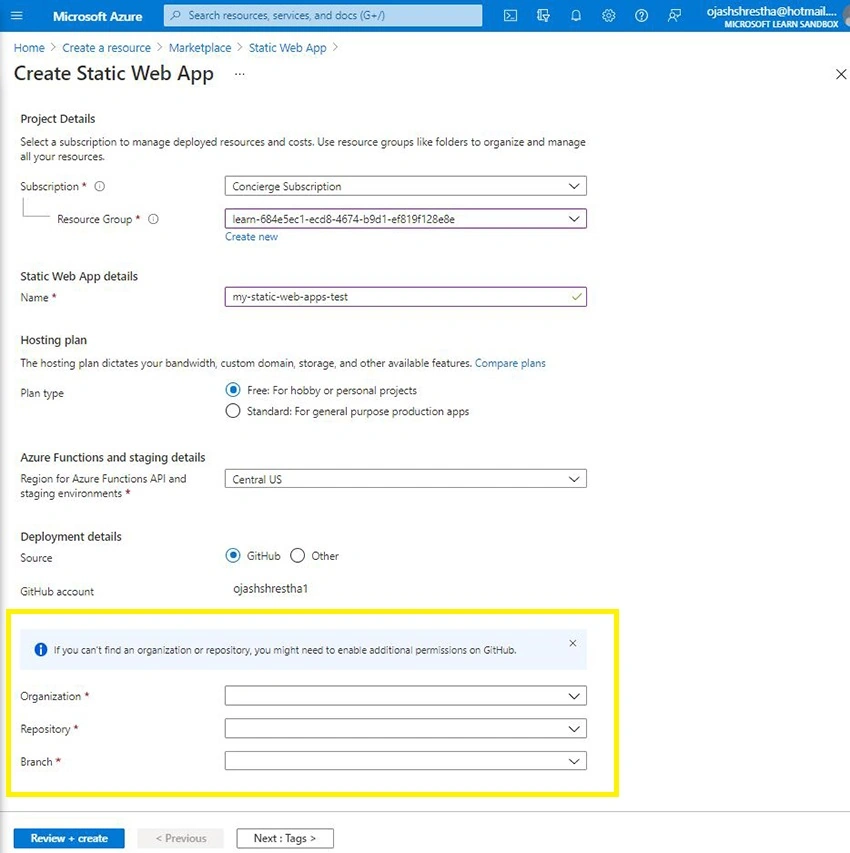
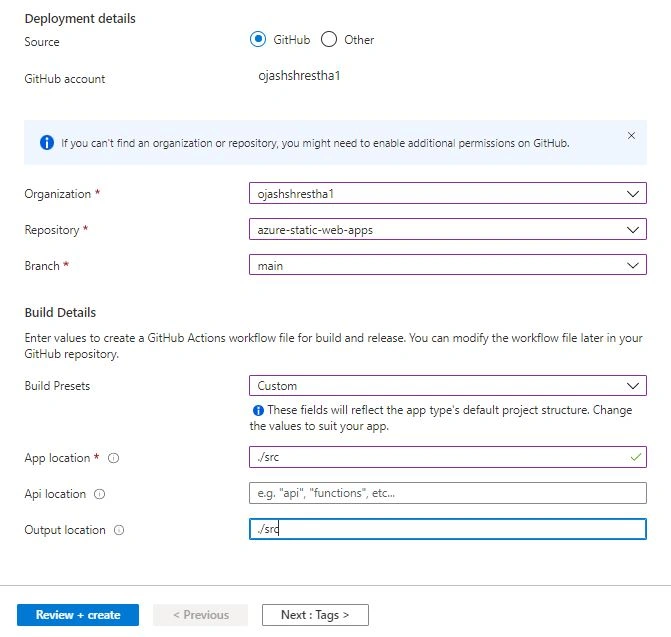
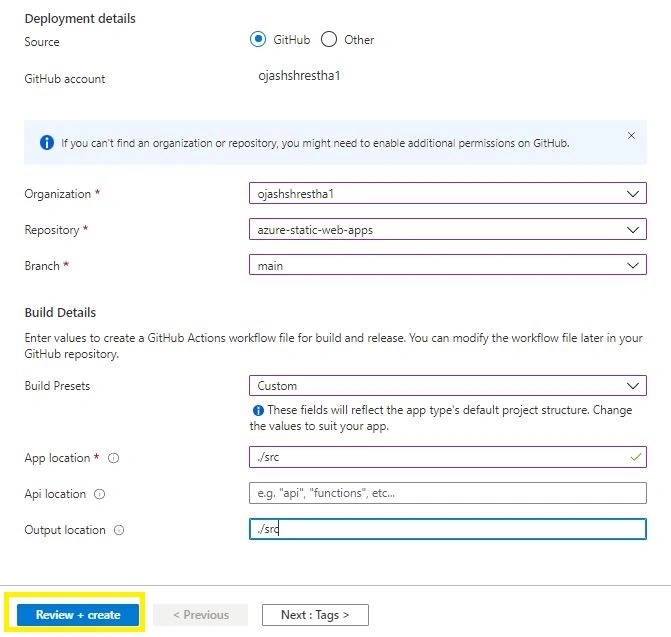
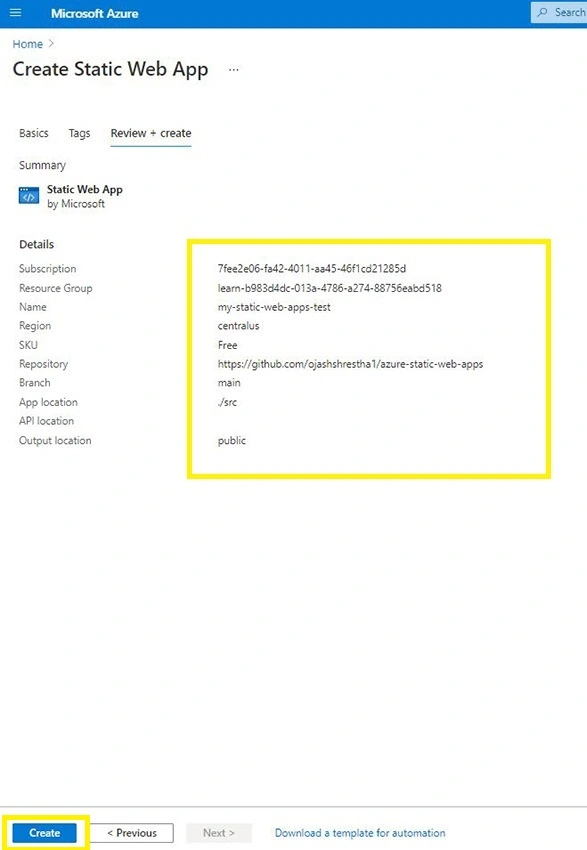
You’ll be taken to the following page
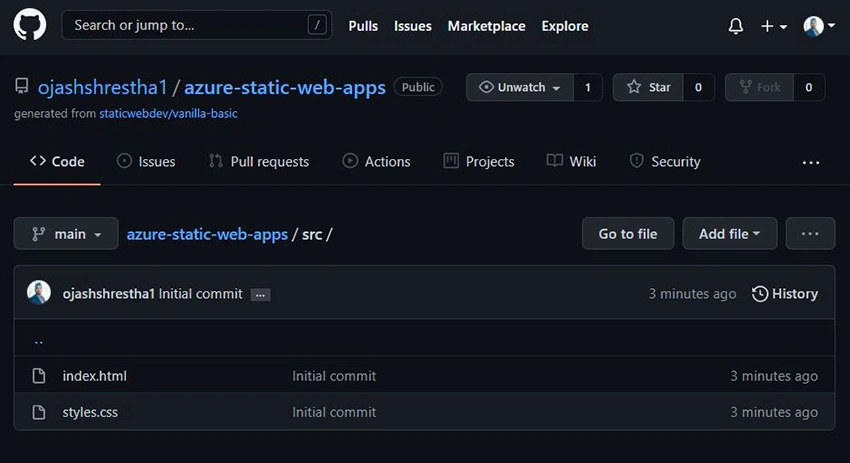

Join the conversation! Your thoughts help the community grow.