

We generally find issues in our deployed application on a production server. This is a really awkward situation in the development cycle. It is also painful for the customer. I am going to discuss the solution to this issue.
The easy and the quickest solution is Rollback deployment. There is one of the important features provided in Azure is Deployment Slots. We can easily rollback the deployment using deployment slots. There are so many questions that may come to your mind about deployment slots. I am going to answer the common questions about deployment slots which will help you to understand the solution of the issue.
What is Deployment Slot?
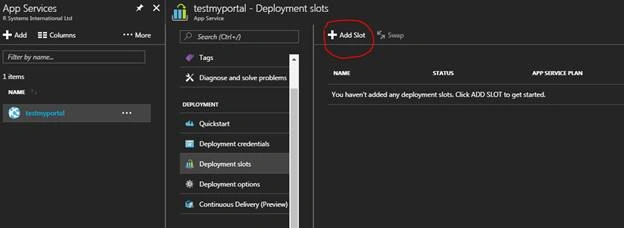
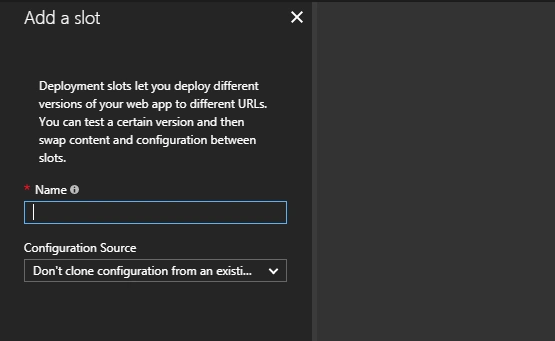
It is the most important feature of Azure provided in App Service. We generally directly deploy the application on created web app on Azure. The default deployment is in production directly. It may be possible that we want to perform some activity or verification before deploying the website on production. For this situation, we can use deployment slots. For every web app, Azure provides four non-production deployment slots on which we can deploy the website. Every deployment slot provides a different URL to access the web app for the verification of the application.
What is the usage of Deployment Slots?
Deployment slots provide the option to deploy websites in other environments rather than deploying the website directly on production. It is possible that we want to perform some action before deployment of the website on production. In this case, instead of deployment of a website to production directly, we can deploy the website to other slots.
The deployment slots is useful in following scenarios,
- Staged Deployment
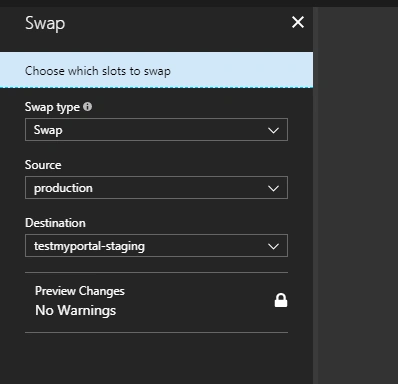
In staged deployment, we deploy a website to a non-production slot that is acting as the staged environment. In this environment, we can test whether the website is working as expected. If the website is working properly as expected we can swap the production slot with staging slot. - Incremental Deployment
It may be possible that some of the activities to be performed after deployment. In that, we can deploy the website on a non-production slot. We can make perform activity required post-deployment and then swap with the production slot to make the updated website live. - Rolling Back Deployment
If after swapping a non-production slot into production, you need to roll back the deployment, you can swap the production slot again with the slot that contains the previous production content and configuration, thereby rolling back the deployment.
What are the key features of Deployment Slots?
Answer: Some of the important features of the deployment slots are discussed below:
Till MaurerPosted Nov 29, 2018, 2:56 AM
How would you handle database schema changes so that upgrade and downgrade on the database is done when swapping the slots?
Rajesh DhimanPosted Feb 1, 2018, 11:20 PM
Excellent article, it is really helpful and informative. Thank you Krishna.
Deepak DixitPosted Jan 31, 2018, 6:29 AM
Great article, very informative
Satish SinghPosted Jan 31, 2018, 6:22 AM
It's really great and helpful article Krishna.