

Introduction
HI. This article explains what the basic difference of HTML 5 local storage and session storage is in a practical way. I hope you will like it.
If you are new to the term local storage, I recommend you to read my article here.
A basic scenario where you can use
- If you need to carry a value throughout your application or throughout your pages, you can use local storage. For example, we can store a logged-in username in local storage that we may need to access in all the pages. I strongly recommend not to store any secured data (for example a “password”) in local storage.
- In some scenarios, we may need to set a key element depending on the pages we have in the application. For example, if we need to store the page name (any key element that may be different).
So let's start
Here is my application I have added two HTML5 pages.
- HtmlPage1.html
- HtmlPage2.html
In HtmlPage1.html I have set local storage and session storage, now I am trying to access that in HtmlPage2.html. Please see the following source.
HtmlPage1.html
- <!DOCTYPE html>
- <html
- xmlns="http://www.w3.org/1999/xhtml">
- <head>
- <title>Difference between local storage and session storage</title>
- <script>
- localStorage.setItem("myKey", 1);
- sessionStorage.setItem("myKey", 1);
- var myVal = localStorage.getItem("myKey");
- alert("My local storage value is : " + myVal);
- alert("My session storage value is : " + sessionStorage.getItem("myKey"));
- </script>
- </head>
- <body>
- </body>
- </html>


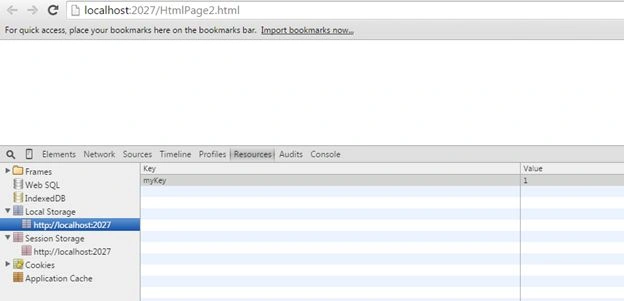
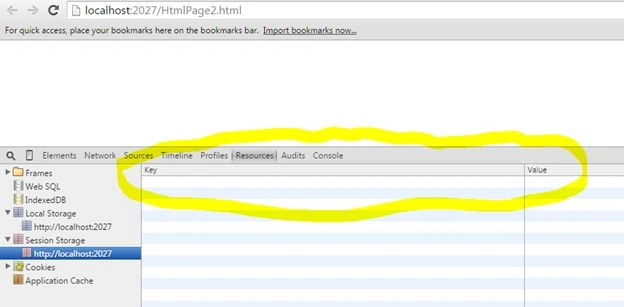
Sibeesh VenuPosted Mar 27, 2015, 1:39 AM
Afzaal Ahmad Zeeshan Thank you so much. Yes You are right. If you do not mind ,Shall I add this points as conclusion?
Afzaal Ahmad ZeeshanPosted Mar 26, 2015, 10:53 AM
Good points have been made by you Sibeesh. But I would like to add some more details to this one; hopefully you won't mind. Actually Session storage stays active until the session stays; browser is active, user is working etc. Once the session is cleared they are cleared. So this would have been made as the conclusion... Page visit, or staying on the page doesn't matter, it is Session that matters for sessionStorage and in case of localStorage either user or your application itself removes the data. :)