

Synopsis
- Introduction
- Definition
- Advantages
- Disadvantages
- Flow of MVC
- Routing
- Simple MVC Form
Introduction
MVC is a one of the famous design patterns for developing web applications, websites and web pages. It is much easier for developers compared to traditional ASP.NET. MVC has a lot of advantages. MVC is the latest trend in the word. This article explains about the basic structure of MVC and how to handle the MVC applications.
Definition
Model View Controller (MVC) is a design pattern or methodology. It is used to effectively develop web applications. MVC is a not complex one, we can learn it easily.
Advantages
There are many advantages available in MVC.
- A separation of concern is a main advantage of MVC. It means we can divide into three part of the application like Model, View and Controller.
- Handles the code easily because of separation of concern.
- In the same time we can split many developers' work at one time. It will not affect one developer's work to another developer's work.
- It supports TTD (test-driven development). We can create an application with unit test. We can write one test case.
- Latest version of MVC supports default responsive web site and mobile templates.
- We can create our own view engine. Its syntax is very easy compared to traditional view engines.
Disadvantages
- Cannot see design page preview like .aspx page. Every time we want to run it, then we see the design.
- Understanding flow of application is very hard. It is a little bit complex to implement and not suitable for small level applications.
- Its deployment is a little bit hard.
Basic Work Flow of MVC
MVC work flow is different compard with ASP.NET. First understand MVC work flow, then you need to know every one. The below diagram explains the work flow of MVC.
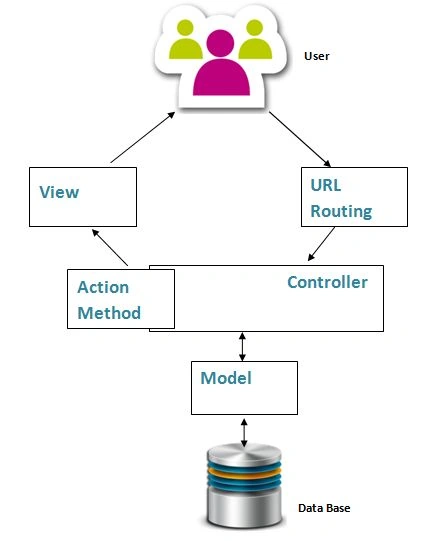
Figure 1: MVC Work Flow
Routing
Routing finds the available URL Request from which one user is given the URL. Routing is a pattern matching system with the help of a routing table. Routing table contains all available routes based on controller and action. If a URL is entered, the routing engine compares the given URL with the route table. If the given URLis not available it shows an error, otherwise it renders corresponding page.
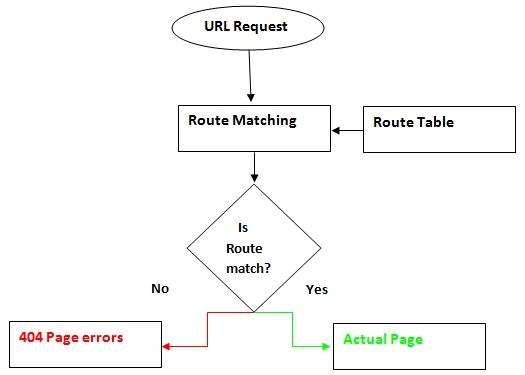
Figure 2: Routing
Route Table
Routing table contains all possible ways of the URL based on controller and action methods. Whenever you enter the URL in the browser the routing engine matches it with the route table. The below screen shot shows how many action methods are available in one controller.
In “Home” the controller contains three action methods, so three different ways of URL requests are possible. I have different controller and action possible ways of URL request increases. All URL requests are based on controllers and actions.
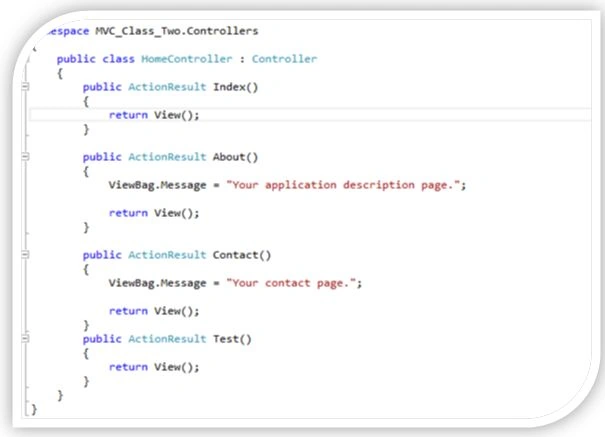
Figure 3: Action Results
Possible method of URL Request below:
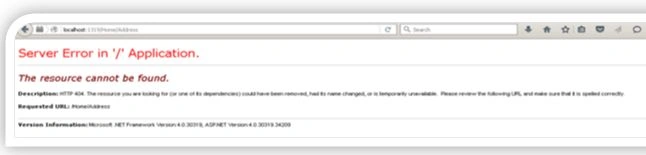
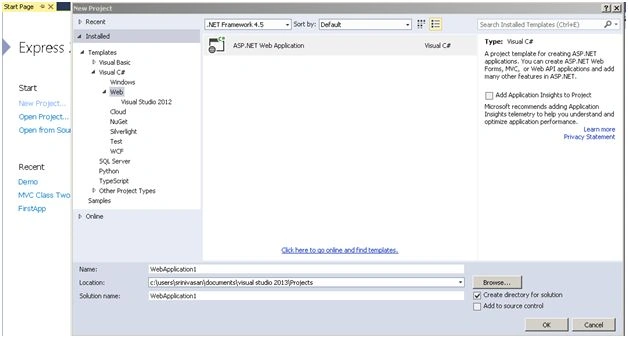
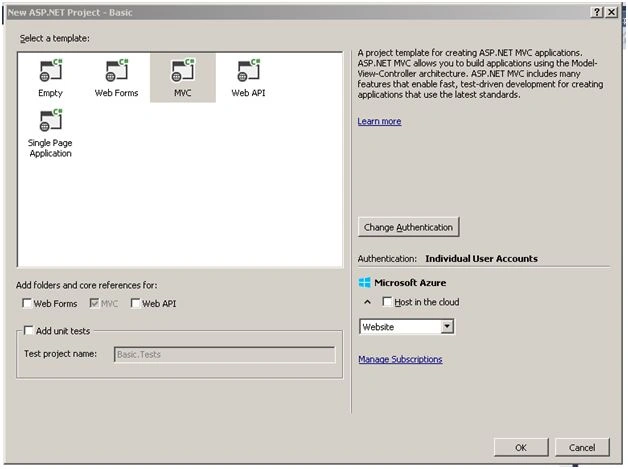
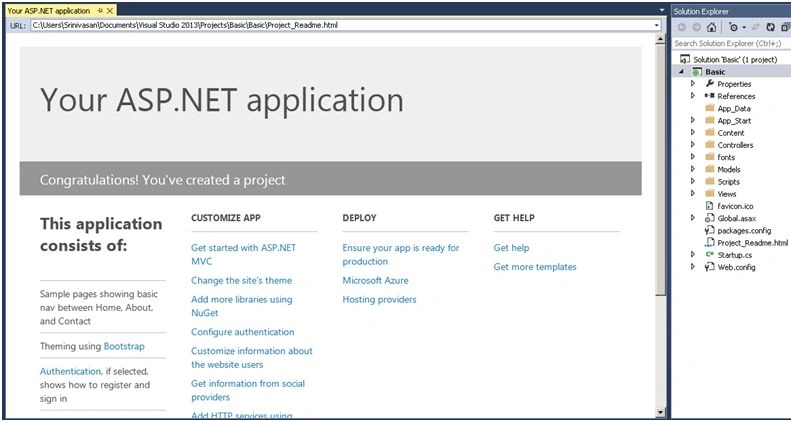
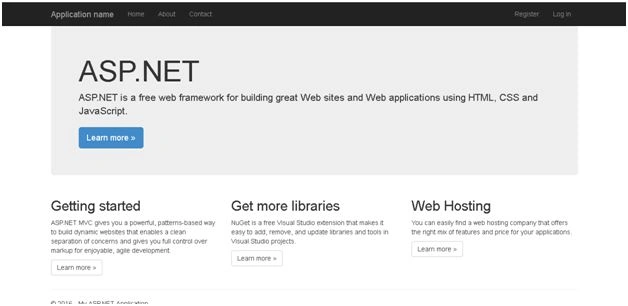
Piyush DixitPosted Mar 29, 2018, 1:17 AM
Hi Vignesh, Please explain about 'In the same time we can split many developers' work at one time. It will not affect one developer's work to another developer's work.' As per my understanding these work handle by SVN or TFS like tool.
Manav PandyaPosted Sep 30, 2016, 10:16 AM
Nice share sir ...
Shobana JPosted Jul 13, 2016, 2:59 AM
Nice share
Suraj PantPosted Mar 2, 2016, 3:56 AM
Nice Share
Anil Kumar MurmuPosted Feb 11, 2016, 4:53 AM
Thanks for sharing
Jaco ZwartsPosted Feb 11, 2016, 1:31 AM
Nice Thank you for sharing
Vignesh ManiPosted Feb 10, 2016, 4:32 PM
Thanks To all
Raja TPosted Feb 9, 2016, 8:56 AM
Nice, Thanks for sharing
Manoj KulkarniPosted Feb 9, 2016, 1:54 AM
Nice article. Thank you for sharing
Sibeesh VenuPosted Feb 8, 2016, 12:05 AM
Nice Share
Jaipal ReddyPosted Feb 7, 2016, 11:08 PM
nice. .
Ehsan SajjadPosted Feb 7, 2016, 1:31 PM
well described
Santhakumar MunuswamyPosted Feb 7, 2016, 12:51 PM
Thanks for nice article
Pankaj Kumar ChoudharyPosted Feb 7, 2016, 10:55 AM
Nice Explanation Sir...........