

Introduction
Recently, I was working on my Node.js backend program and I was looking for a batch job kind of implementation. Most of my backend program was in Node.js, so I decided that my batch jobs should also be in Node.js. Knowing this, I started searching for batch jobs in Node.js.
Surprisingly, I came across a node package ‘cron’, at https://www.npmjs.com/package/cron. I was mainly looking for very simple implementation for my batch jobs. I quickly looked into the documentation and found it simple. I implemented the same and great things just happened, i.e., my batch jobs are running without any interruptions in my Azure environment for the last 2 months. So, I decided to share the basic use of ‘cron’ with all the developers.
Basic Cron Usage
Typically, for a batch job, we need some process to run based on some schedule. Using the ‘Cron’ package, we will define one of our NodeJS function to be executed based on schedule. ‘Cron’ helps us in defining which function to be executed and on what schedule.
Following steps will tell you how to use Cron for your batch jobs in the simplest way.
- Creating a basic Node.js program - mybatchjobs
Let's start by creating a folder in our local drive to store our batch job program using command prompt,
mkdir mybatchjobs
cd mybatchjobs
Assuming we have Node.js and NPM installed, let's create and initialize our package.json, which will store our Node.js program - mybatchjobs dependencies and definitions.
npm init
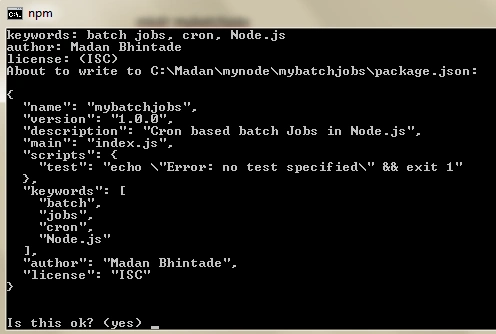
Once you go through the npm init options (which are very easy to follow), you'll see something like this,
- Installing a Cron package
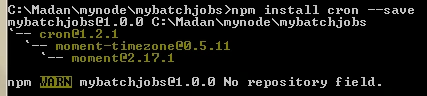
Now, we will install a cron package using below command,
npm install cron --save
- Implementing a Cron
Now, create a JavaScript file – index.js and start implementing batch jobs using cron.
Our index.js can be seen as below,
- var CronJob = require('cron').CronJob;
- new CronJob('* * * * * *', function() {
- console.log('This is a test batch job started at ' + new Date());
- }, null, true, '');
The above code can be explained as,
Code line var CronJob = require('cron').CronJob; includes ‘cron’ module for our program and exports the functions needed to run a cron job.
- new CronJob('* * * * * *', function() {
- console.log('This is a test batch job started at ' + new Date());
- }, null, true, '');
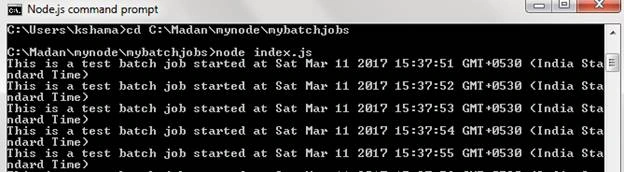
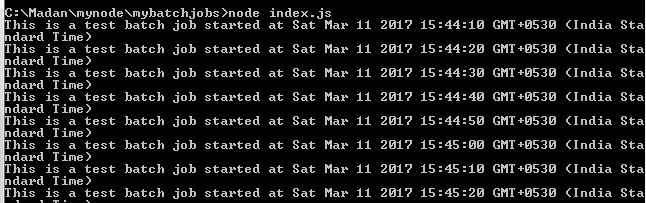
The above lines instantiate function CronJob and runs a function for every second and displays a message on console.
Constructor CronJob() has following parameters,
- cronTime – This is the time when to execute the job. This is in JS Date object
- onTick – This is the parameter which accepts which function needs to be executed. In above code snippet we are just printing date and time on console
- onComplete – This parameter is optional. Once job is complete this will get executed. We have not provided this in the above code snippet
- start – We are specifying as true, to run the job immediately
- timeZone – This we are passing as ‘’. This specifies timezone for the job execution


Manav PandyaPosted Mar 15, 2017, 12:13 AM
Thanks for sharing sir ....