

Introduction
BDD (Behavior driven development) adapted features of TDD(Test Driven Development) and extended a few syntaxes, which made the Product Owner (PO Role of Scrum Process) or Business Analyst job easy to convert requirements into standard scripts, by analysing the behaviour of features required by customers. And the developer's job will be easy with this behavior, scripts drive the development.
We will achieve this in C# using SpecFlow extension.
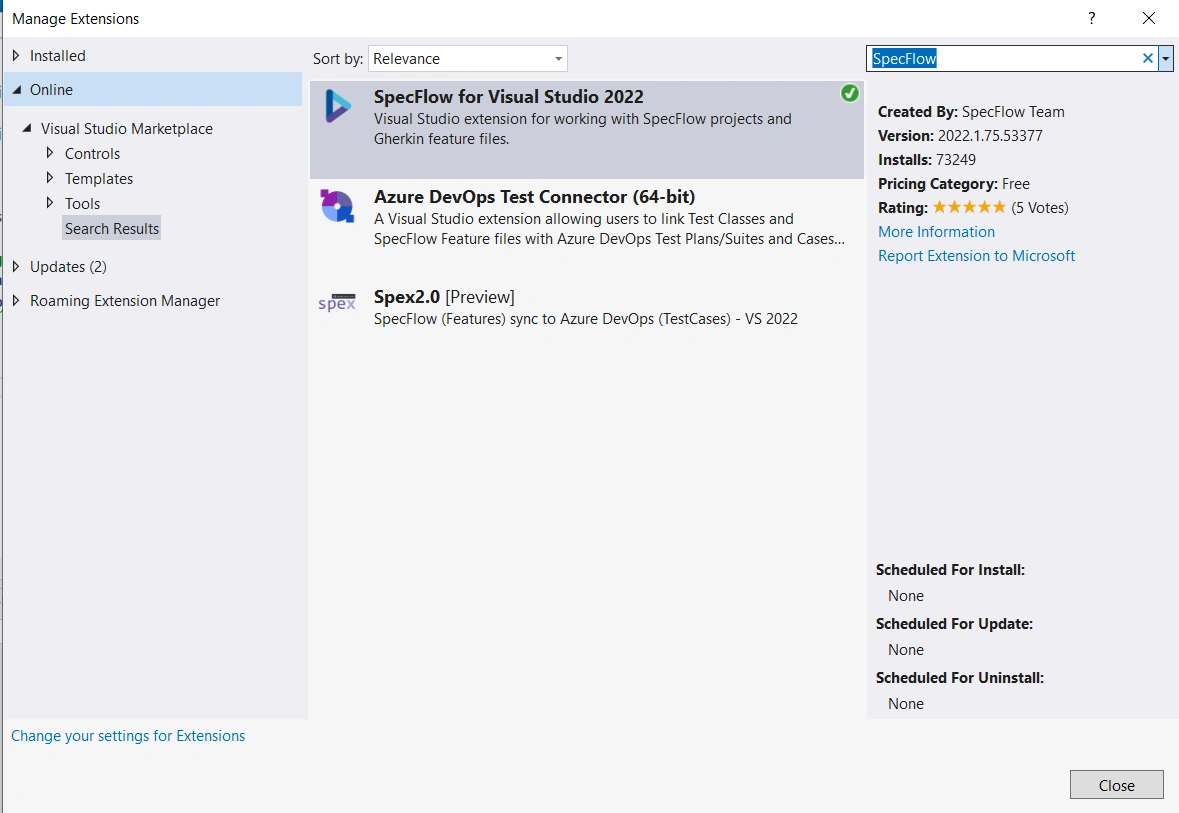
Install the SpecFlow as shown in the image below, Go to Extension --> Manage Extension --> Online and type specflow
We will try to achieve this with serialization and deserialization of samples.
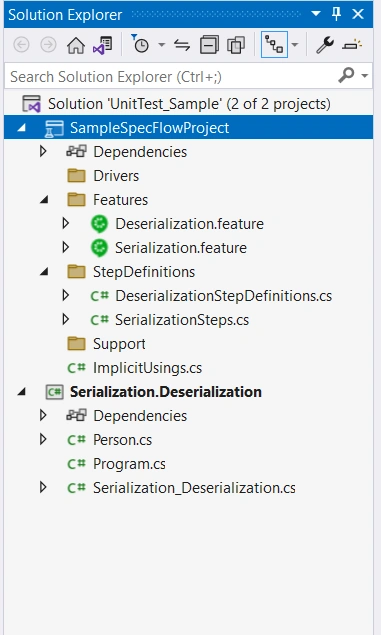
Create specflow project as shown in images below with targeted framework .Net 6.0 and Testing framework Nunit (you can choose your convenient testing framework)

Add feature file in Features folder like below and update the feature, scenario, given, when, then like below (2 features file created)
//Filename: Serialization.feature
Feature: Serialization
A short summary of the feature

Scenario: Serialize object to json
	Given a person object
	When Serialize method is callled
	Then get the object in json format

//Filename: Deserialization.feature
Feature: Deserialization
A short summary of the feature

Scenario: DeSerialize json to object
	Given a person object in string format
	When DeSerialize method is callled
	Then get the json in person object
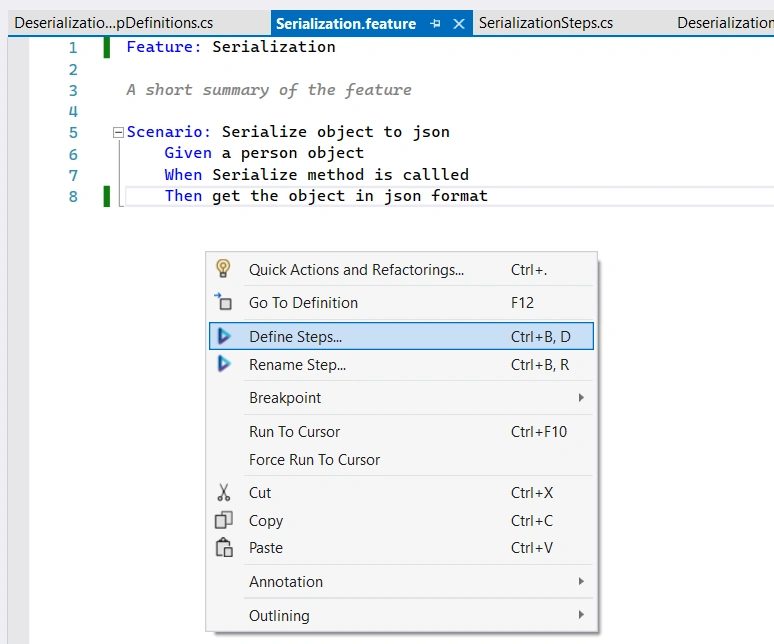
To generate a step definition for the above scripts, right click and select "Define steps" like below, which will popup Skelton for the given, when, then step methods, copy that add it in StepDefinations folder like below for both the files. and followed by providing the implementation.
// Filename: SerializationSteps.cs
using NUnit.Framework;
using Serialization.Deserialization;
namespace SampleSpecFlowProject.StepDefinitions {
    [Binding]
    public class SerializationSteps {
        Person ? person;
        Serialization_Deserialization ? serialization_Deserialization;
        string ? result;
        [Given(@ "a person object")]
        public void GivenAPersonObject() {
                person = new Person {
                    Name = "ABC",
                        Age = 20,
                        Gender = "Male",
                        IsStudent = true
                };
                serialization_Deserialization = new Serialization_Deserialization();
            }
            [When(@ "Serialize method is callled")]
        public void WhenSerializeMethodIsCallled() {
                result = serialization_Deserialization.Serialize(person);
            }
            [Then(@ "get the object in json format")]
        public void ThenGetTheObjectInJsonFormat() {
            string expected = "{\r\n  \"Name\": \"ABC\",\r\n  \"Age\": 20,\r\n  \"Gender\": \"Male\",\r\n  \"IsStudent\": true\r\n}";
            Assert.AreEqual(result, expected);
        }
    }
}
Join the conversation! Your thoughts help the community grow.