

Binary search, also known as half-interval search, is one of the common search algorithms that find the position of a value within a sorted array. The search algorithm looks for a value in a sorted array and starts at the middle element and compares the value with the item of the array. If the value is less than the element, search moves to the left side and starts at the middle element of the array. If the value is greater than the element, search moves to the right side and starts at the middle element of the array.
Note
The Array class in .NET framework supports several methods to search, sort, and reverse array items. Array.BinarySearch() method searches an an array of elements for the given element and returns the postion of the element found in the array.
- class Program
- {
- static void Main(string[] args)
- {
- // Create an array of 10 elements
- int[] IntArray = new int[10] { 1, 3, 5, 7, 11, 13, 17, 19, 23, 31 };
- // Value to search for
- int target = 17;
- int pos = Array.BinarySearch(IntArray, target);
- if (pos >= 0)
- Console.WriteLine($"Item {IntArray[pos].ToString()} found at position {pos + 1}.");
- else
- Console.WriteLine("Item not found");
- Console.ReadKey();
- }
- }
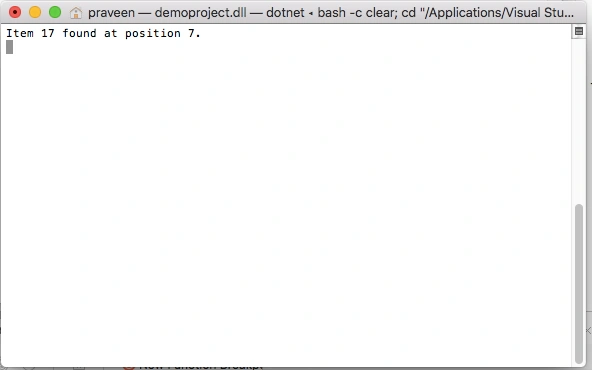
- The array must be sorted before calling the BinarySearch method.
- This method does not support searching arrays that contain negative indexes.
- If the Array does not contain the specified value, the method returns a negative integer.
- Either value or every element of array must implement the IComparable interface, which is used for comparisons. The elements of array must already be sorted in increasing value according to the sort order defined by the IComparable implementation; otherwise, the result might be incorrect.
- Duplicate elements are allowed. If more than one matched elements found in the array, the method returns the index of only one of the occurrences, and not necessarily the first one.
Further Readings
Here is a list of some related articles:
SathdevPosted Dec 13, 2018, 4:26 AM
Sipid code experience sir
Rushi MehtaPosted Sep 11, 2018, 6:21 AM
Very Nicely Explained
ShankarPosted Apr 16, 2017, 12:17 PM
Hi Mahesh, I am sorry, seems the following content not relevant to the current article. "The following code is the complete list of C# console app that connects with an Access database, opens a connection, reads data, and displays it on the system console."
sumaira manzoor hussain khanPosted Mar 17, 2012, 10:17 AM
hello sir; can u tell me how we can do simulation of bst using graph. regards sumaira manzoor