

I will cover following topics for ListBox:
- How to bind List Box with Database?
- How to retrieve the Multi Selected value?
- How to Pre-select List Box Items from Database?
List box control allows user to select single or multiple item selection. Partially it's similar to a dropdown list.
The following are the main properties of ListBox control.
- Rows: By Default there is 4 rows setting , you can change according to your requirement.
- SelectionMode: By default SINGLE is selected, you can change to MULTIPLE.
- DataTextField: Field Name which display on list box.
- DataValueField: Field Name which ID value you going to store in saving table.
- Items: Hard coded value store in List Box.
Table Structure:
- USE [MemberCDAC]
- GO
- /****** Object: Table [dbo].[tblTechnologies] Script Date: 02/07/2016 18:03:35 ******/
- SET ANSI_NULLS ON
- GO
- SET QUOTED_IDENTIFIER ON
- GO
- SET ANSI_PADDING ON
- GO
- CREATE TABLE [dbo].[tblTechnologies](
- [TechID] [int] IDENTITY(1,1) NOT NULL,
- [TechName] [varchar](50) NULL
- ) ON [PRIMARY]
- GO
- SET ANSI_PADDING OFF

Create a ASP.NET web site project.
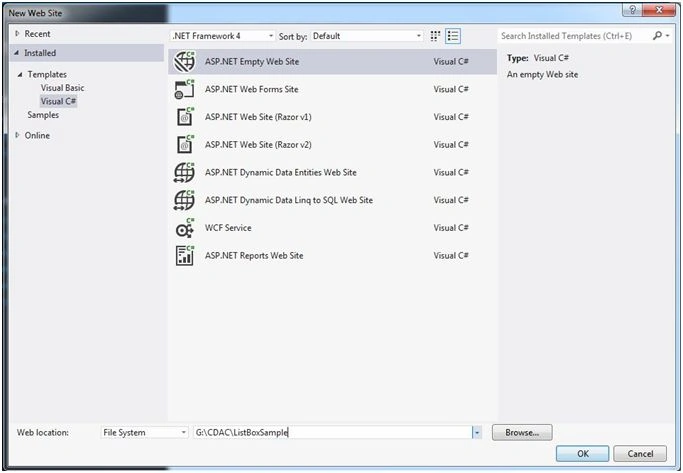
Give Project name : ListBoxSample.
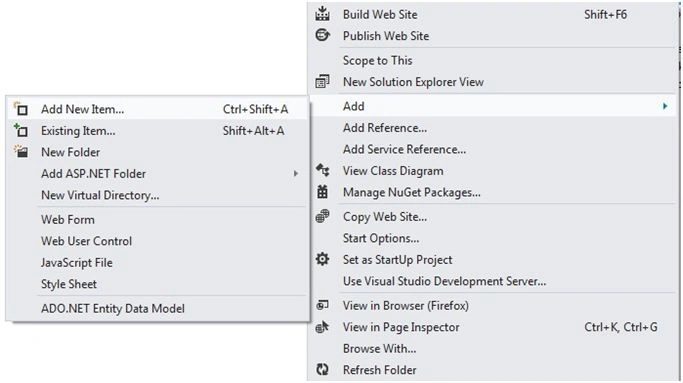
Now right click on Solution Explorer and Add new web page/form.
Right Click->ADD->ADD NEW ITEM
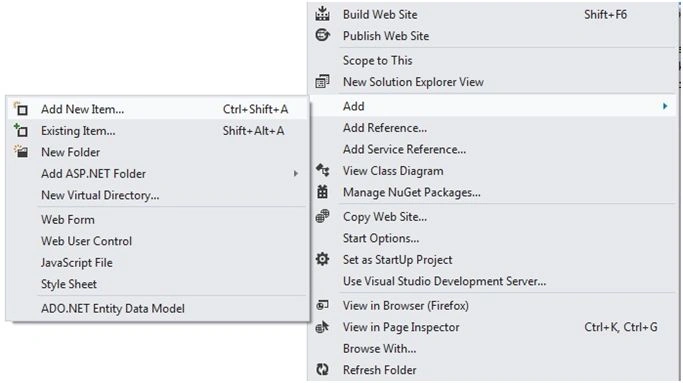
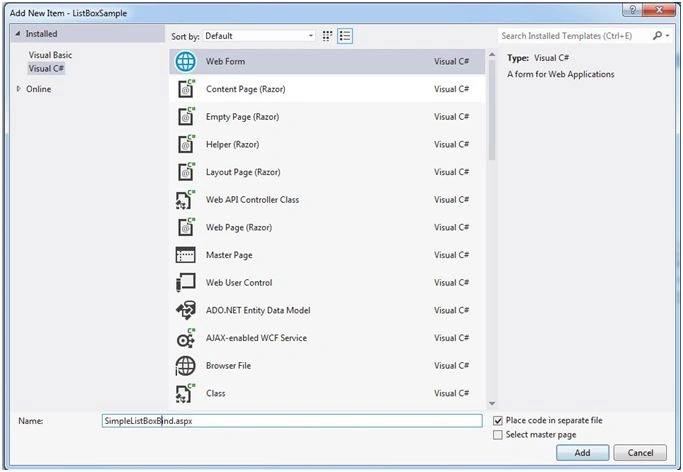
Add the WebForm, named : SimpleListBoxBind.aspx.
In SimpleListBoxBind.aspx , we are going to bind List box from database with multi selections options.
Now double clicked on SimpleListBoxBind.aspx file.
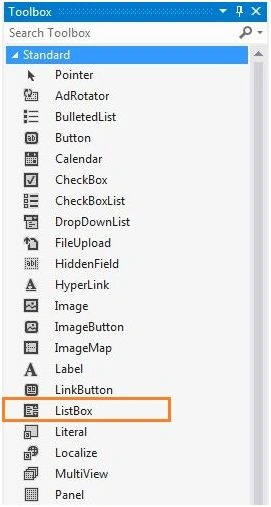
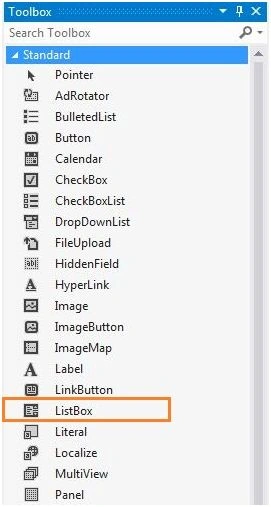
Drag n Drop the List Box control on aspx page.
While you click smart tag menu option.
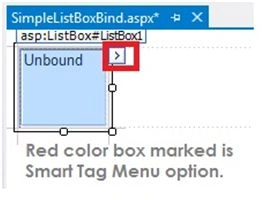

Smart Tag Menu Options:
- Choose Data Source: Non-programmatically and with Wizard we can populate List Box items.
- Edit Items: Hard coded items for List Box.
- Enable AutoPostBack: Mark and ready List box for auto post back to server while we select any item(s).
How To Bind List Box From Database?
CODE of SimpleListBoxBind.aspx file
- <%@ Page Language="C#" AutoEventWireup="true" CodeFile="SimpleListBoxBind.aspx.cs" Inherits="SimpleListBoxBind" %>
- <!DOCTYPE html>
- <html xmlns="http://www.w3.org/1999/xhtml">
- <head runat="server">
- <title></title>
- </head>
- <body>
- <form id="form1" runat="server">
- <div>
- <asp:ListBox ID="lstTech" runat="server" Height="240px" SelectionMode="Multiple" Width="190px" BackColor="#CCFFFF"></asp:ListBox>
- </div>
- </form>
- </body>
- </html>
- using System;
- using System.Collections.Generic;
- using System.Configuration;
- using System.Data;
- using System.Data.SqlClient;
- using System.Linq;
- using System.Web;
- using System.Web.UI;
- using System.Web.UI.WebControls;
- public partial class SimpleListBoxBind: System.Web.UI.Page
- {
- string ConStr = ConfigurationManager.ConnectionStrings["MemberCDACConnectionString"].ConnectionString;
- protected void Page_Load(object sender, EventArgs e)
- {
- if (!IsPostBack)
- {
- BindListBox();
- }
- }
- /// <summary>
- /// To load data into ListBox control
- /// </summary>
- public void BindListBox()
- {
- SqlConnection con = new SqlConnection(ConStr);
- SqlDataAdapter da = new SqlDataAdapter("Select * From tblTechnologies", ConStr);
- DataSet ds = new DataSet();
- da.Fill(ds, "TechTable");
- lstTech.DataSource = ds;
- lstTech.DataTextField = "TechName";
- lstTech.DataValueField = "TechID";
- lstTech.DataBind();
- }
- }
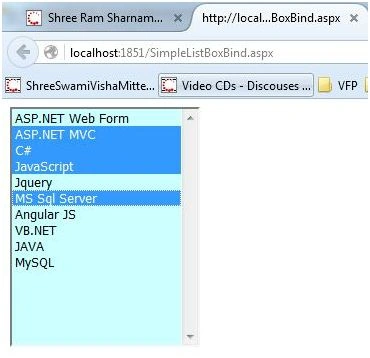
In above image you can see, I had selected the following Items:
- ASP.NET MVC
- C#
- JavaScript
- MS SQL Server
How to retrieve the Multi Selected value?
Now, we are going forward for How to Retrieve the Multi Selected Value from List Box.
Now right click on Solution Explorer and Add new web page/form.
RightClick->ADD->ADD NEW ITEM
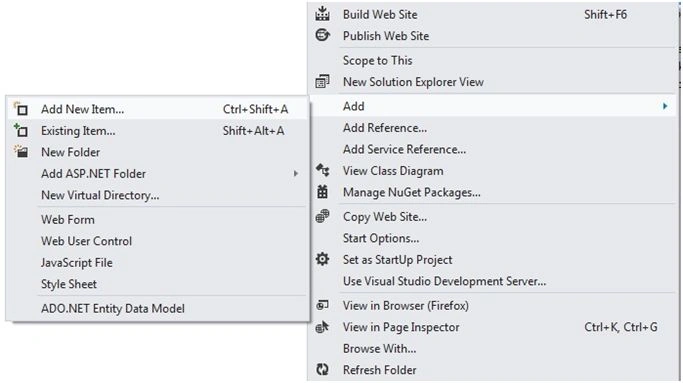

Give file name: ListBoxSelecetedItem.aspx.
Now double clicked on SimpleListBoxBind.aspx file.
Drag n Drop the List Box control on aspx page.
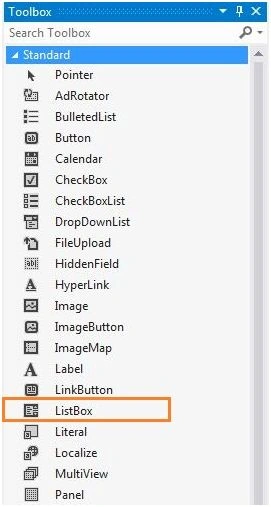
In this page following controls selected:
| Control | Control ID | Description |
| List Box | lstTech | Contains all the items for selections. |
| Button | btnSubmit | Button to Submit the Selected Items. |
| Label | lblSelectedTech | Label to display selected Technologies items. |
CODE of ListBoxSelectedItem.aspx file
- <%@ Page Language="C#" AutoEventWireup="true" CodeFile="ListBoxSelectedItem.aspx.cs" Inherits="ListBoxSelectedItem" %>
- <!DOCTYPE html>
- <html xmlns="http://www.w3.org/1999/xhtml">
- <head id="Head1" runat="server">
- <title></title>
- </head>
- <body>
- <form id="form1" runat="server">
- <div>
- <asp:ListBox ID="lstTech" runat="server" Height="240px" SelectionMode="Multiple" Width="190px" BackColor="#CCFFFF"></asp:ListBox> <br /> <br />
- <asp:Button ID="btnSubmit" runat="server" OnClick="btnSubmit_Click" Text="Submit" /> <br /> <br /> <br />
- <asp:Label ID="lblSelectedTech" runat="server" Text="[Selected Technologies]"></asp:Label> <br />
- </div>
- </form>
- </body>
- </html>



Naresh AswaniPosted Dec 14, 2019, 4:58 AM
If (!string.IsNullOrEmpty(rdr1["kyc_documents"].ToString())) { string kyc_docs = rdr1["kyc_documents"].ToString(); txtSpouse_Name.Text = kyc_docs; string[] docs = kyc_docs.Split('*'); txtFather_Name.Text = docs[0]; txtMother_Name.Text = docs[1]; foreach (string value in docs) { ddlKYC_Docs.Items.FindByValue(value).Selected = true; } } getting error in above code. If i store seperate elements of the array in other text boxes it works, but when use foreach loop to set the list items pre-selected, it gives an error "Object reference not set to an instance of an object.". Pls help string[] docs = kyc_docs.Split('*'); txtFather_Name.Text = docs[0]; txtMother_Name.Text = docs[1]; foreach (string value in docs) { ddlKYC_Docs.Items.FindByValue(value).Selected = true; } }
Pradyumna BhatPosted Oct 18, 2019, 5:52 AM
Thank you for detailed explanation, I did struggle for 3 days to capture the selected Item values of the list box into a string array. your guidelines helped me a lot. Thank you Manoj Kalla..
Ramzanali MominPosted Sep 3, 2018, 12:58 AM
Nice article for fresher
mohammad irfanPosted Sep 6, 2017, 1:51 AM
How to use dropdown with checkboxes with data binding
SubashPosted Sep 15, 2016, 3:06 AM
Good one sir
Santhakumar MunuswamyPosted Feb 9, 2016, 11:43 AM
Thanks for nice article
Debasis SahaPosted Feb 9, 2016, 2:21 AM
Good One..
Shubham KumarPosted Feb 9, 2016, 1:34 AM
nice