

Introduction
Every business is looking to create a copilot, which can help their business process to make their process more intelligent. In this regard, we are going to this blog dedicated to creating any kind of booking using copilot, but I will give reference to flight booking scenarios.
We will have a series of blogs on this. So, basic things we will cover in this, and in coming blogs, we will cover more advanced topics.
Overview of Microsoft Studio
Microsoft Copilot Studio is designed to make digital assistants or copilots. But what exactly is a copilot? A copilot is a technology that acts as your assistant.
Imagine that CEOs and managers are hiring virtual assistants to help them work more efficiently, and it works well for them. Now, think about giving every employee in your organization a virtual assistant. This would significantly boost productivity.
You might think this requires a lot of investment. But with AI, that's not the case. You can create a virtual assistant for each employee, improving their productivity by at least 30-40%.
Microsoft Copilot Studio helps you create these copilots. So, in this blog, we are going to create a flight customer agent using Copilot Studio.
Step 1. Create a Copilot
Click on the Create button in the right-left corner to create a new copilot and then edit the same logo.
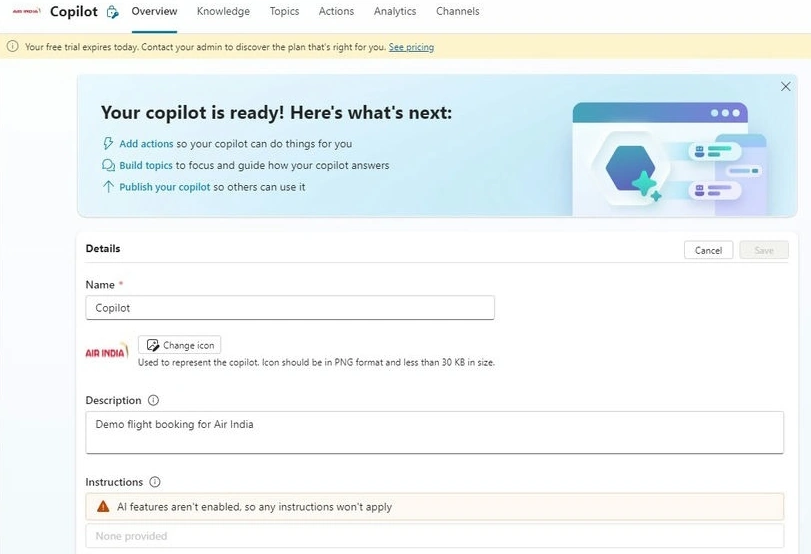
On top of that, you can see a menu option for operating this copilot.
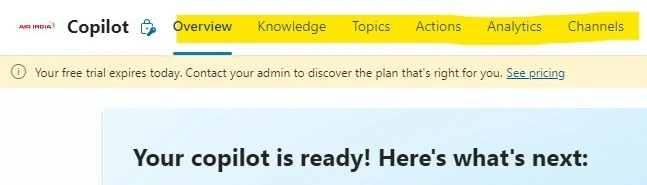
Click on Topic.
Step 2. Create a Topic Trigger
The topic in Microsoft Copilot Studio refers to a business process or flow, especially for customer support. When a customer asks a question, the system uses that question to trigger certain processes and provide the answers they need.
In this context, a customer's question is called a "topic" in Copilot Studio. You can also think of the customer as an employee or manager, meaning you can create a copilot for internal use within your organization.
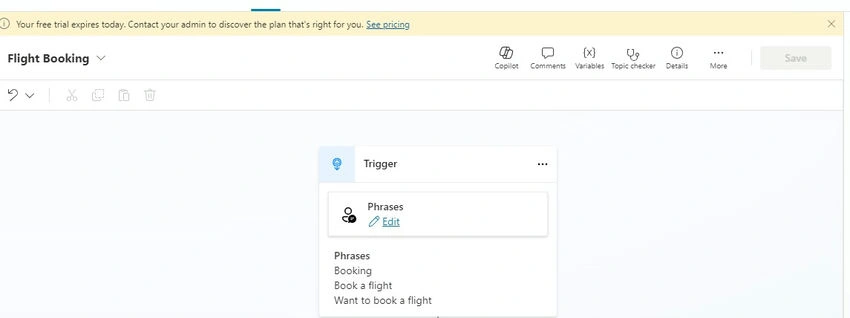
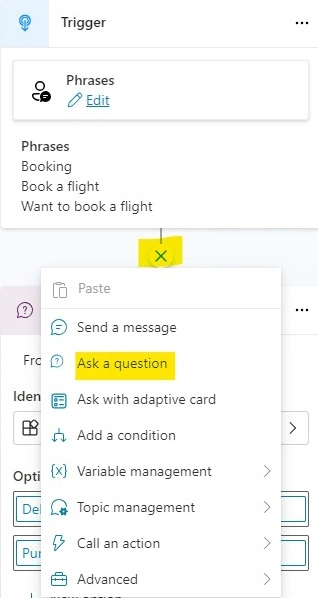
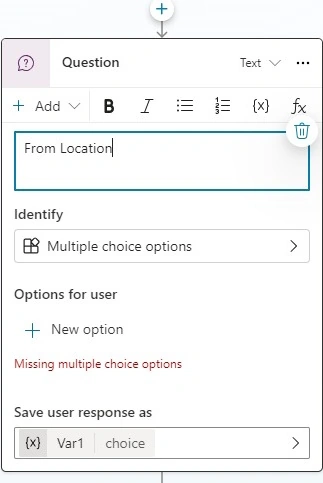
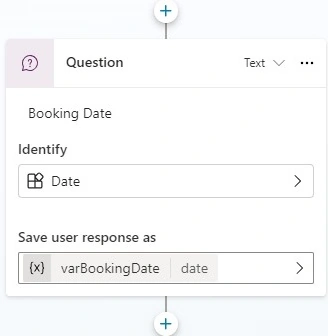
So, add the phase topics that will start a conversation. For example, in the case of flight booking, we are taking phases like.
- “Booking”
- “Book a flight”
- “What to book a flight”
Copilot is even smart enough to understand if you are putting a similar type of question. In that case, also, it will trigger this flow.

Mahesh ChandPosted Aug 30, 2024, 1:42 PM
Very cool. Thank you Sandeep.